3mpwr App FranΓ§ais
β™Ώ Accessibility
172
Visuals
11
Categories
150+
Features

🏠 Home Dashboard

Your personalized command center with AI assistant, quick actions, and real-time updates.
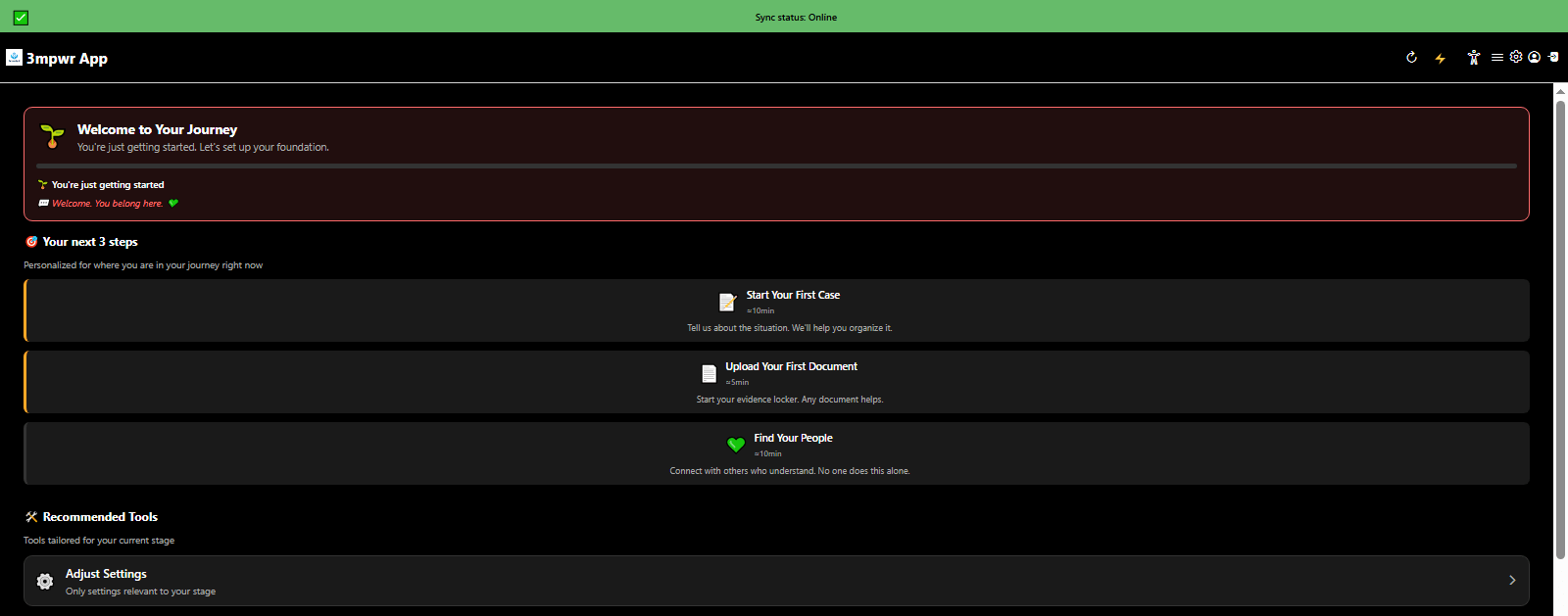
AI Assistant showing personalized next steps and recommended tools for disability advocacy - 3mpwrApp home dashboard
AI Assistant - Next Steps | Beta
AI Assistant providing helpful resources and additional support options - 3mpwrApp AI advocacy tools
AI Assistant - Resources | Beta
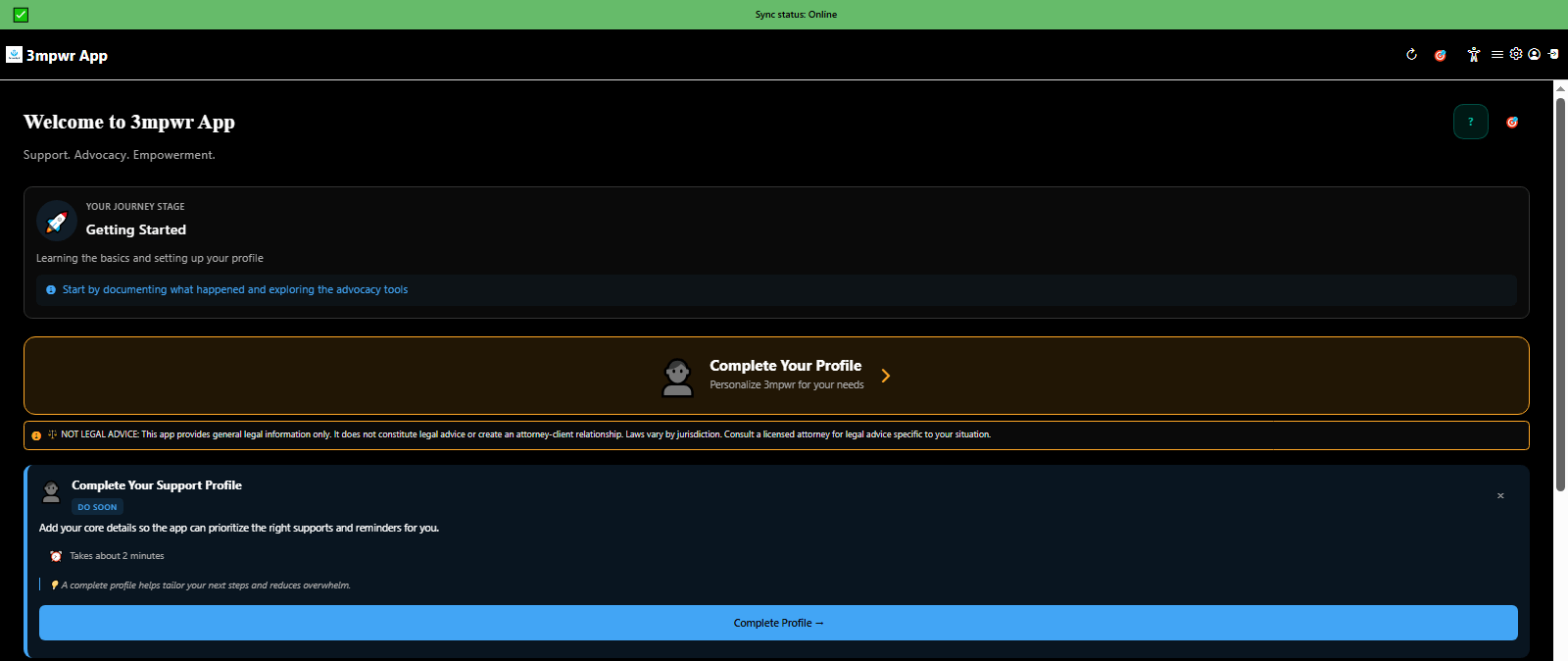
3mpwrApp home dashboard with personalized widgets, quick actions, and AI assistant for disability rights advocacy
Home Dashboard | Beta
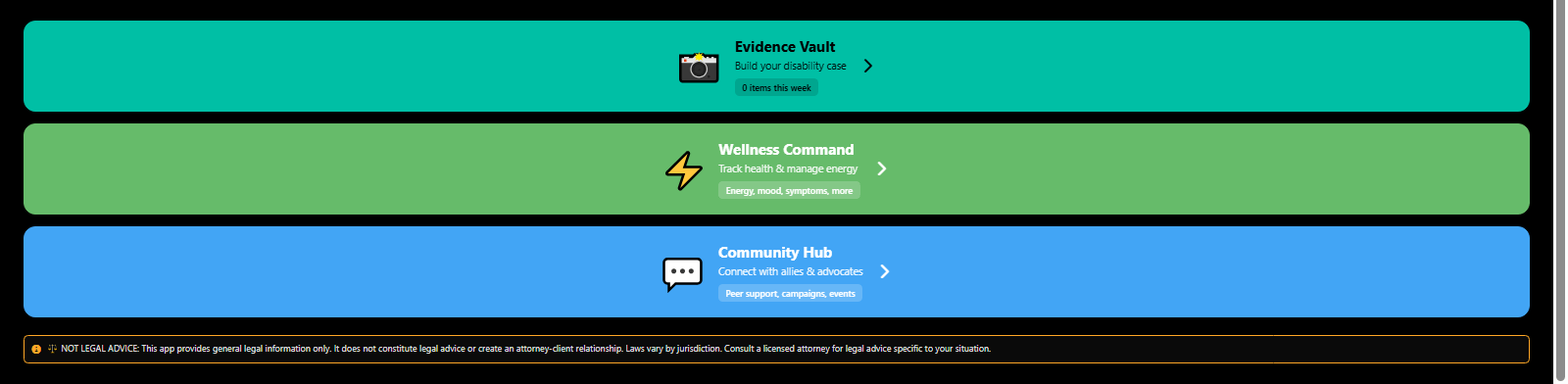
3mpwrApp home screen showing wellness tracking, evidence management, and community support features
Home Features | Guide
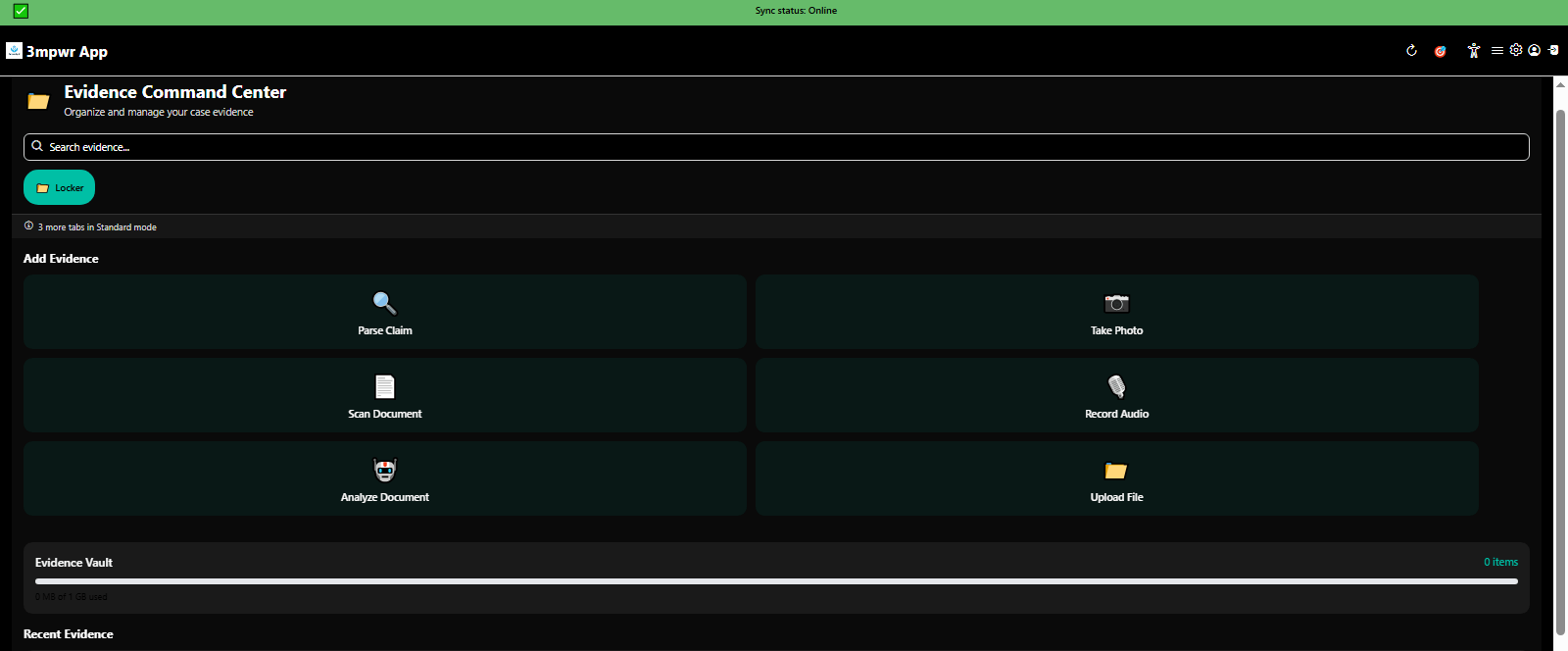
Quick access to Evidence Command Center from home - encrypted document storage for workers compensation cases - 3mpwrApp
Evidence Vault | Documentation
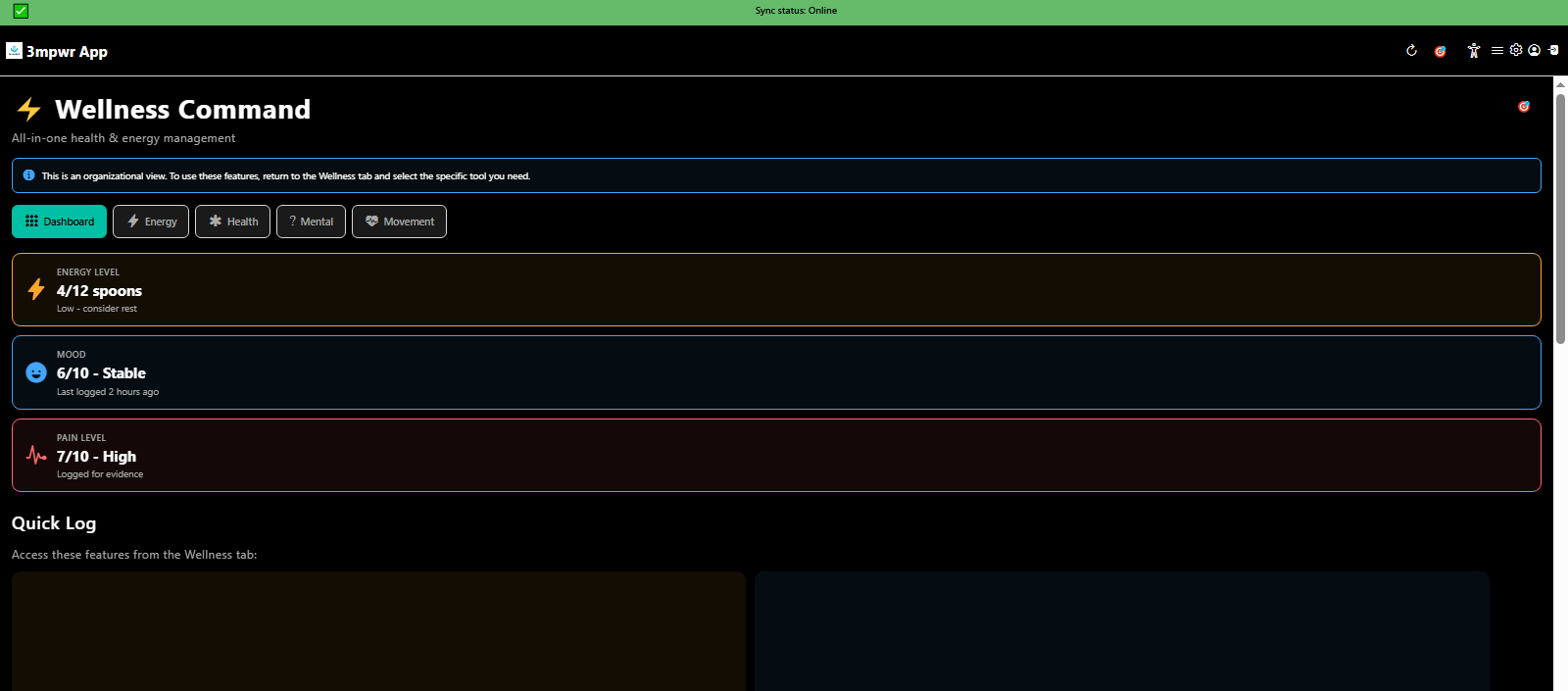
Wellness Hub quick access with health tracking, mood logging, and energy management tools - 3mpwrApp
Wellness Command | Explore
Start your first workers compensation case - guided onboarding tutorial - 3mpwrApp beta
Tutorial Step 1 | Join Beta
Upload and encrypt documents into Evidence Command Center - secure storage tutorial - 3mpwrApp
Tutorial Step 2 | Security
Find your support community - join 24 disability support groups - 3mpwrApp community
Tutorial Step 3 | Community

βš–οΈ Advocacy Hub

AI-powered tools for building your case, managing evidence, finding legal help, and generating professional letters.
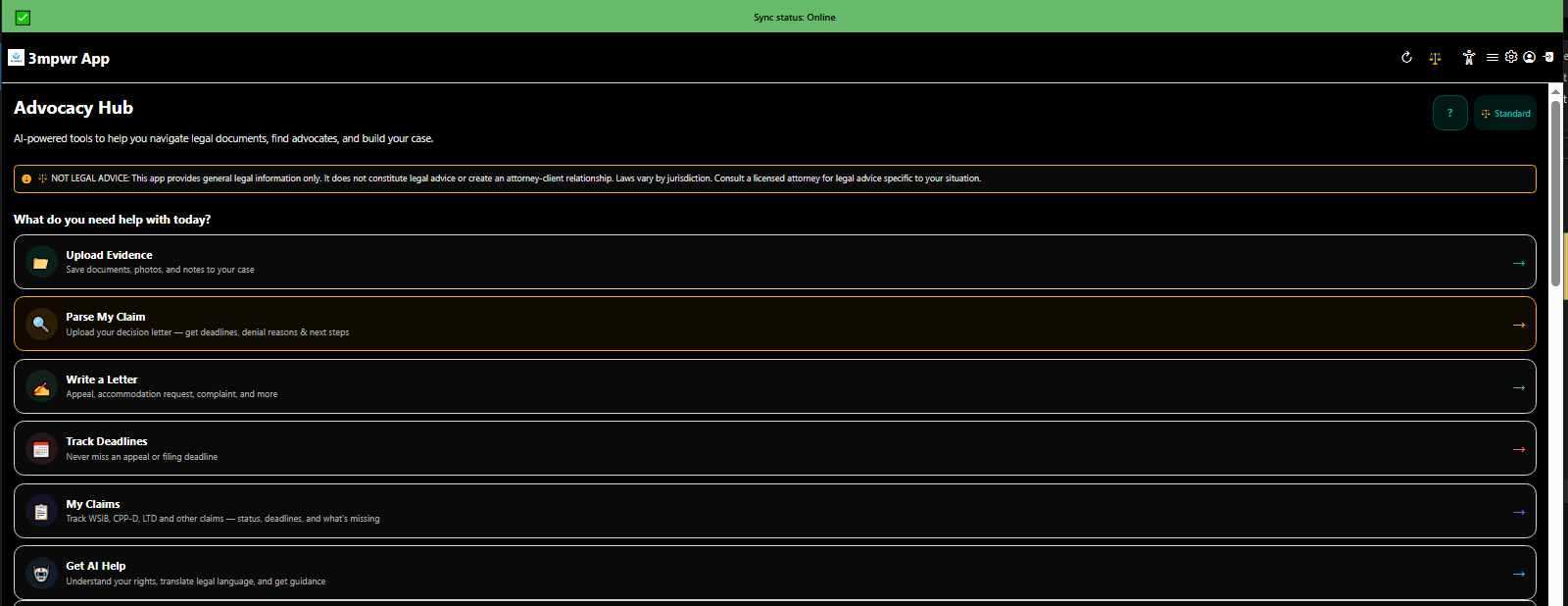
Advocacy Hub main dashboard asking 'What do you need help with today?' - personalized legal support for injured workers - 3mpwrApp
Advocacy Hub Dashboard | Beta
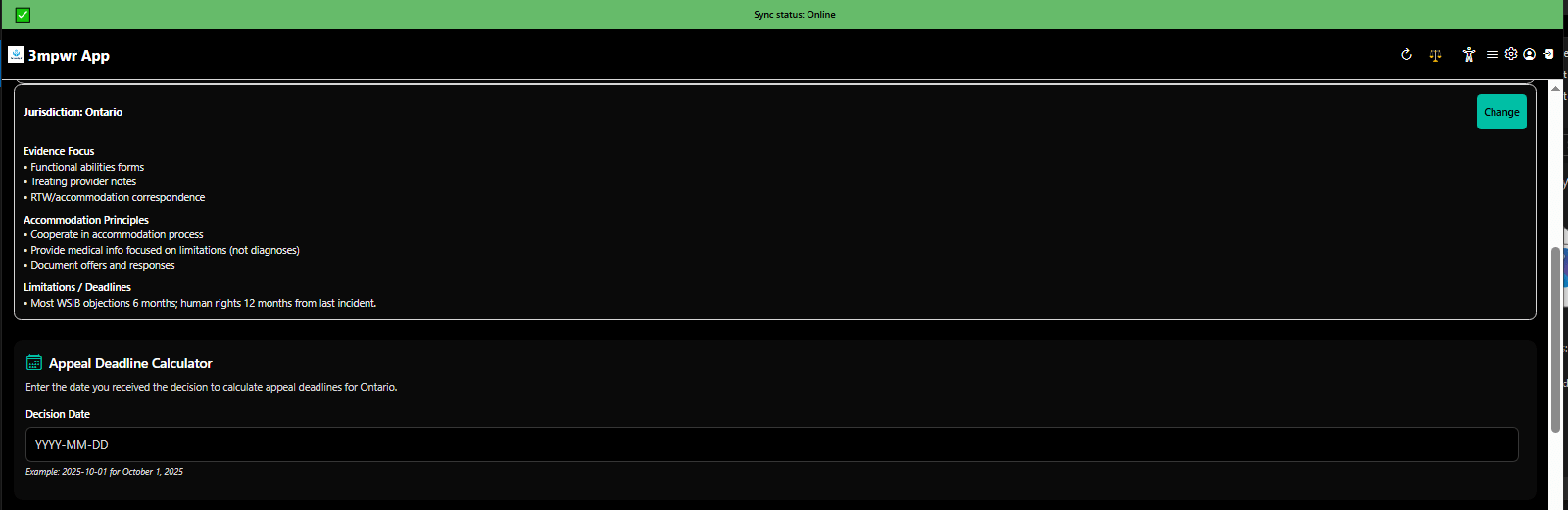
Jurisdiction selection and appeal deadline calculator - track critical legal deadlines for workers compensation - 3mpwrApp
Jurisdiction & Deadlines | Appeals
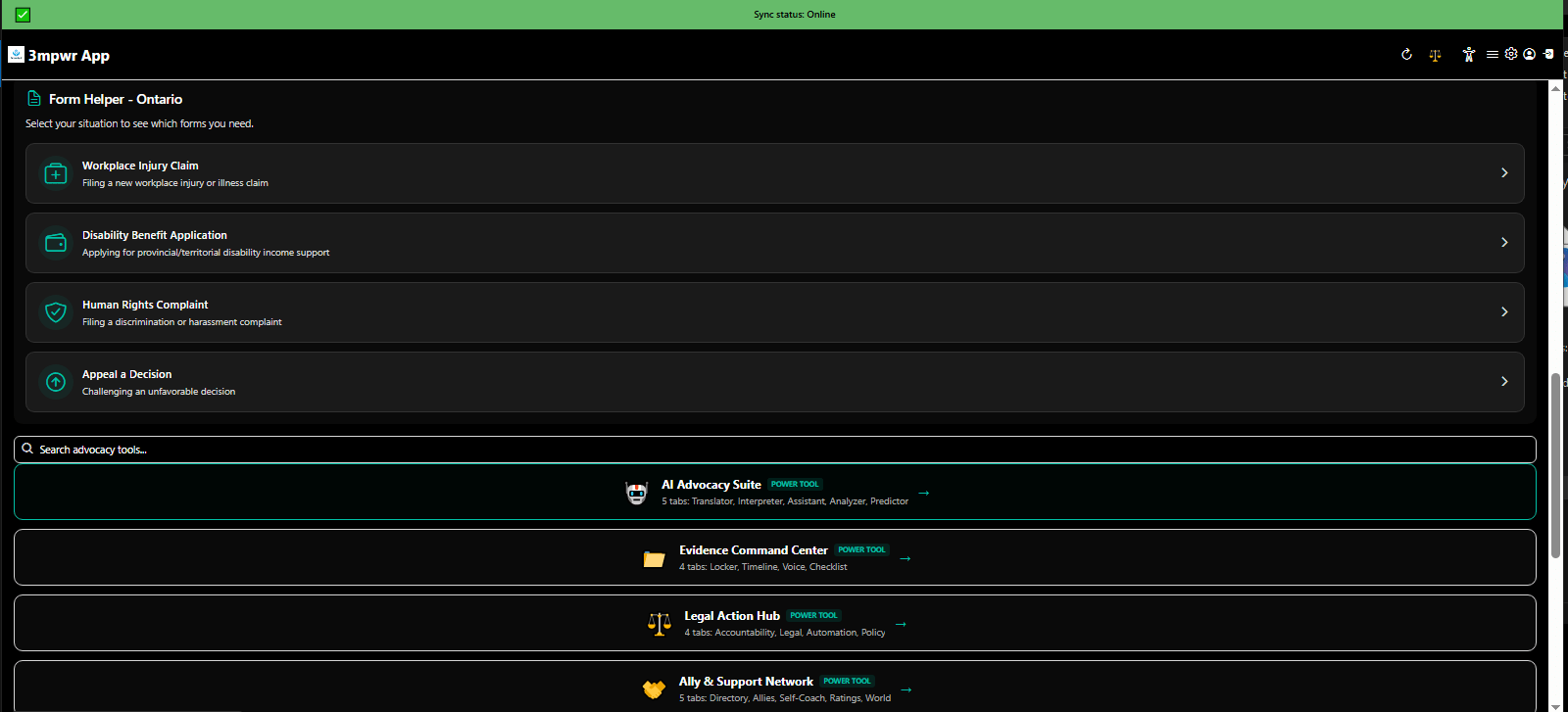
Form helper and search tools for navigating complex legal documents - disability rights advocacy - 3mpwrApp
Form Helper & Search | AI Tools
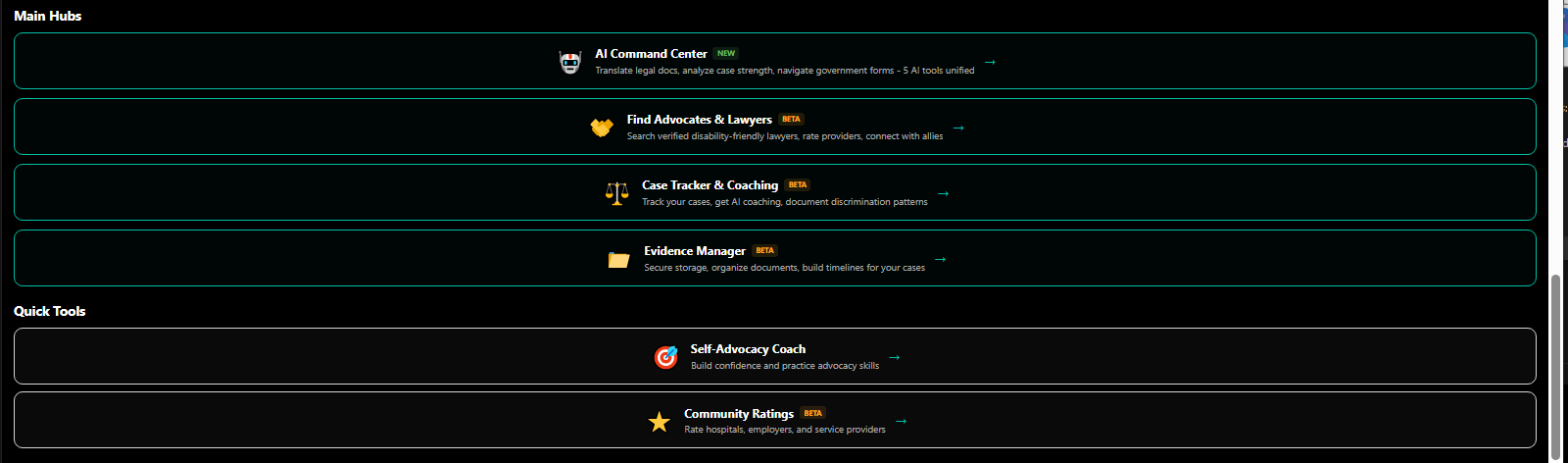
Main advocacy hubs with quick tools for evidence, appeals, and legal action - workers comp case management - 3mpwrApp
Main Hubs & Quick Access | Tracking
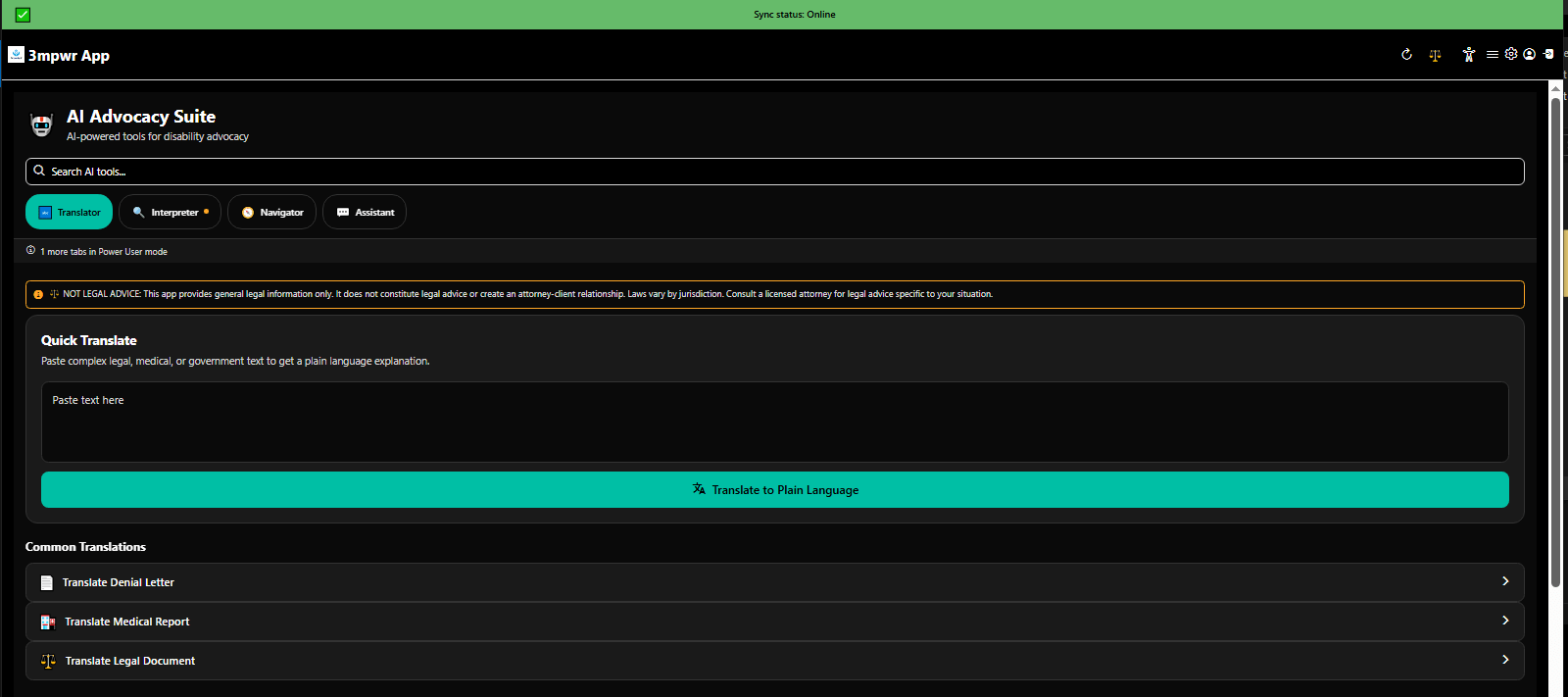
Complete AI Advocacy Suite with 6 AI-powered tools - document translator, form helper, letter generator - 3mpwrApp
AI Advocacy Suite | Explore
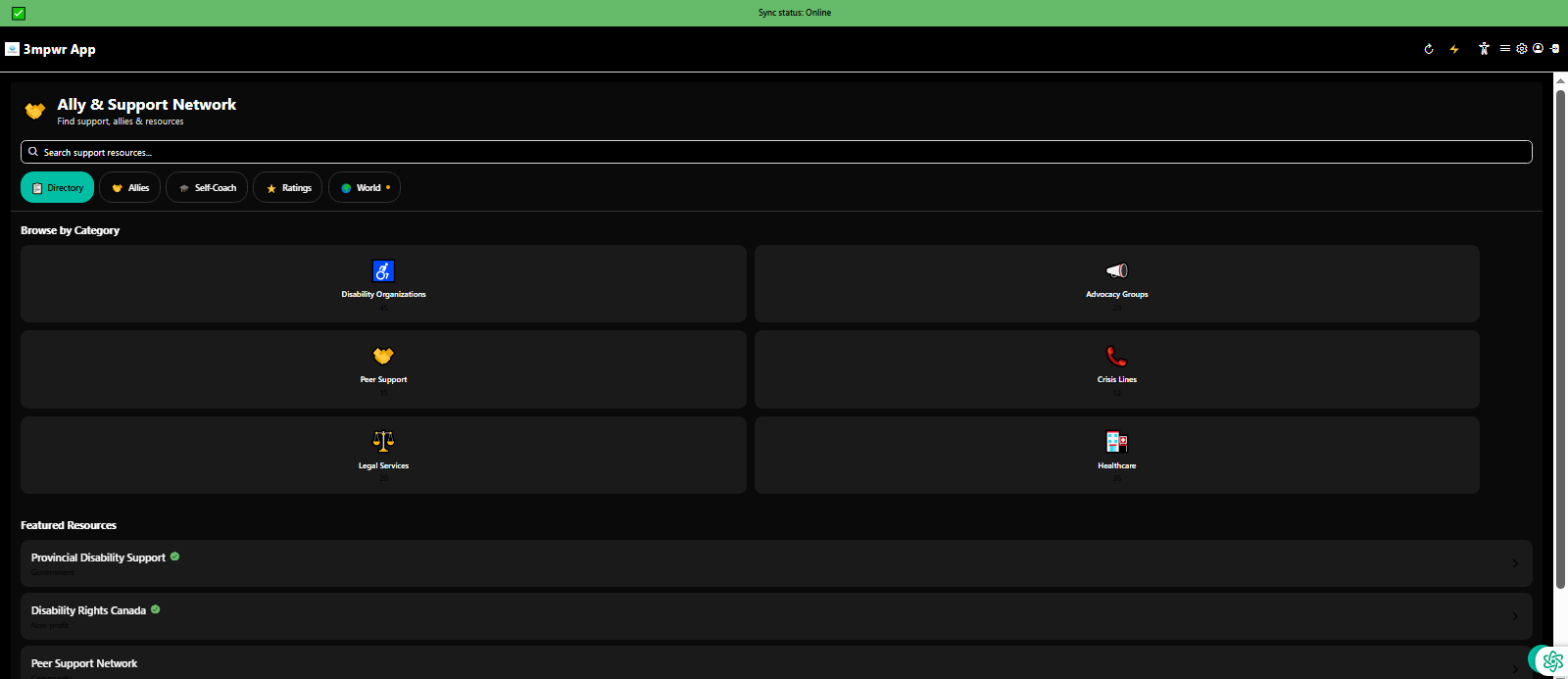
Connect with allies and build your support network for disability advocacy - community organizing - 3mpwrApp
Ally & Support Network | Community
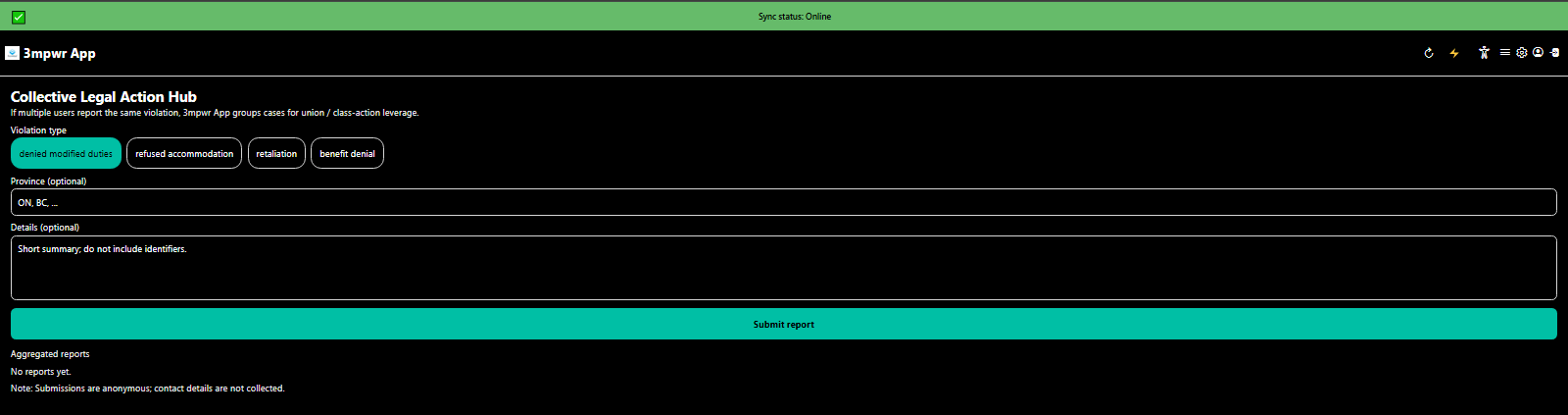
Collective Legal Action Hub for organizing group advocacy and class action support - workers rights - 3mpwrApp
Collective Legal Action | Campaigns
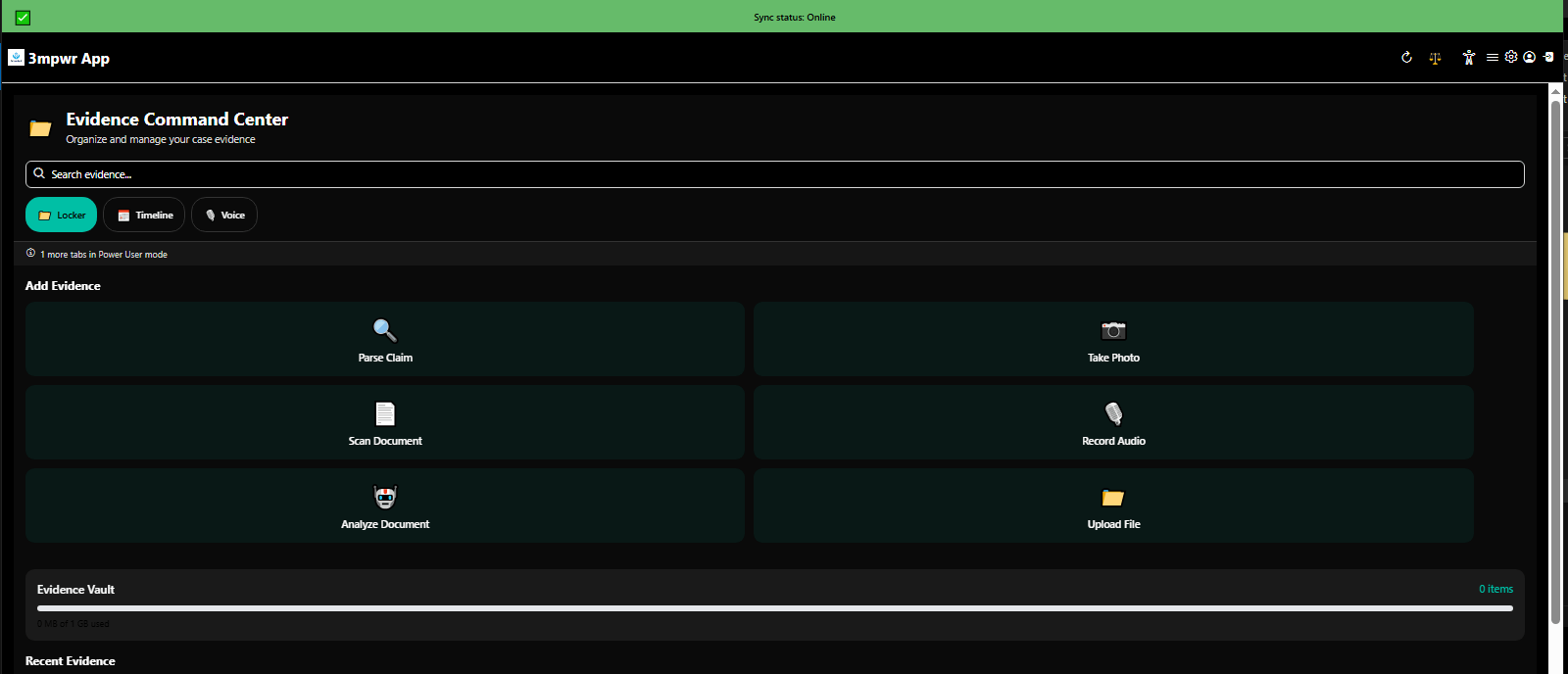
Evidence Command Center - encrypted document storage, timeline builder, voice memos for legal cases - 3mpwrApp
Evidence Command Center | Documentation
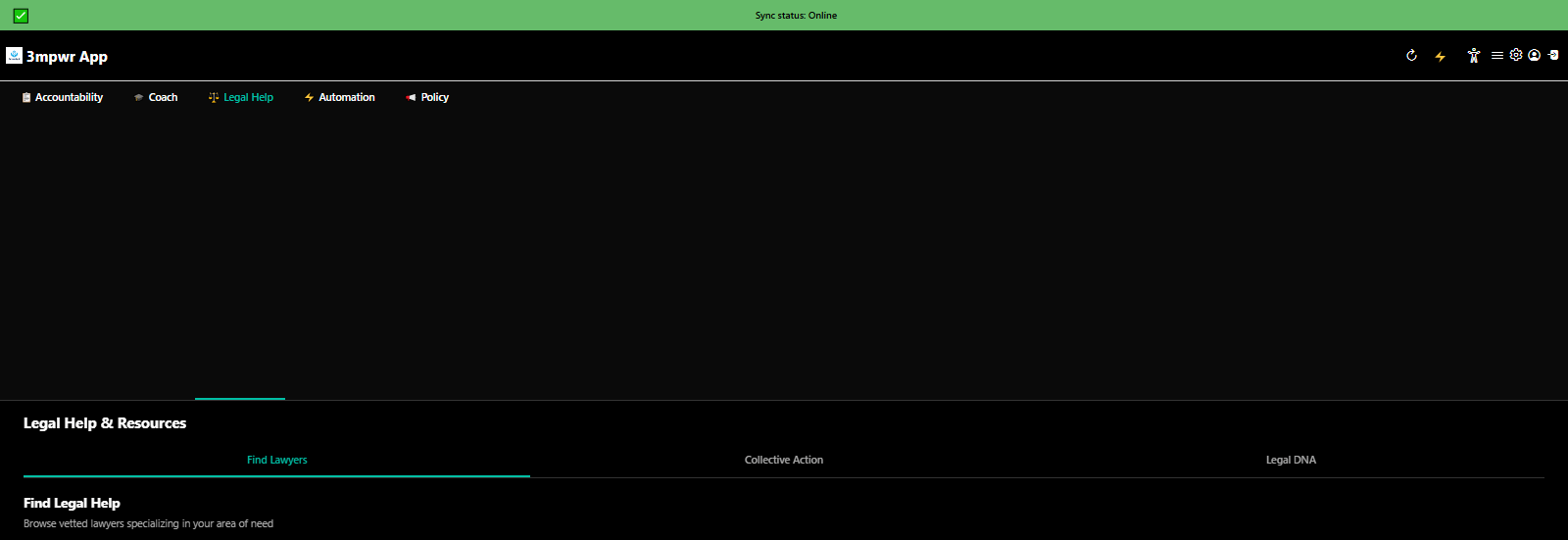
Legal Action Hub with 5 tabs - evidence, appeals, lawyers, case tracking, self-advocacy coach - 3mpwrApp
Legal Action Hub | Guide
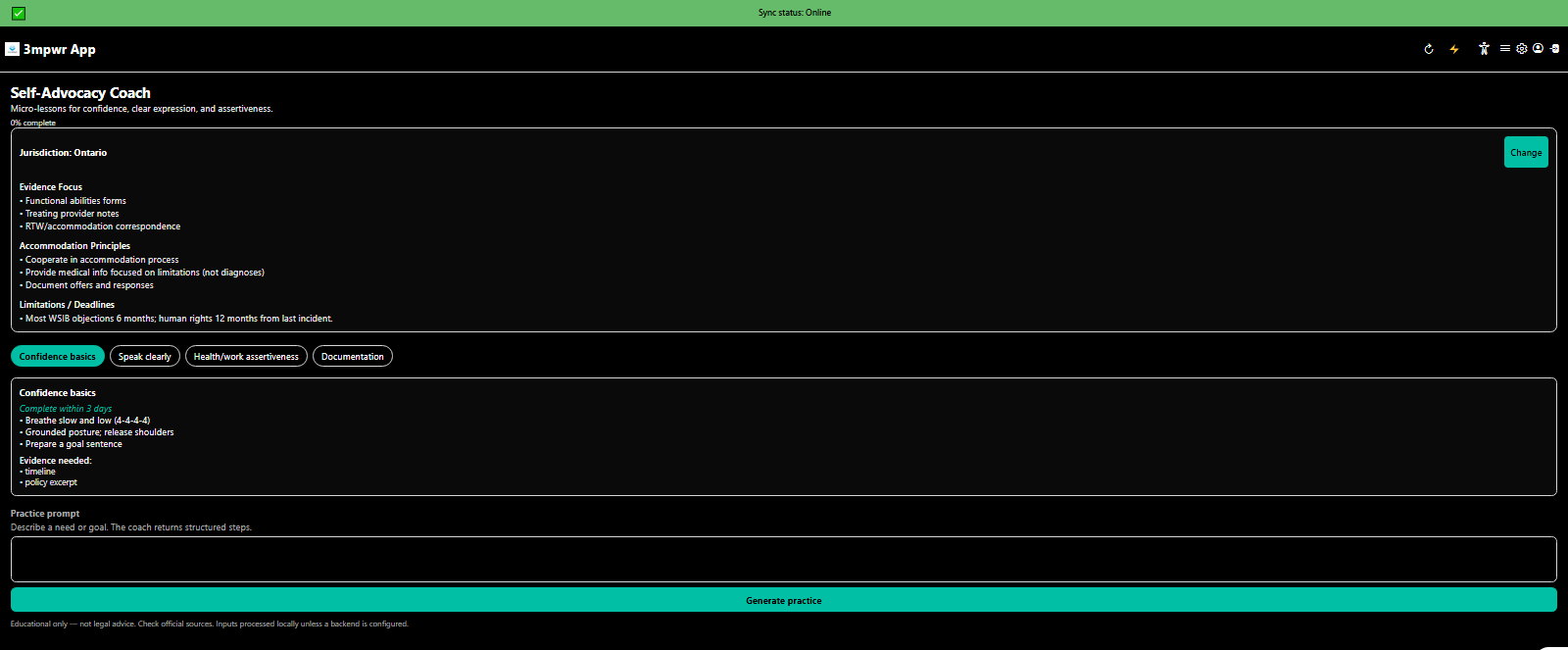
Self-Advocacy Coach providing guidance and templates for representing yourself - disability rights - 3mpwrApp
Self-Advocacy Coach | Beta

πŸ’š Wellness Center

Comprehensive health tracking, mental wellness support, movement guidance, and crisis resources - 41 tools across 6 categories.
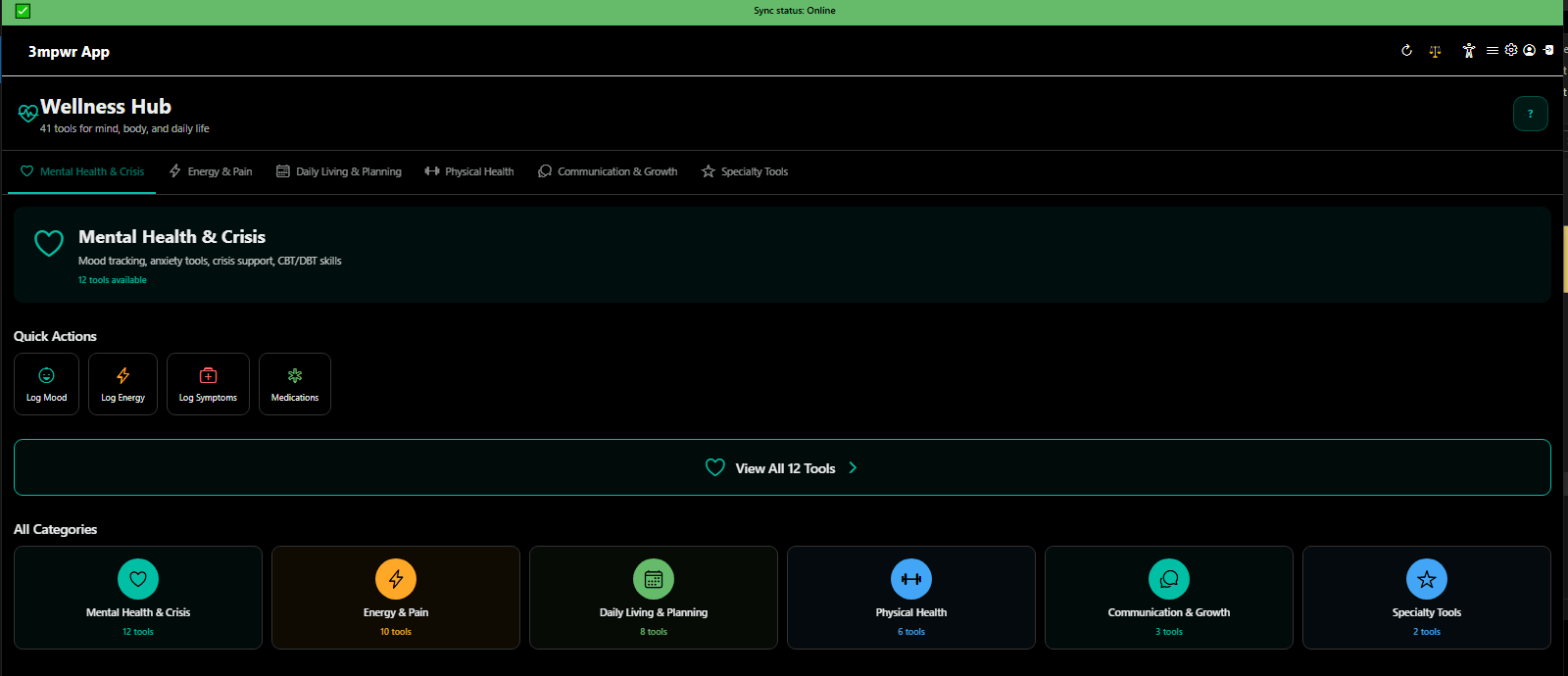
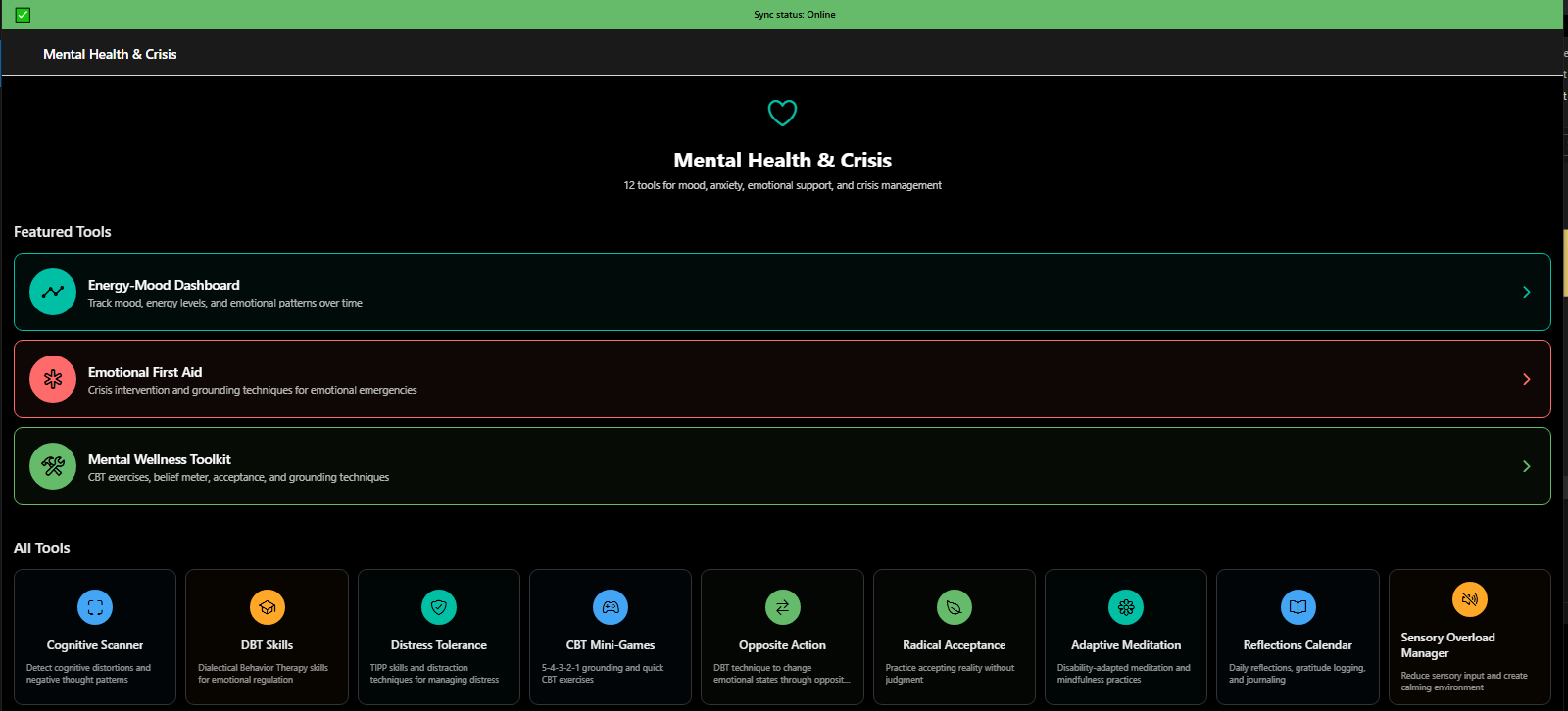
Wellness Hub main interface with 41 tools across 6 categories - chronic pain management, fatigue tracking, mental health support - 3mpwrApp
Wellness Hub - 41 Tools | Explore
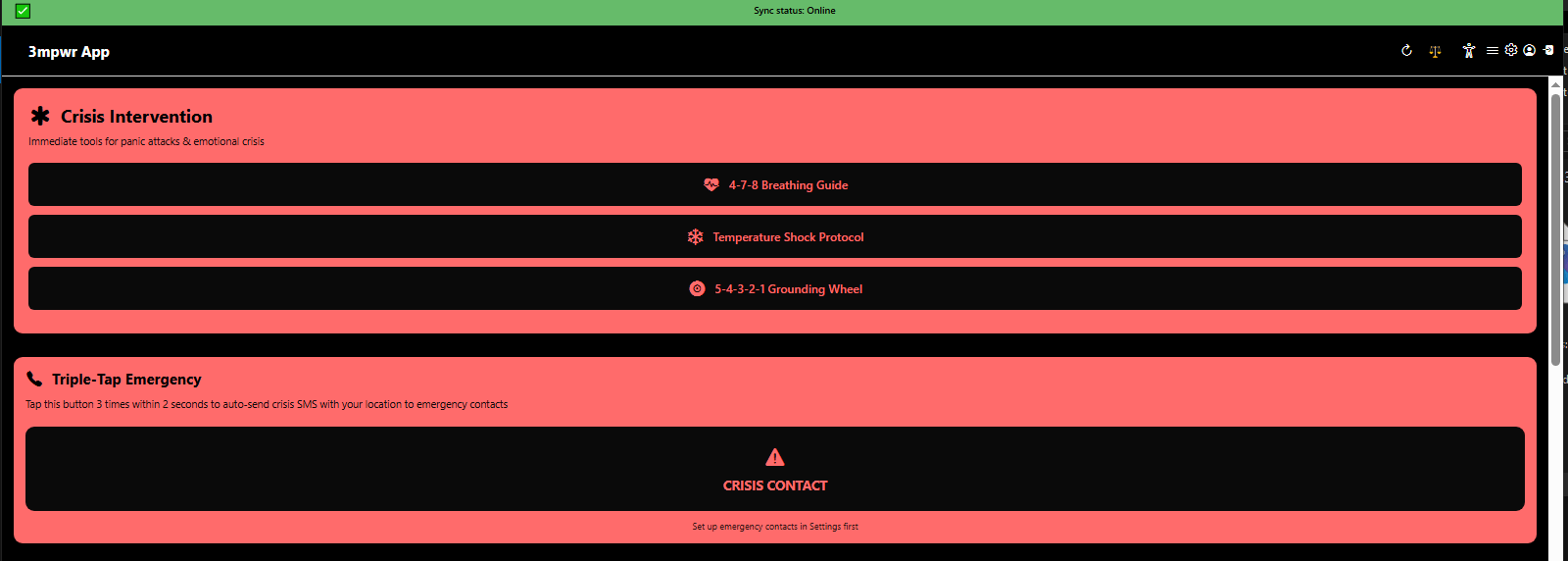
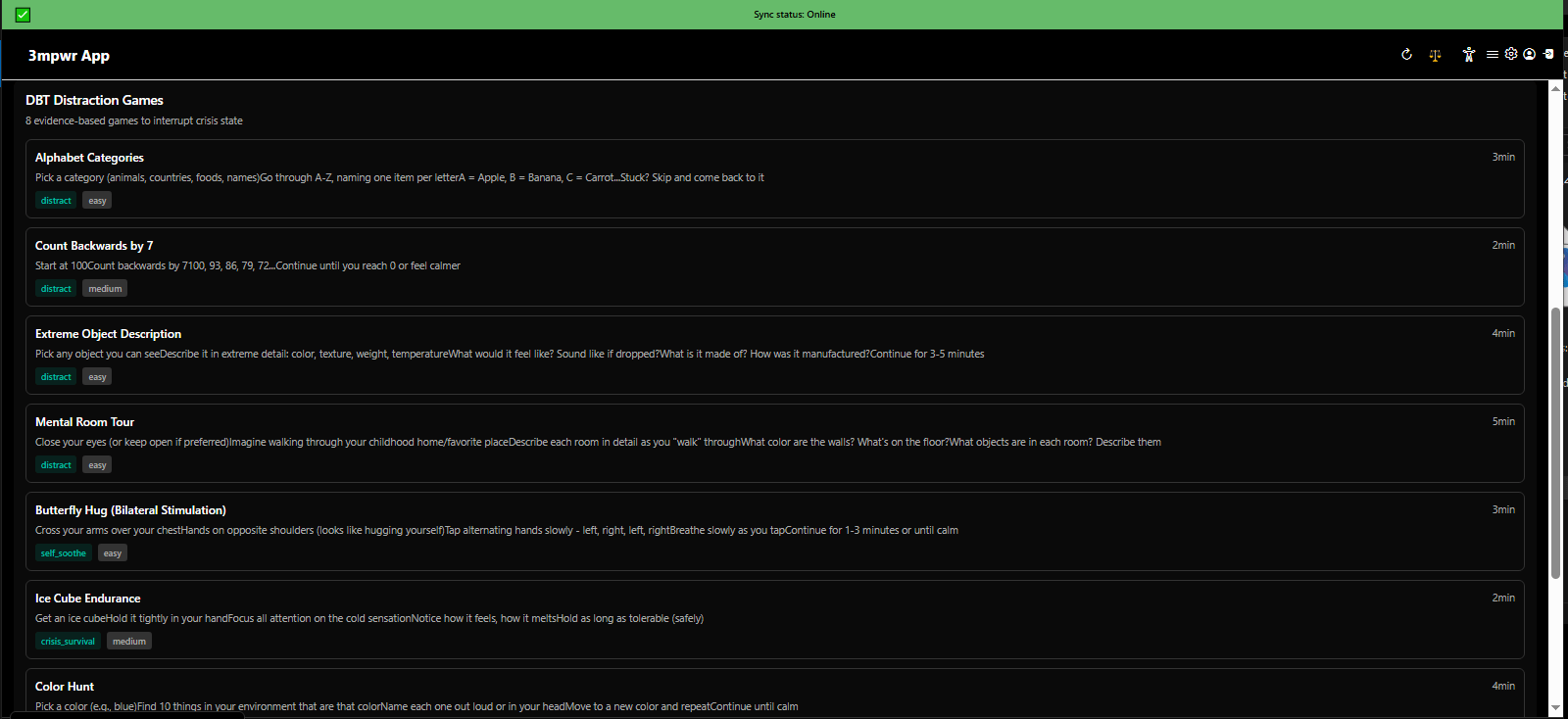
12 mental health crisis intervention tools - DBT distraction games, breathing exercises, emergency contacts - 3mpwrApp wellness
Mental Health Crisis Tools | Crisis Support
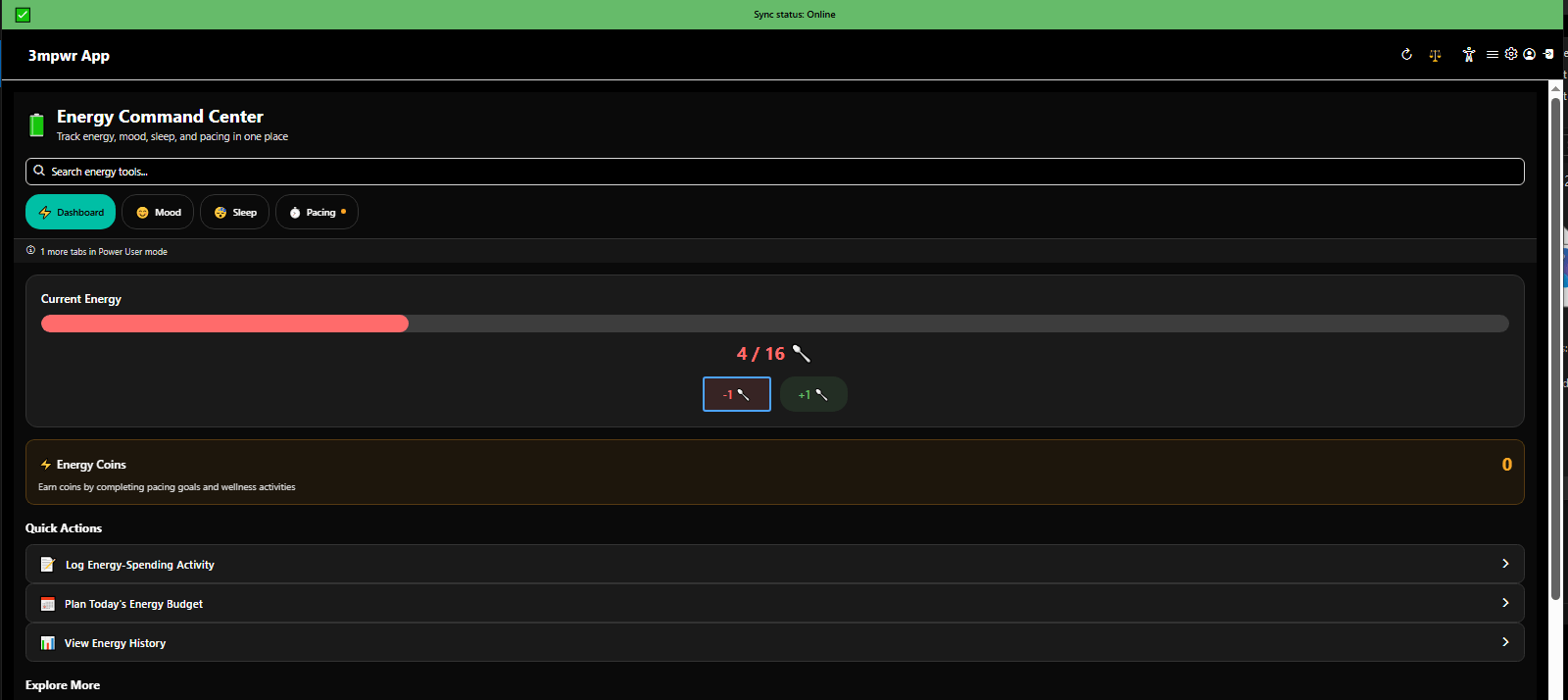
Energy and mood dashboard with AI-enhanced tracking and pattern recognition - spoon theory digital management - 3mpwrApp
Energy & Mood Dashboard | Spoon Theory
Emotional First Aid crisis intervention with triple-tap emergency contact activation - mental health support - 3mpwrApp
Emotional First Aid - Crisis | Beta
Emotional First Aid DBT distraction games for managing anxiety and panic - dialectical behavior therapy tools - 3mpwrApp
Emotional First Aid - DBT | Mental Health

πŸ“š Resources Center

Master tracker, appeal center, evidence management, letter templates, and comprehensive guides - 38 powerful tools for your case.
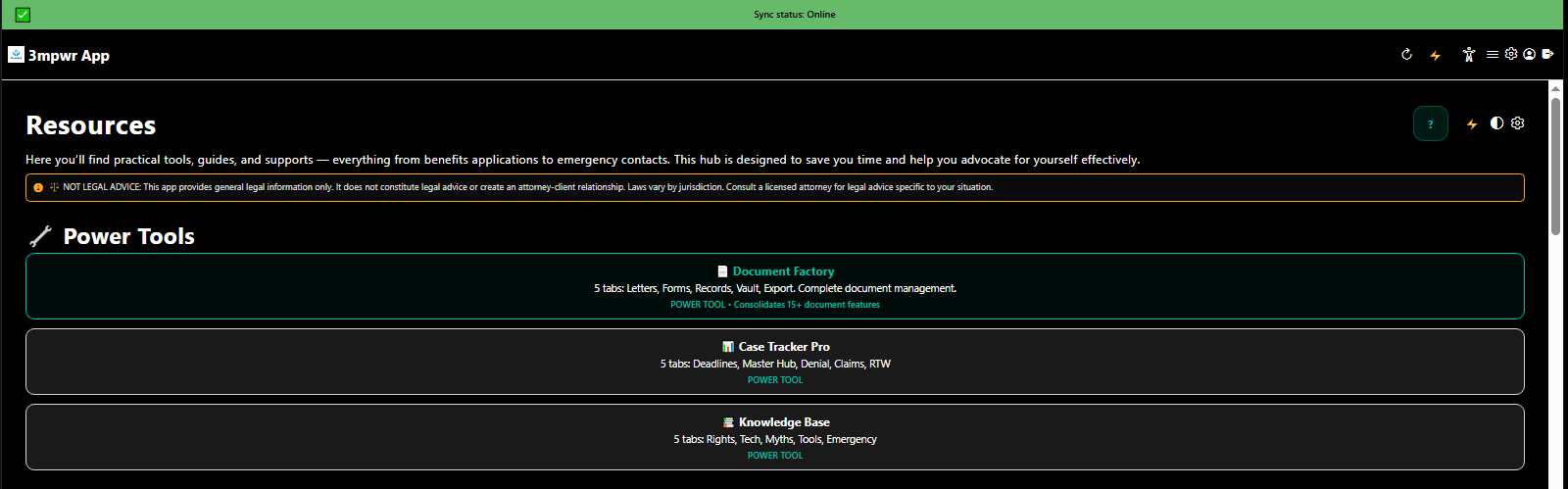
Resources tab showing PowerTools hub with advocacy, wellness, and legal action tools - 3mpwrApp
PowerTools Overview | Hub
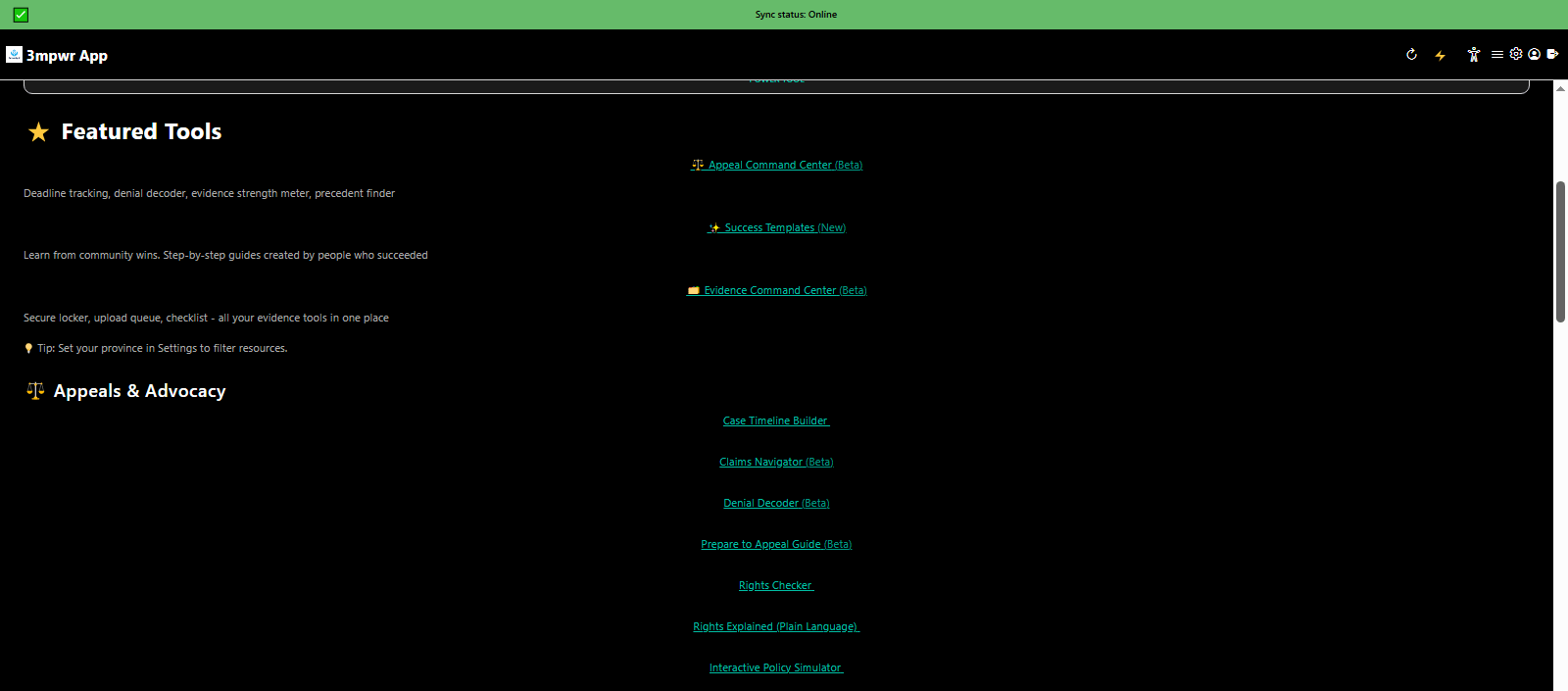
Featured tools for appeals and advocacy - workers compensation claim assistance - 3mpwrApp resources
Appeals & Advocacy | Appeals
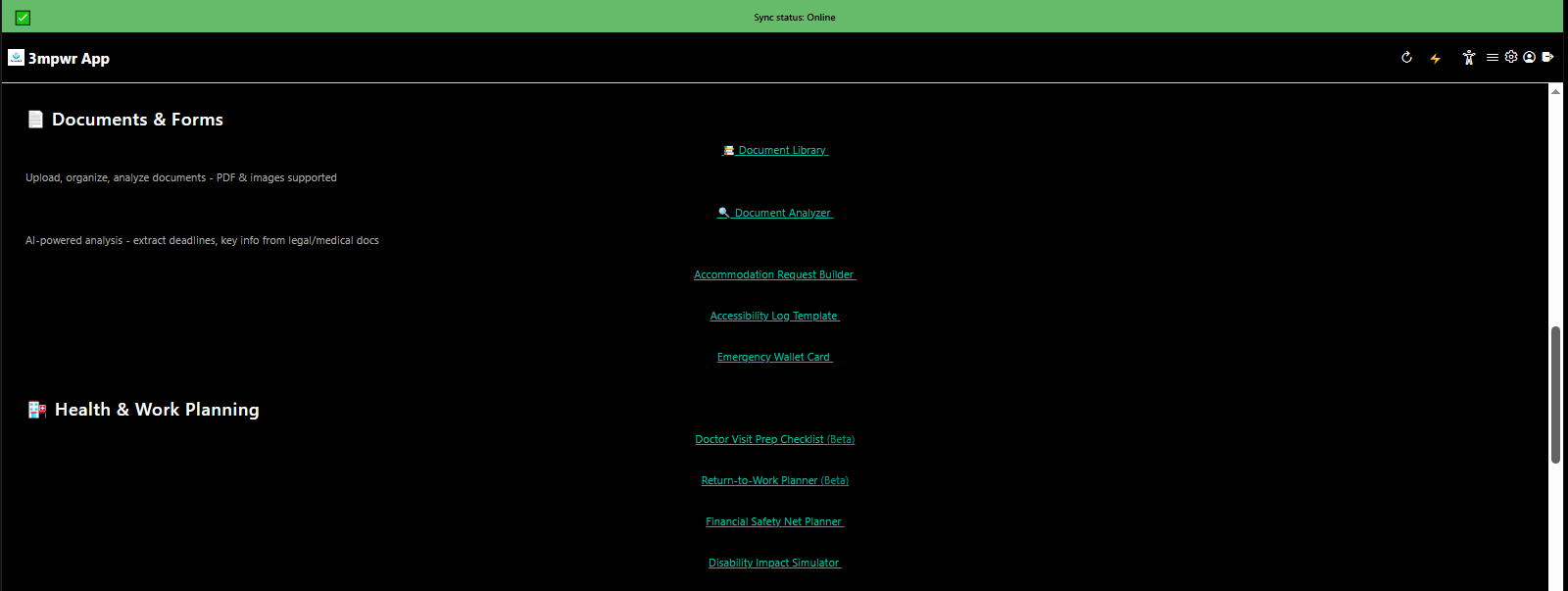
Documents, forms, health tracking, and return-to-work planning resources - disability case management - 3mpwrApp
Documents & Forms | Forms
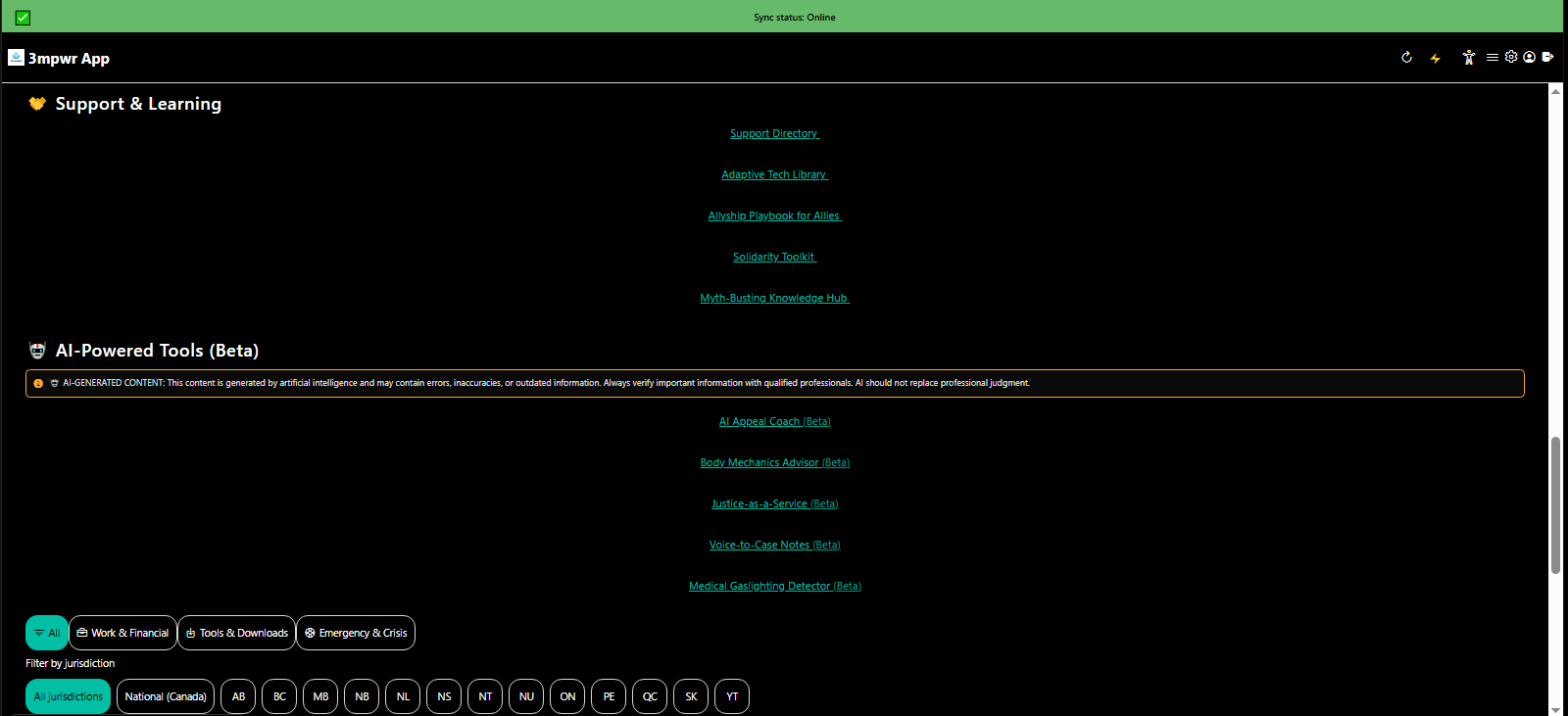
Support, learning resources, and AI-powered advocacy tools - disability rights education - 3mpwrApp
Support & AI Tools | AI
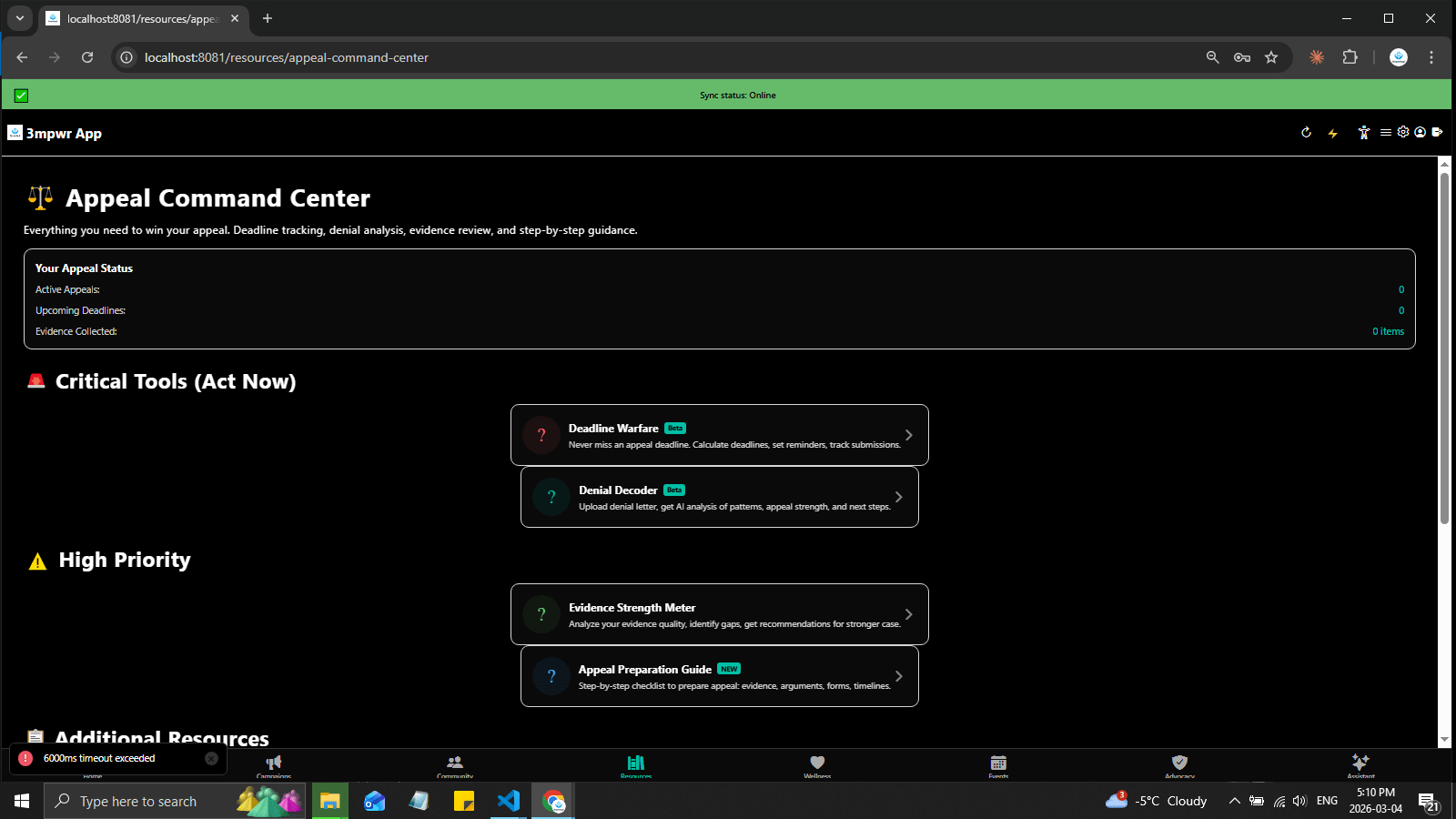
Appeal Command Center showing appeal status, critical deadline tools, and high-priority action items - 3mpwrApp appeals
Appeal Status | Track
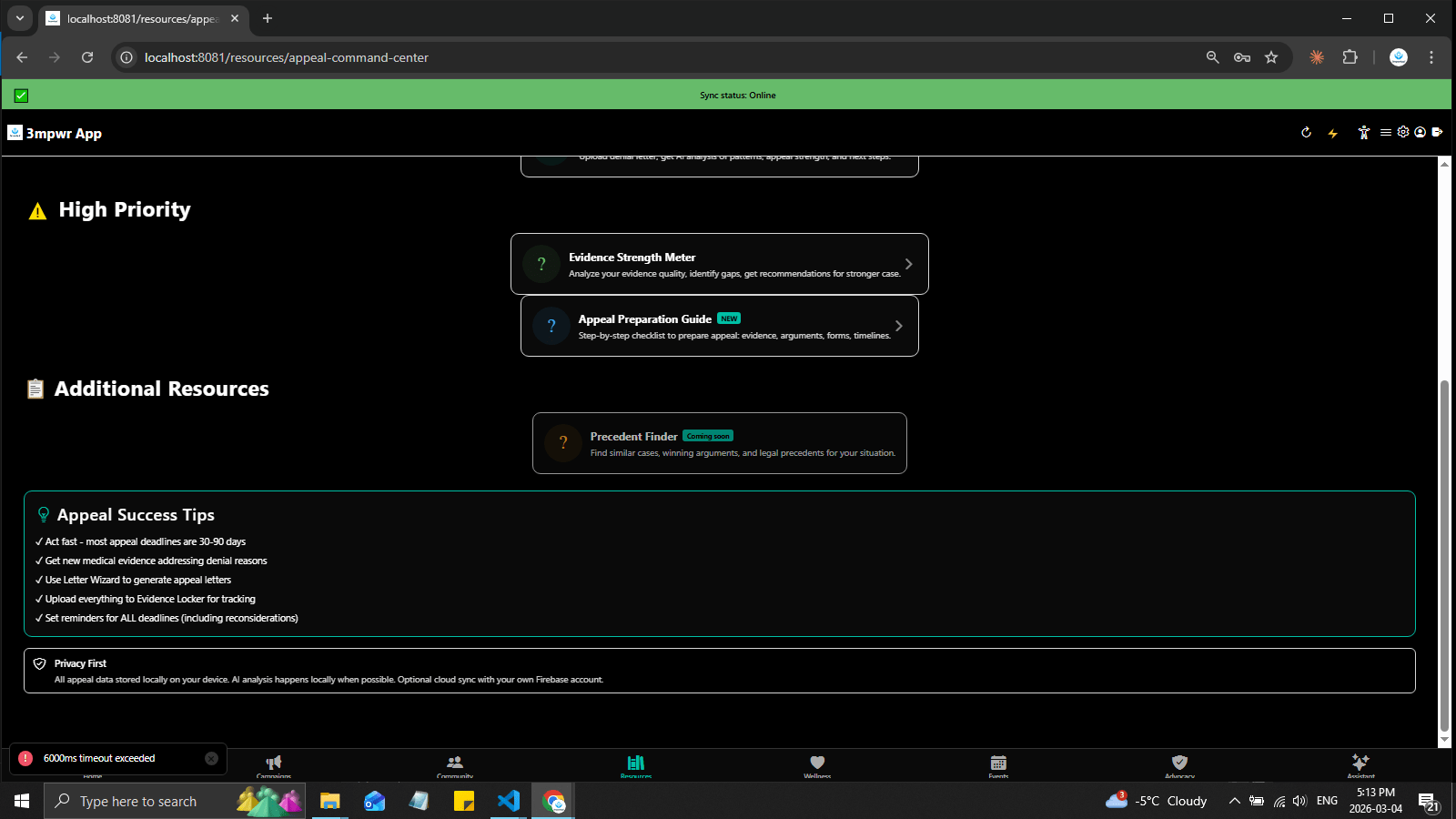
Appeal Command Center with additional resources, success tips, and strategy guidance - workers comp appeals - 3mpwrApp
Appeal Resources | Beta
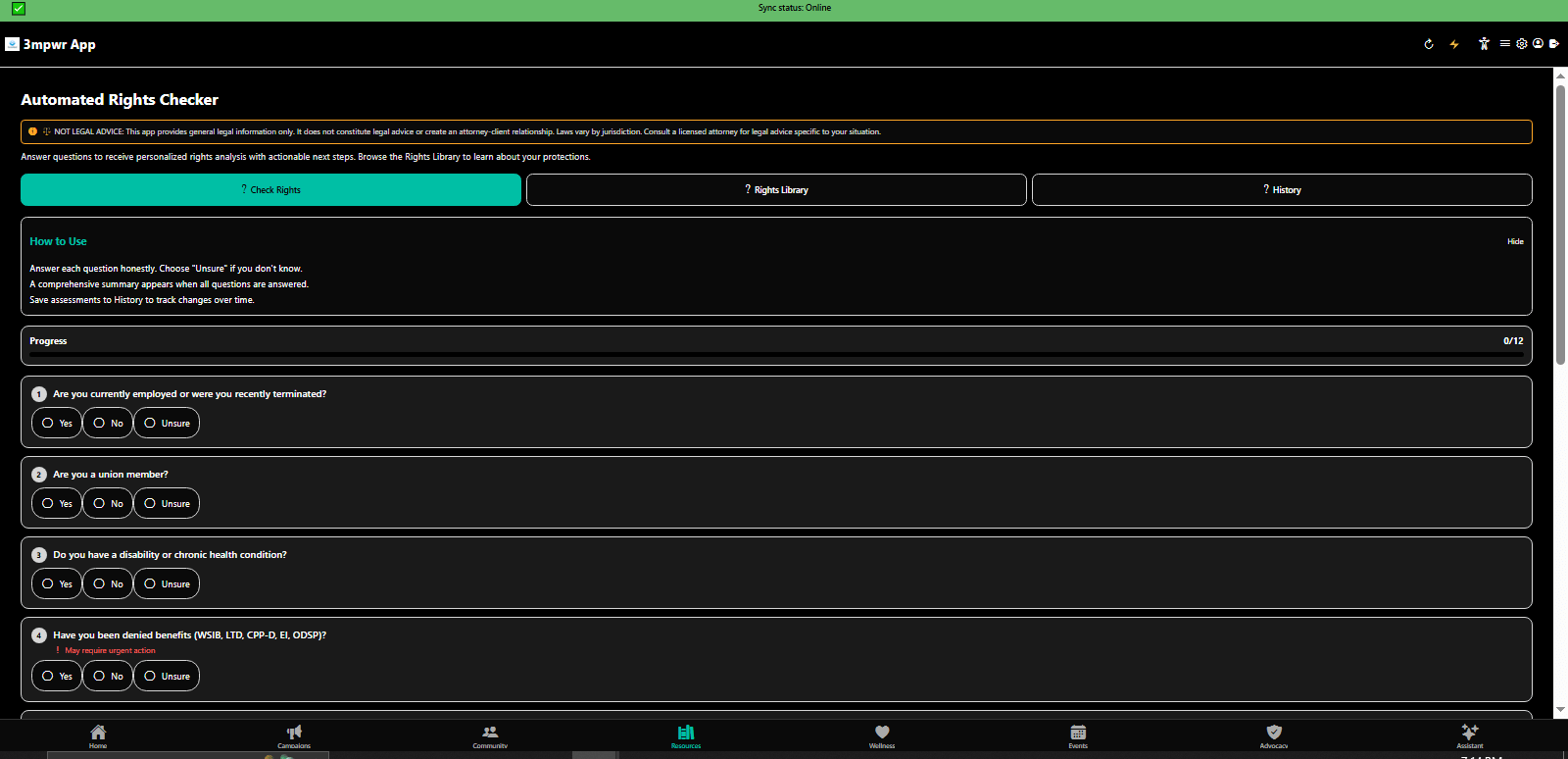
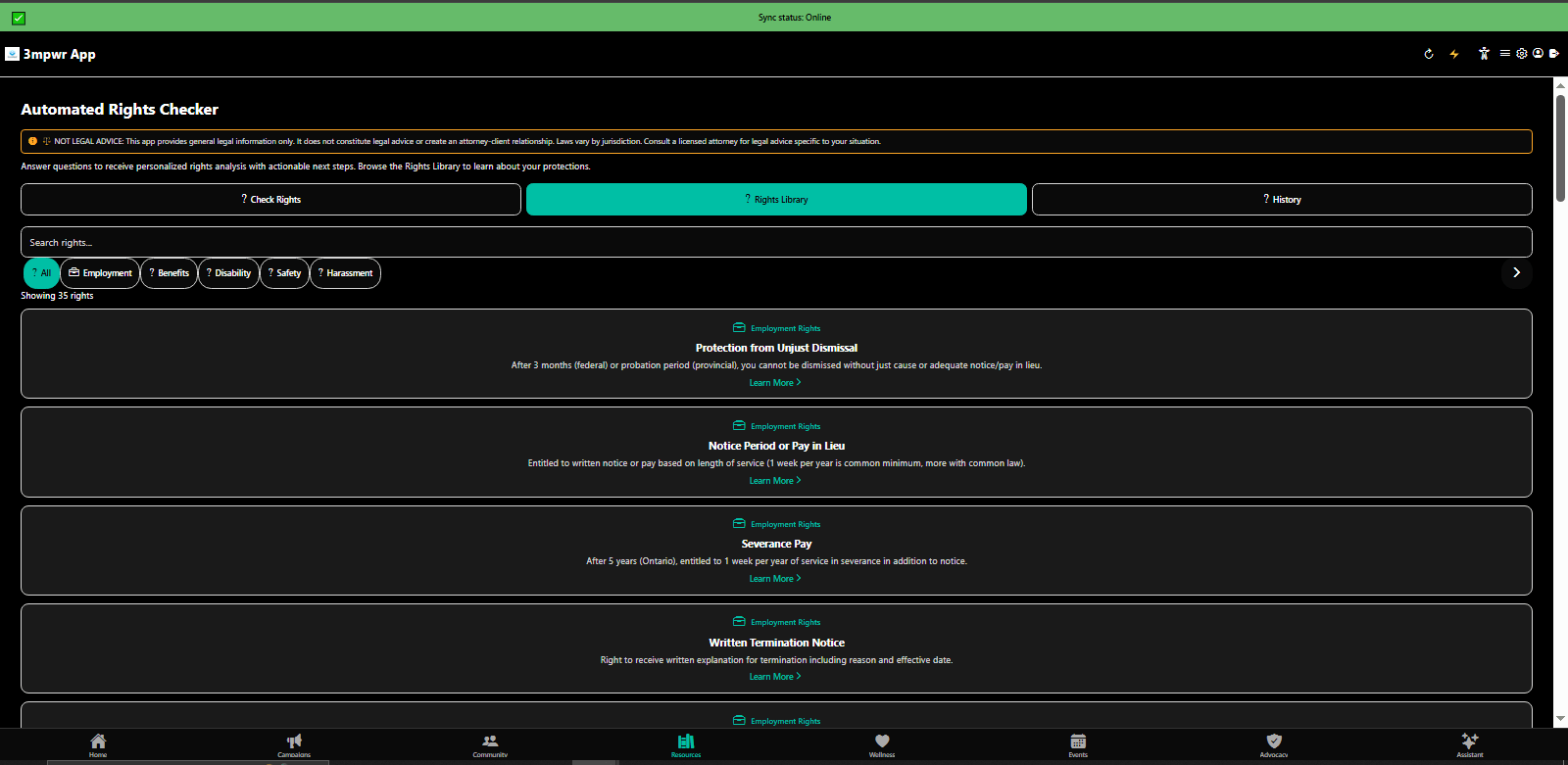
Automated Rights Checker analyzing your situation and checking applicable disability rights - 3mpwrApp legal tools
Automated Rights Checker | Check
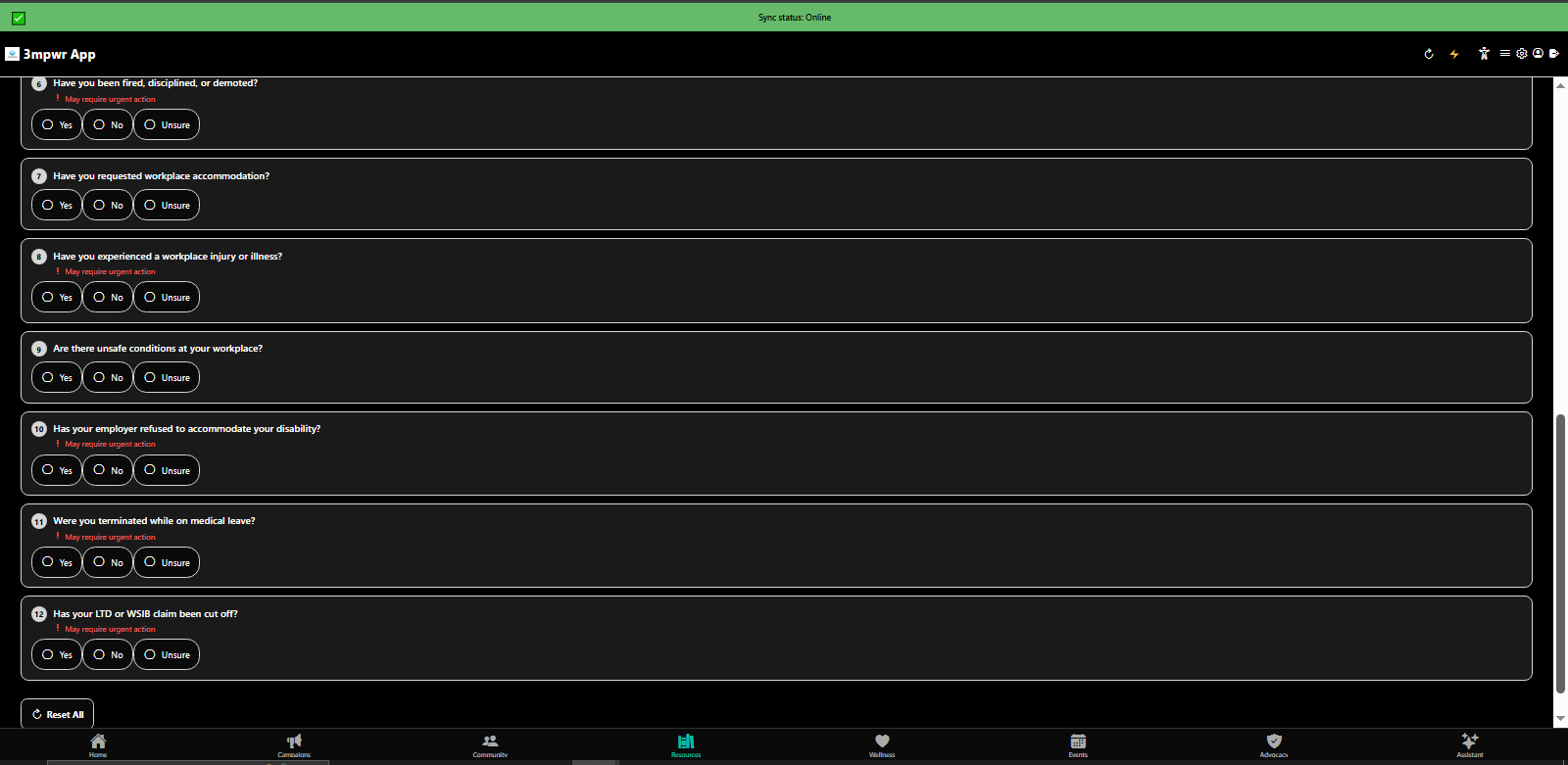
Rights Checker results showing relevant laws, rights, and next steps for advocacy - 3mpwrApp
Rights Results | Results
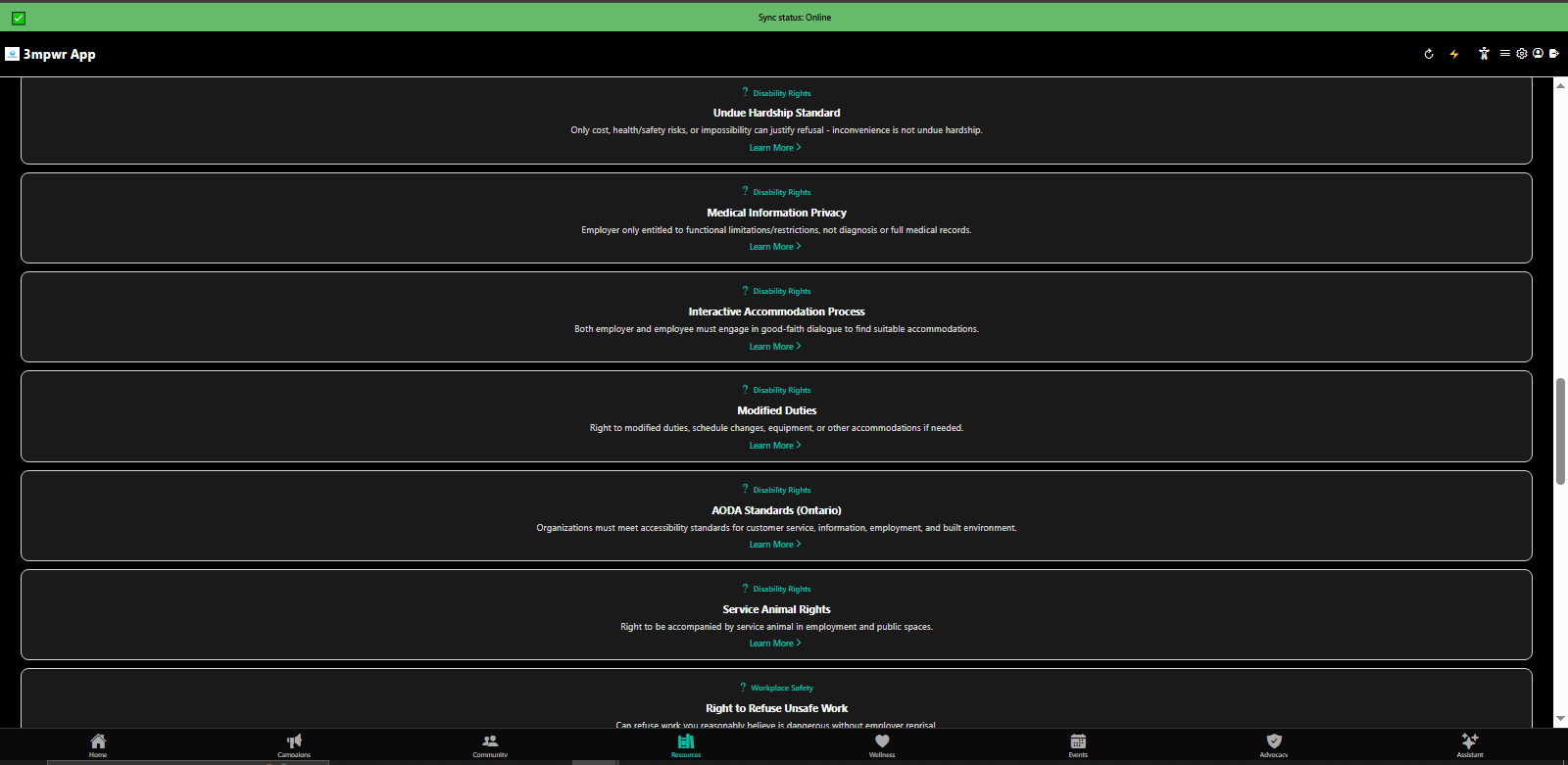
Rights Library with searchable database of disability rights, workers compensation laws, and legal protections - 3mpwrApp
Rights Library | Browse
Rights Library organized by category - employment, healthcare, housing, benefits - 3mpwrApp legal resources
Rights Categories | Explore
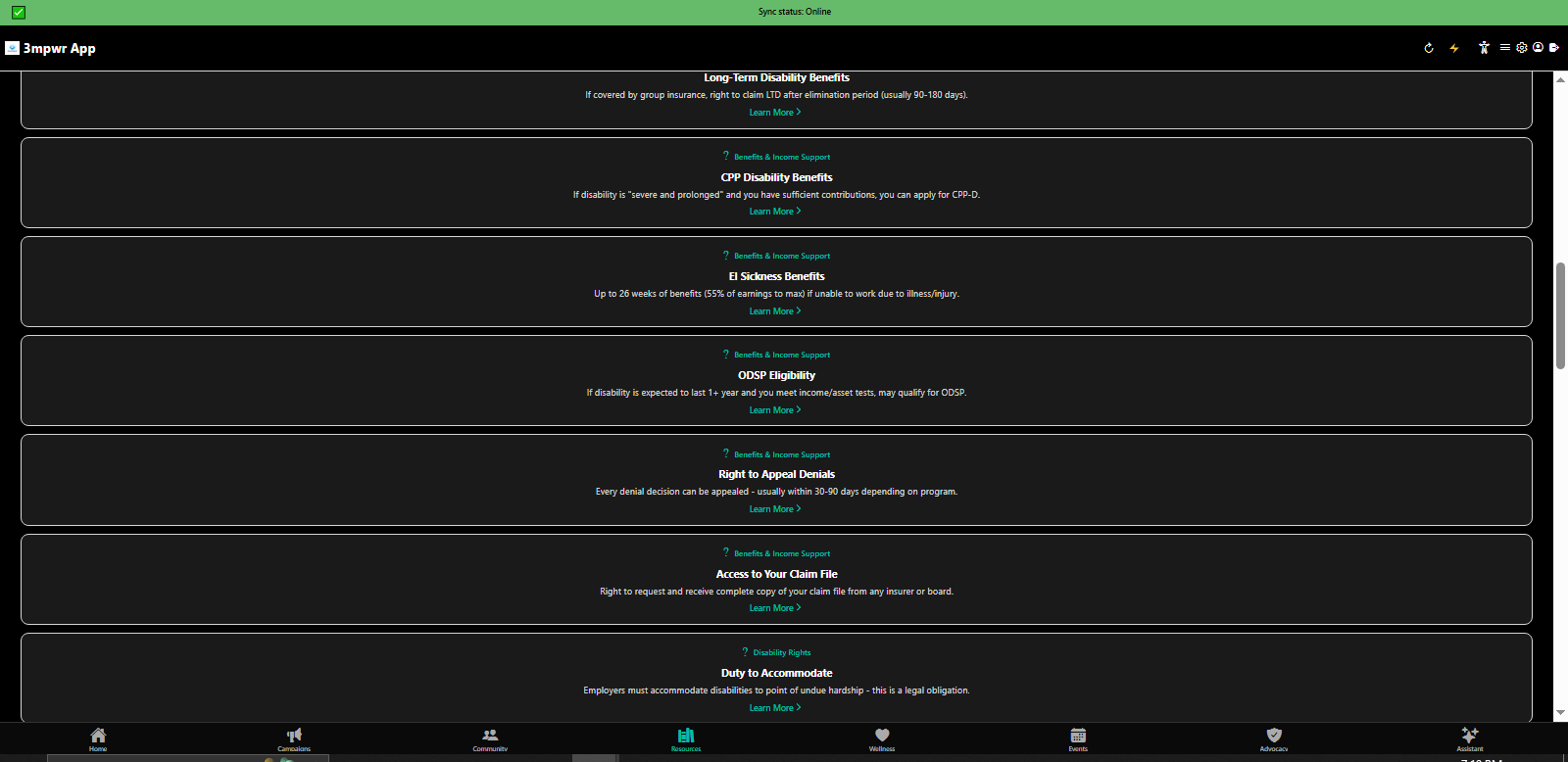
Rights Library detailed view with plain-language explanations and action steps - 3mpwrApp accessibility
Rights Details | Learn
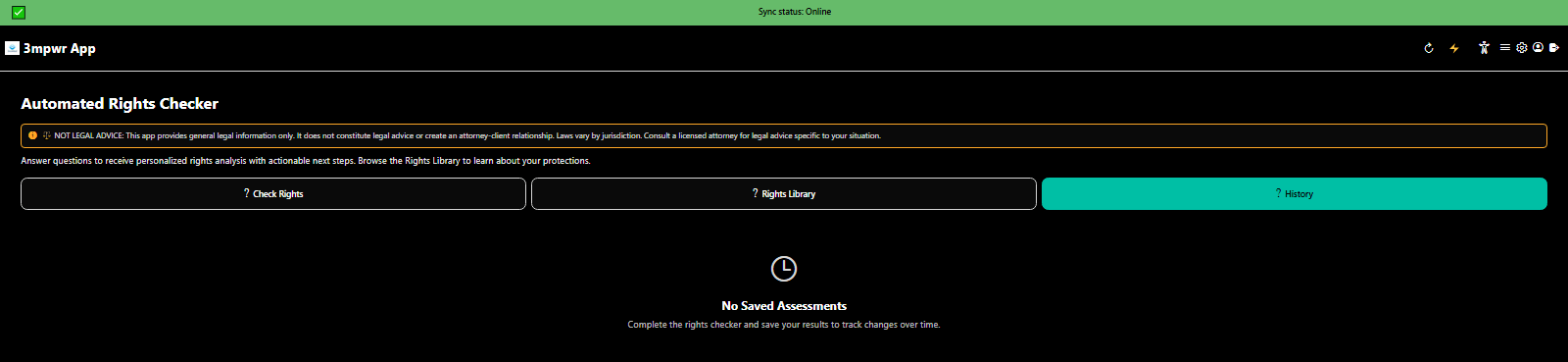
Rights Checker tracking your personal history and applicable rights over time - 3mpwrApp case tracking
Personal Rights History | Track
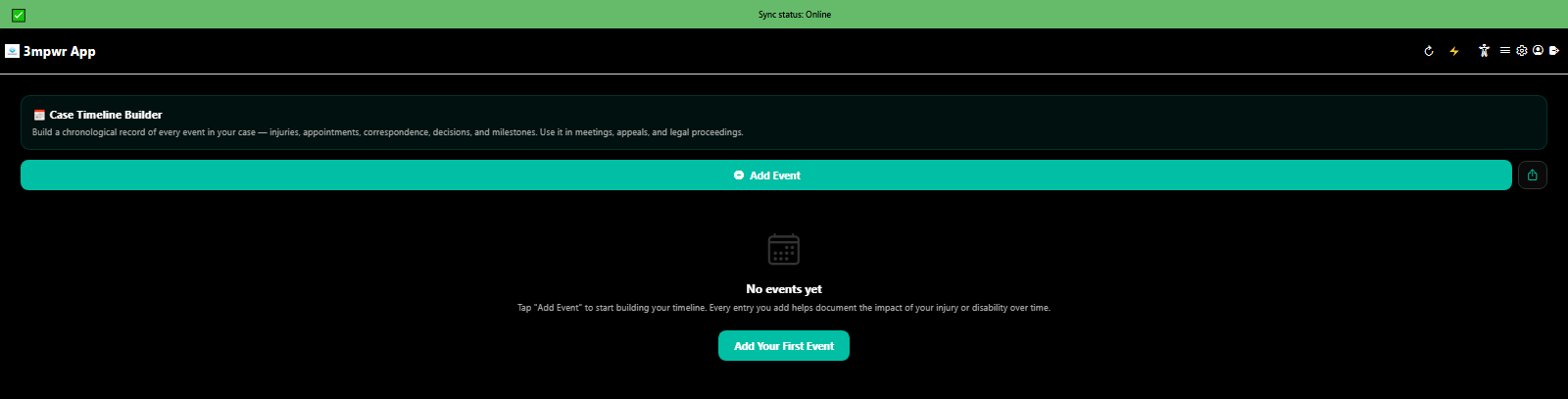
Interactive case timeline builder for documenting injury progression and legal milestones - 3mpwrApp evidence
Case Timeline Builder | Timeline
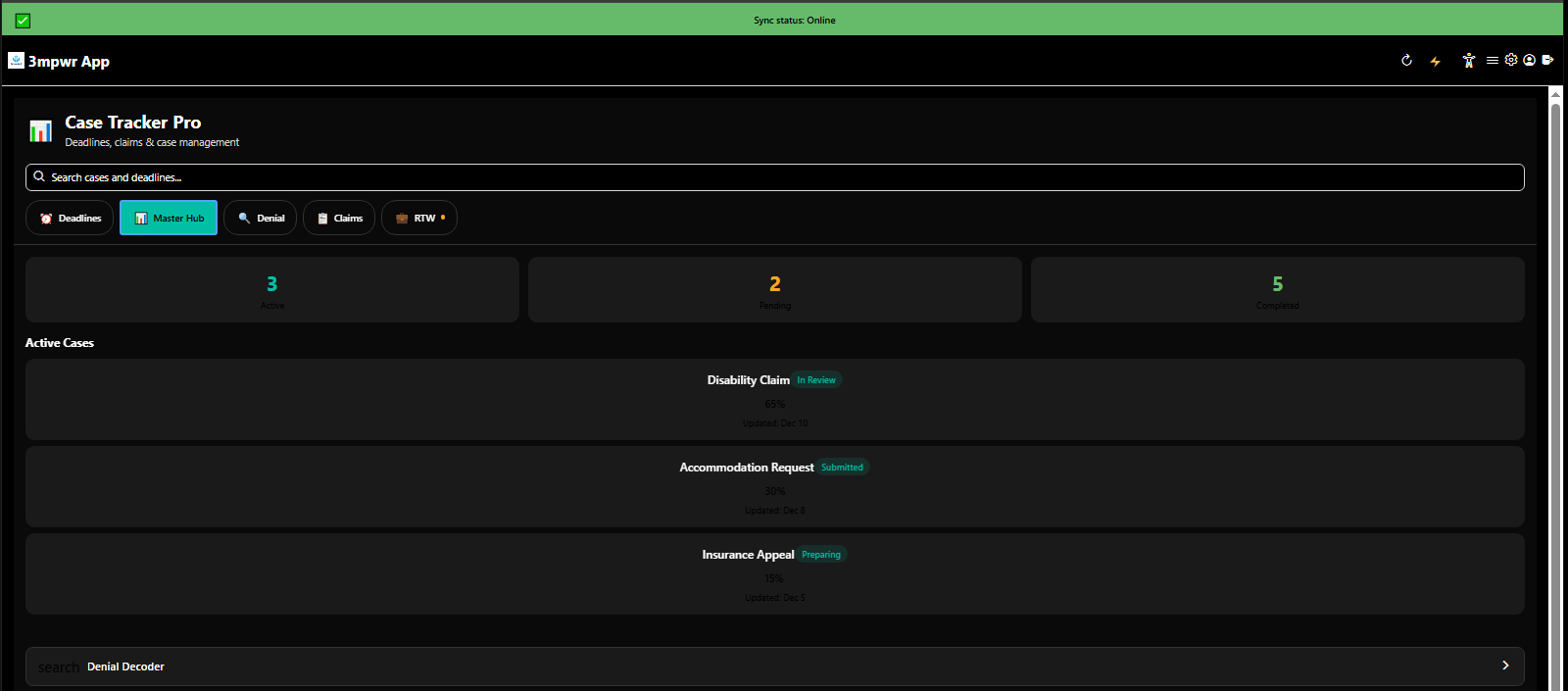
Case Tracker Pro master hub managing multiple claims, deadlines, and case stages - 3mpwrApp case management
Case Tracker Pro Hub | Manage
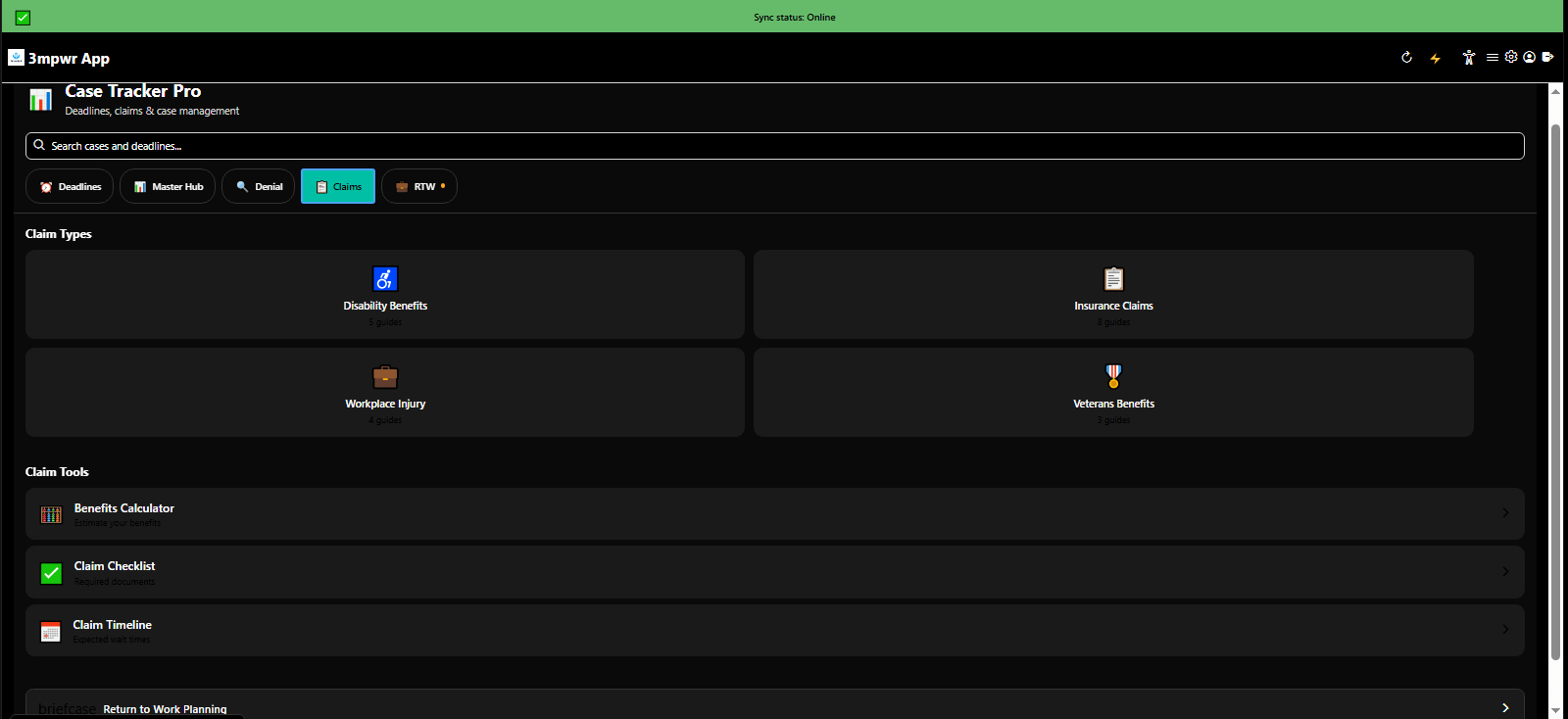
Case Tracker Pro claims management interface tracking status and next actions - workers compensation - 3mpwrApp
Claims Management | Claims
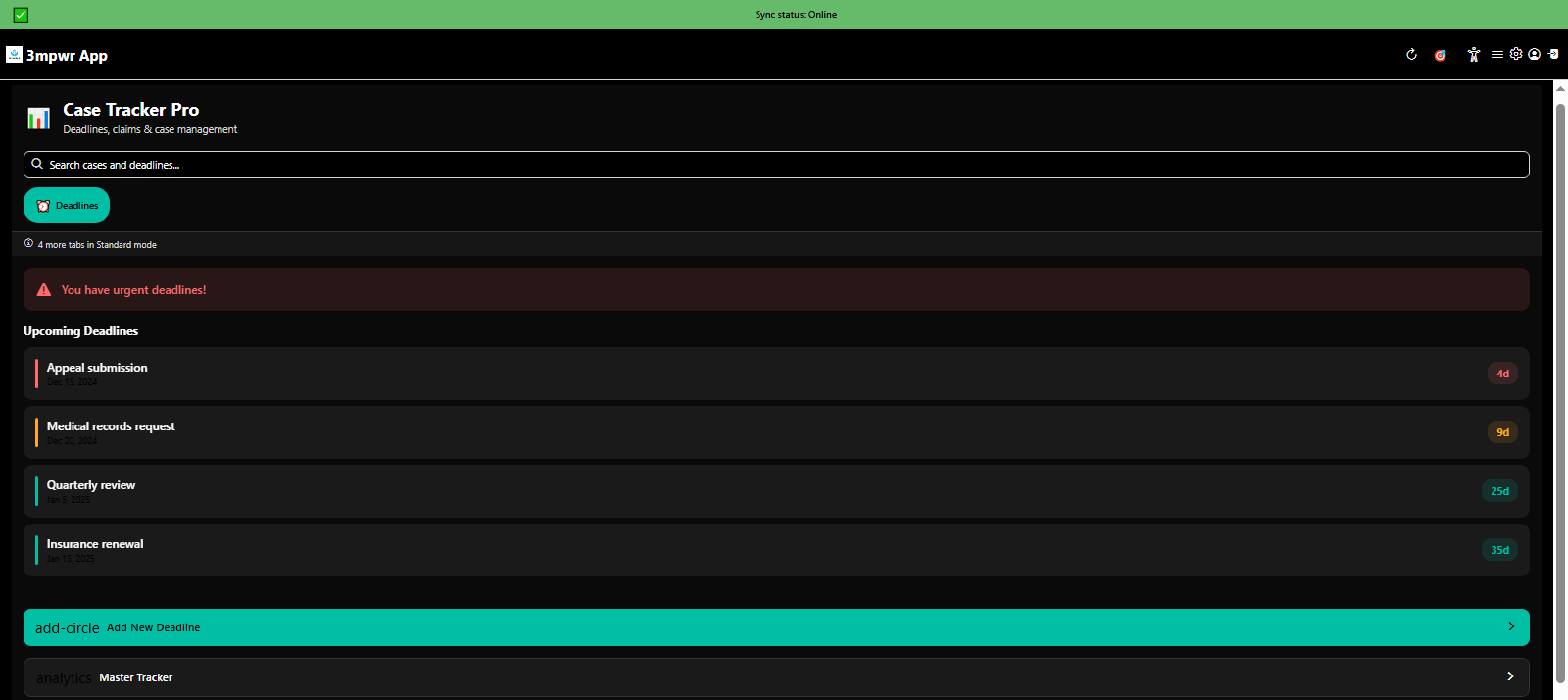
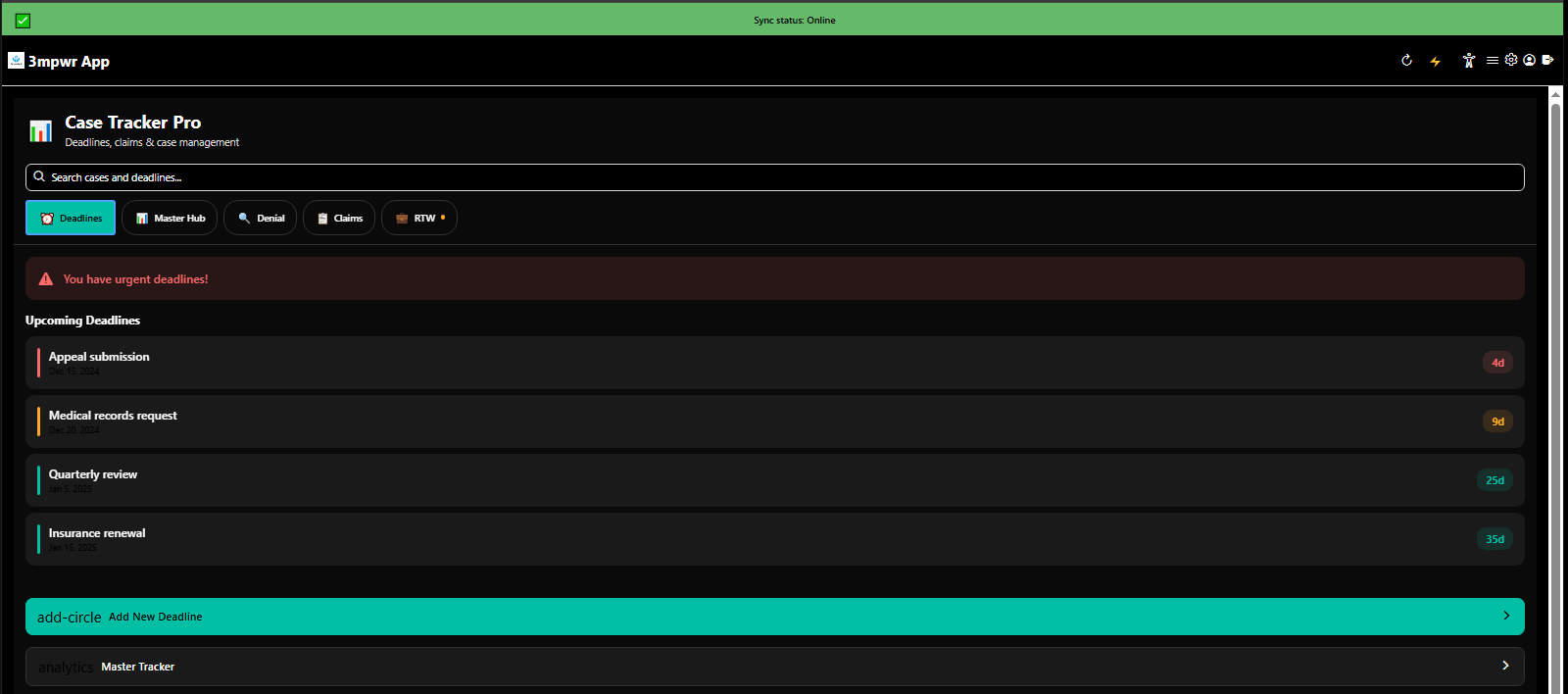
Case Tracker Pro deadline management with alerts and countdown timers - critical legal dates - 3mpwrApp
Deadline Tracking | Deadlines
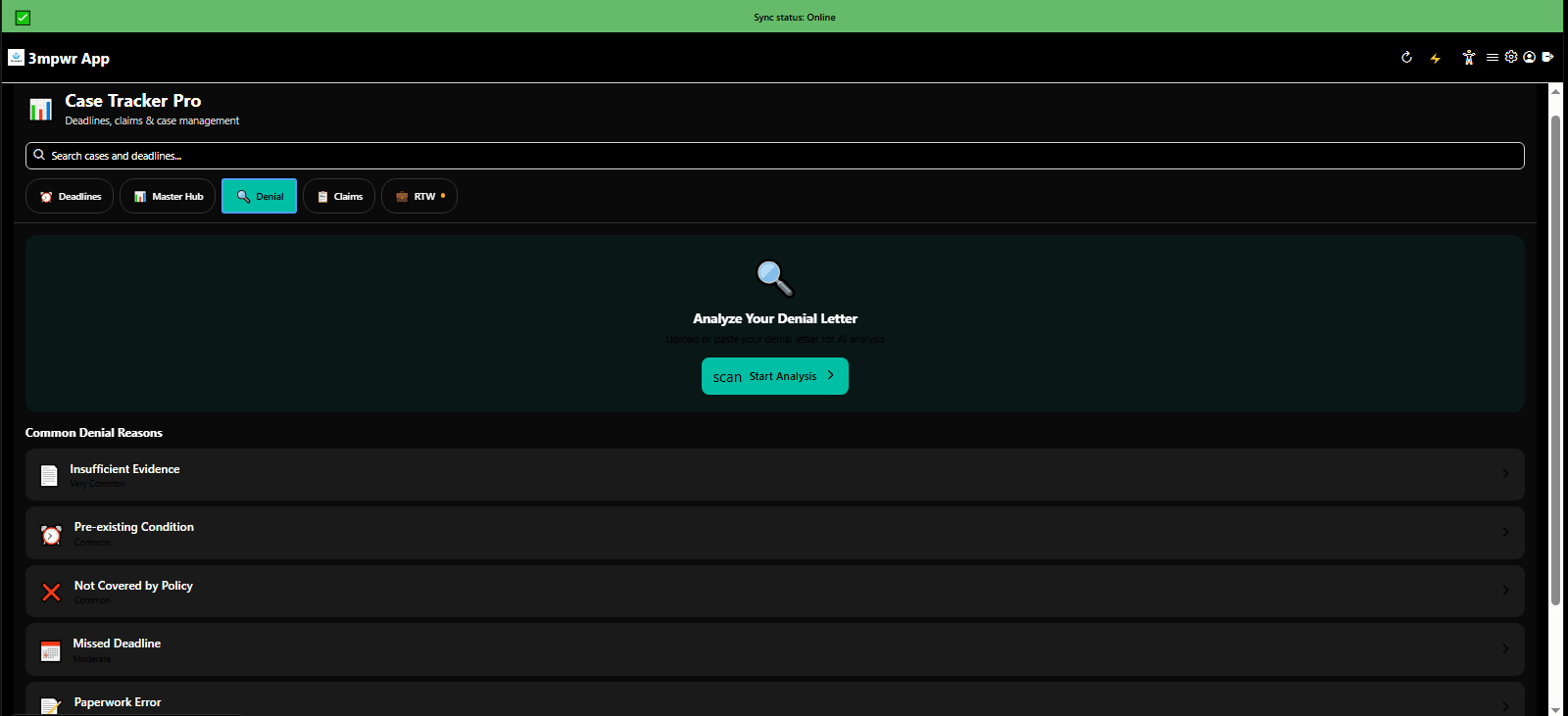
Case Tracker Pro managing claim denials with appeal pathways and resources - workers comp denials - 3mpwrApp
Denial Management | Appeals
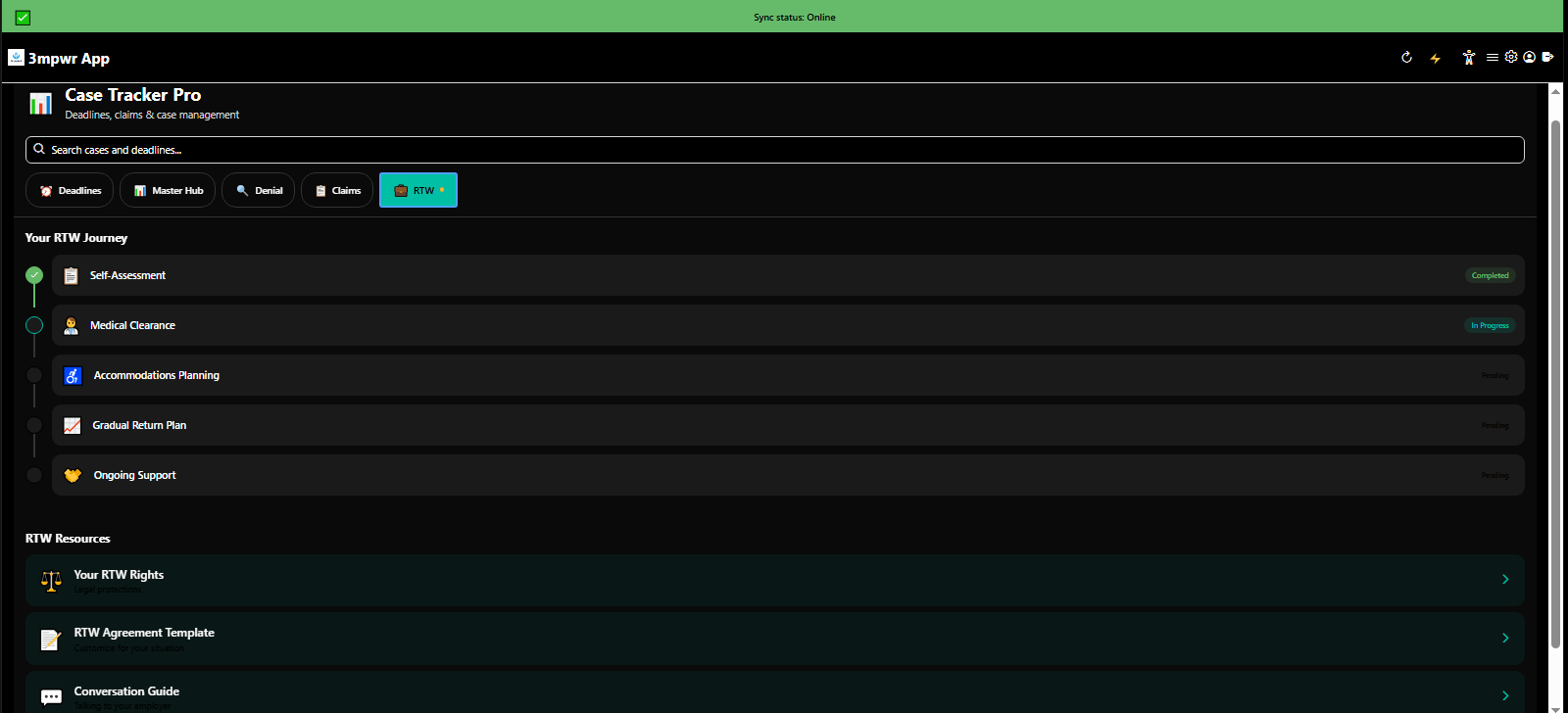
Case Tracker Pro return-to-work planning with accommodation tracking and transition support - 3mpwrApp RTW
Return-to-Work | RTW
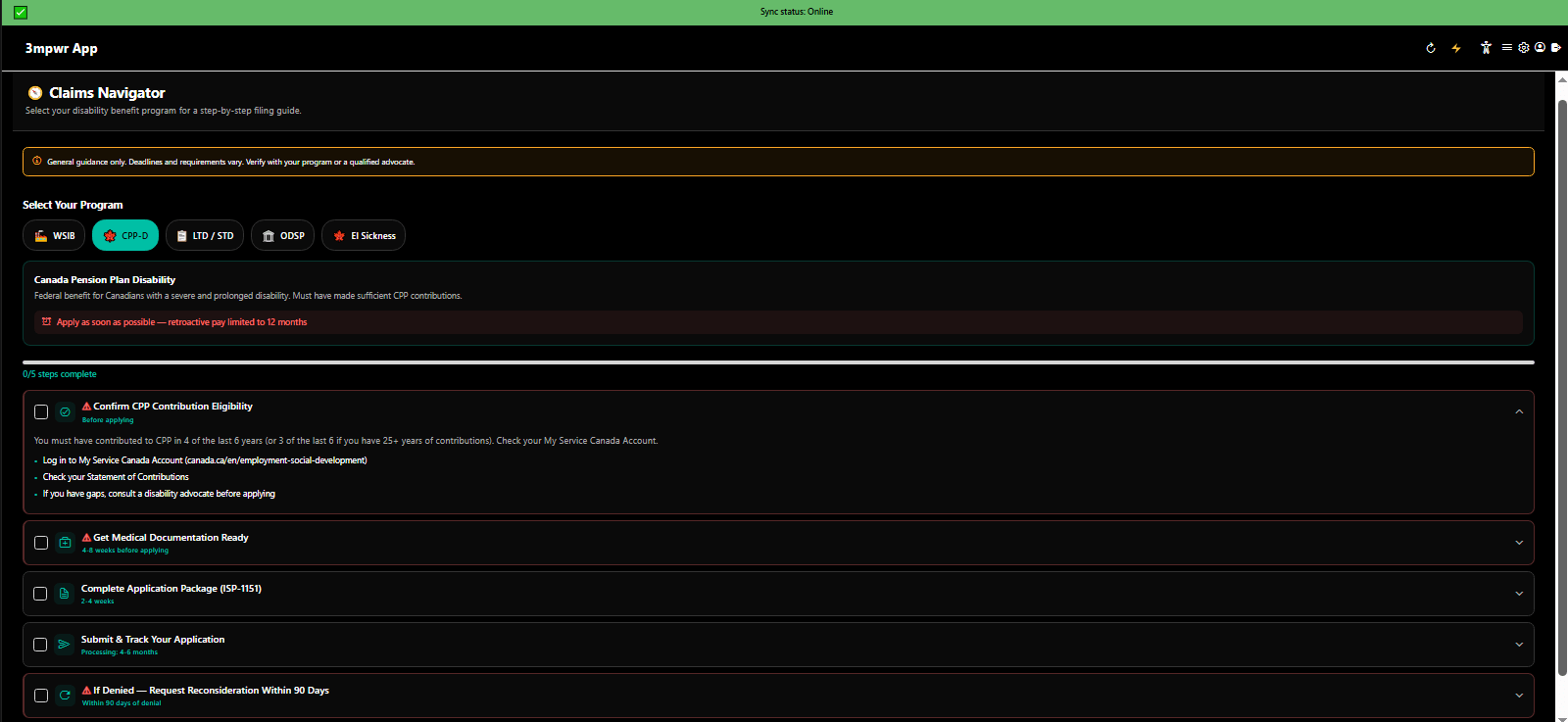
Claims Navigator guiding users through workers compensation claim filing process - step-by-step legal help - 3mpwrApp
Claims Navigator | Guide
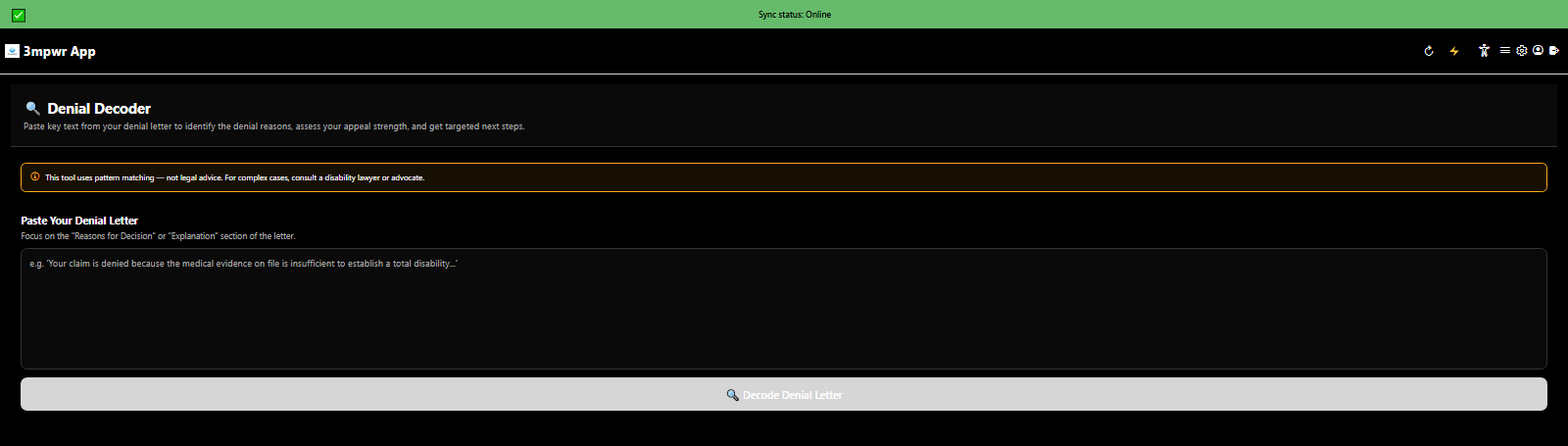
Denial Decoder translating complex denial letters into plain language with appeal strategies - 3mpwrApp AI tools
Denial Decoder | Decode
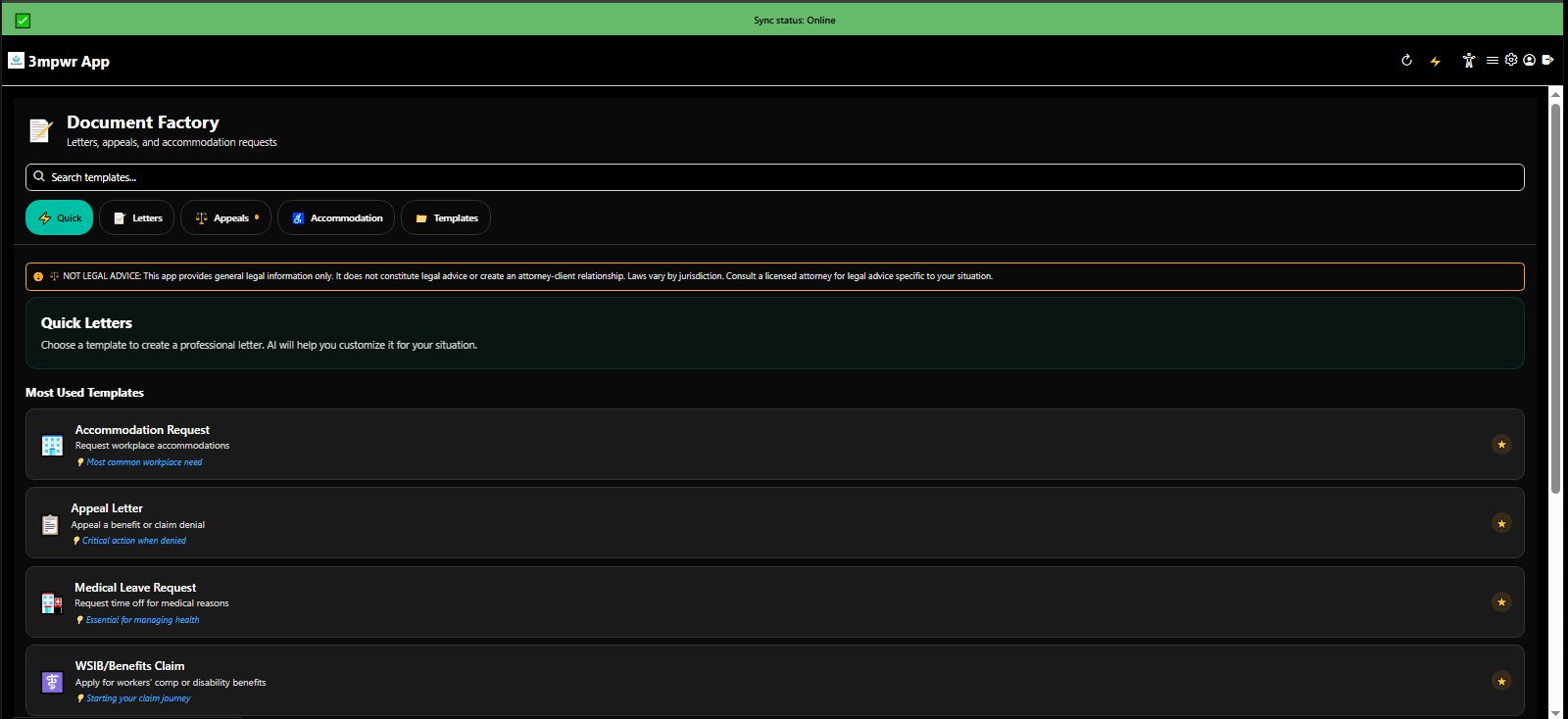
Document Factory generating professional legal letters and forms with AI assistance - 3mpwrApp document automation
Document Factory | Generate
Document Factory template library for appeals, accommodations, and legal correspondence - 3mpwrApp resources
Document Templates | Templates
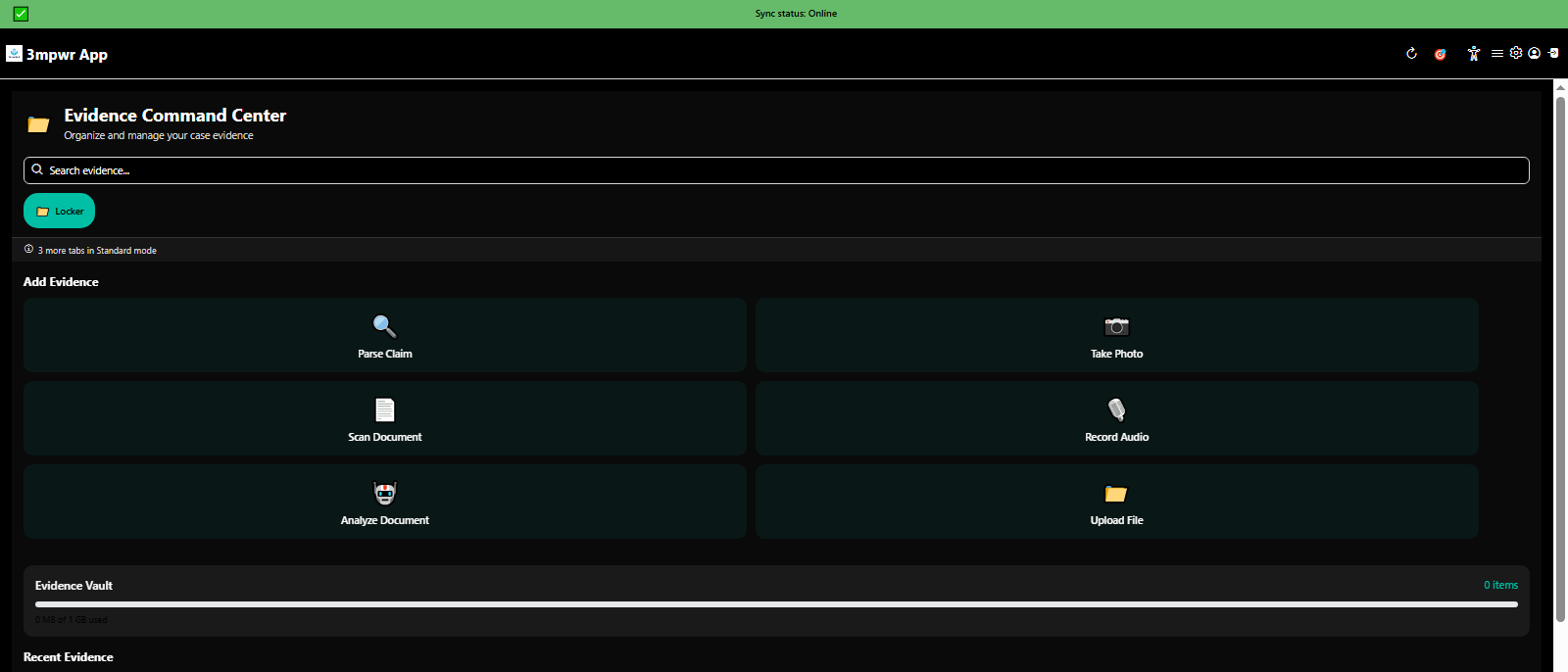
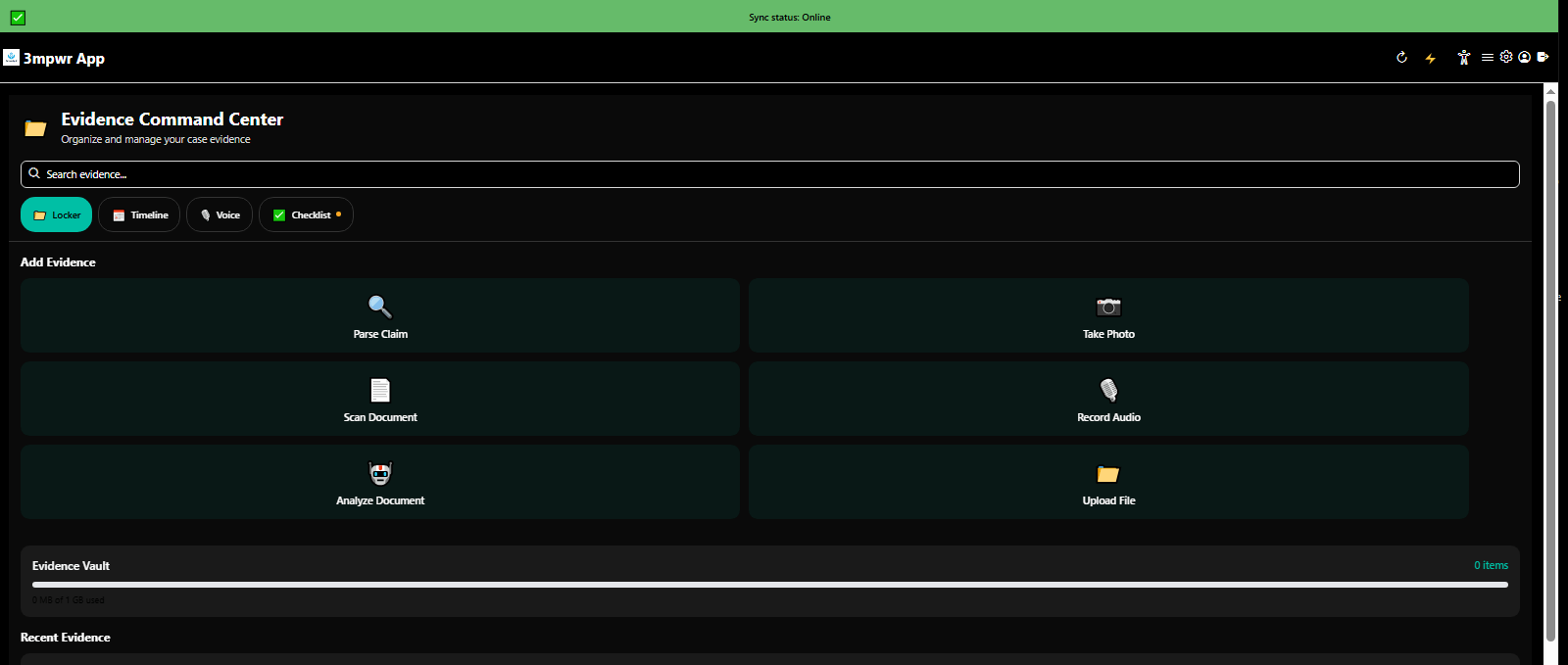
Evidence Command Center encrypted locker for storing medical records, photos, and legal documents - 3mpwrApp security
Evidence Locker | Secure
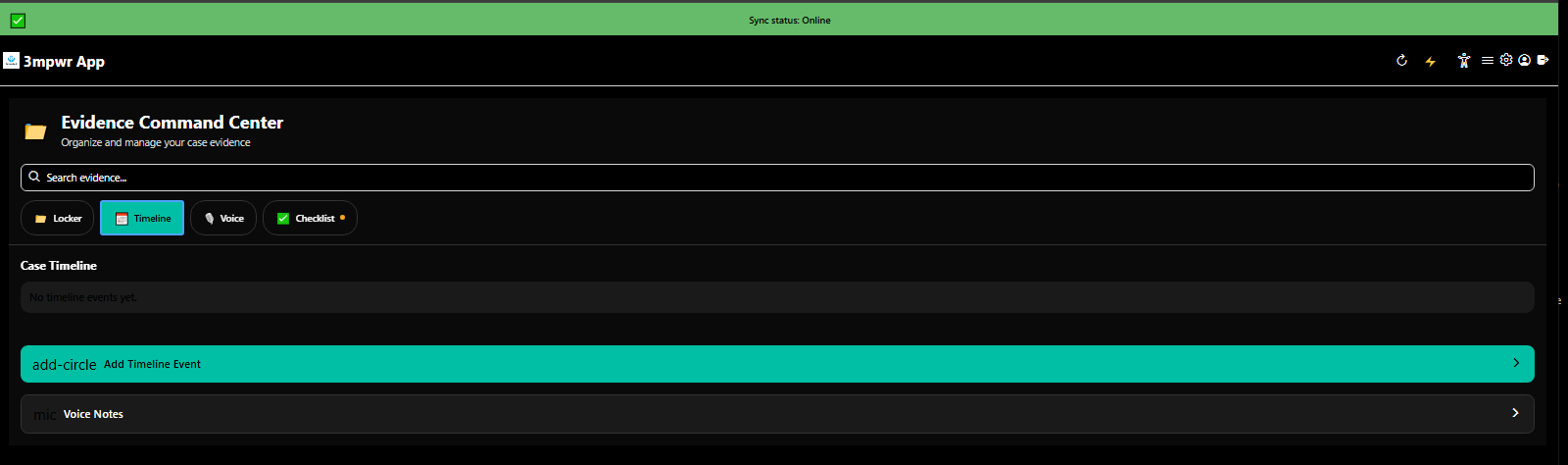
Evidence Command Center timeline view organizing documents chronologically for case building - 3mpwrApp evidence
Evidence Timeline | Organize
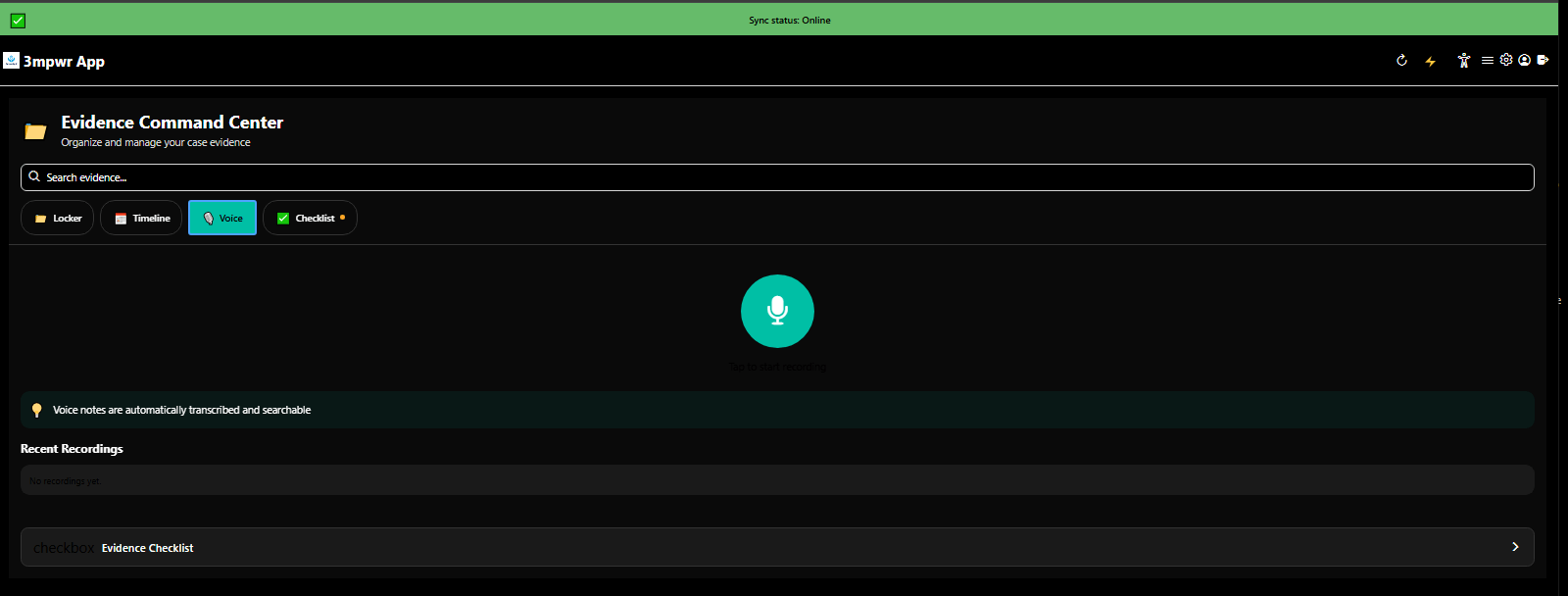
Evidence Command Center voice memo feature for documenting symptoms and incidents - 3mpwrApp accessibility
Voice Memos | Record
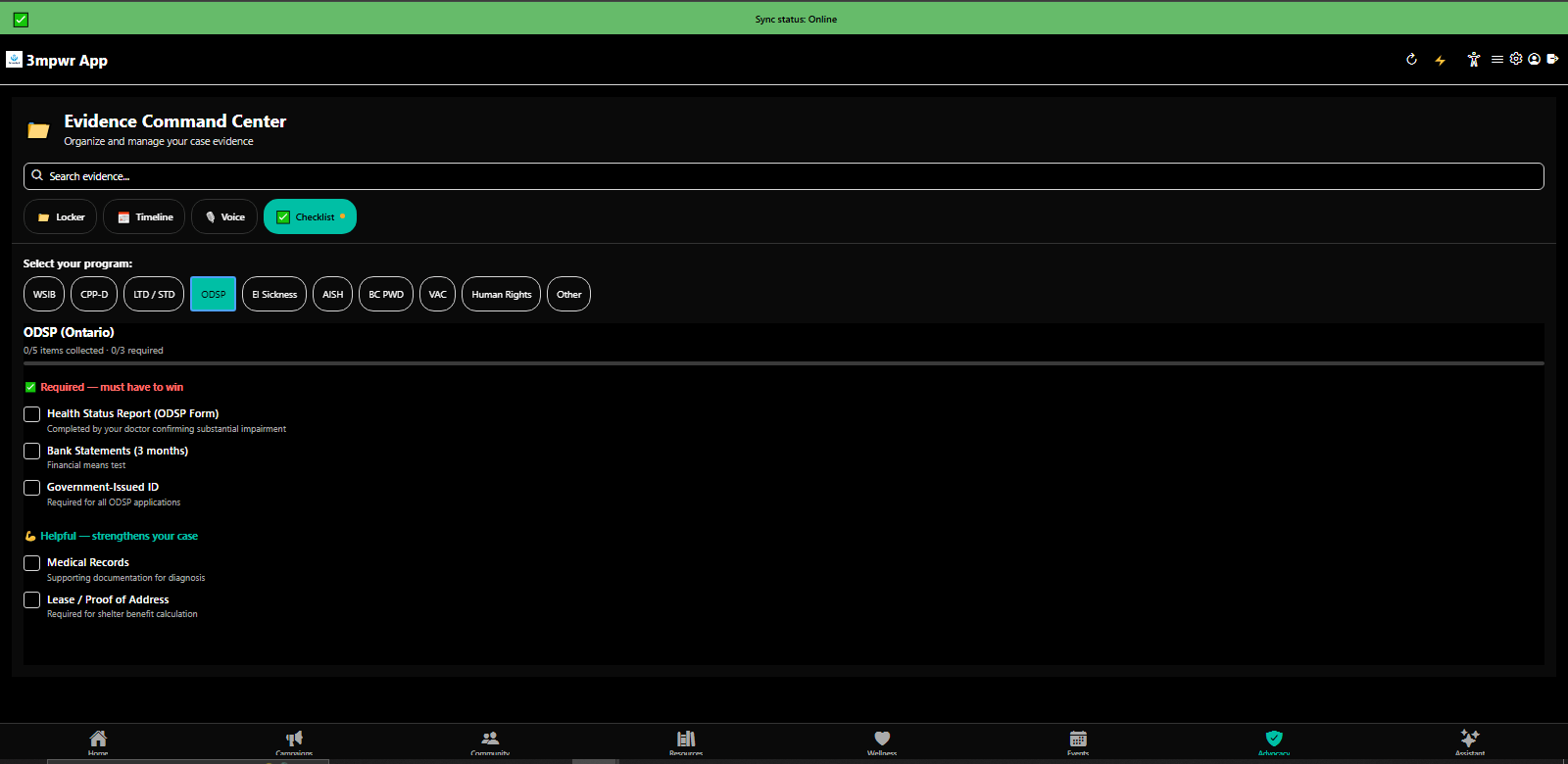
Evidence Command Center checklist ensuring all required documentation for appeals - 3mpwrApp case prep
Evidence Checklist | Verify
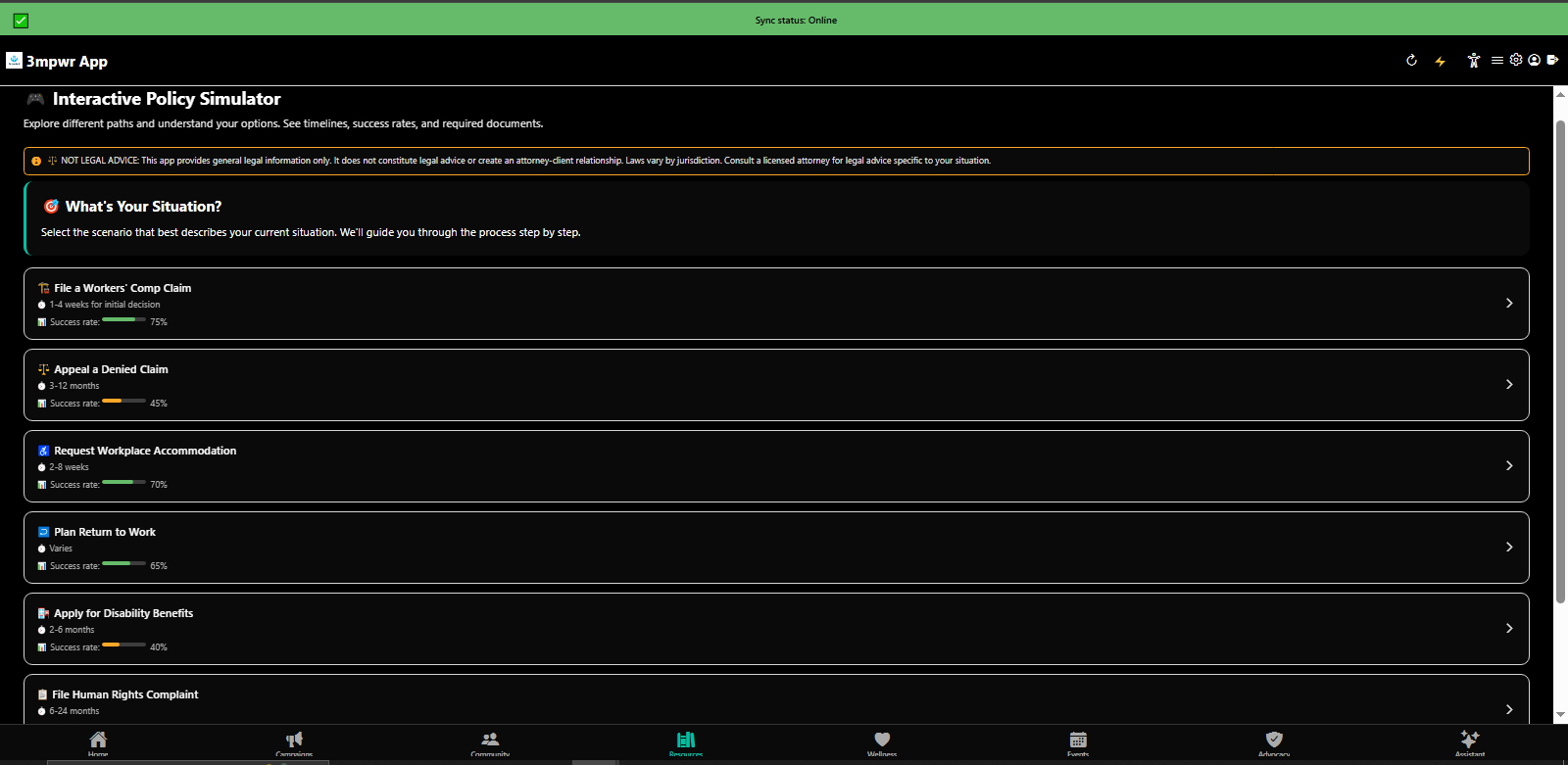
Interactive Policy Simulator asking 'What's your situation?' to provide relevant legal guidance - 3mpwrApp AI
Policy Simulator | Simulate
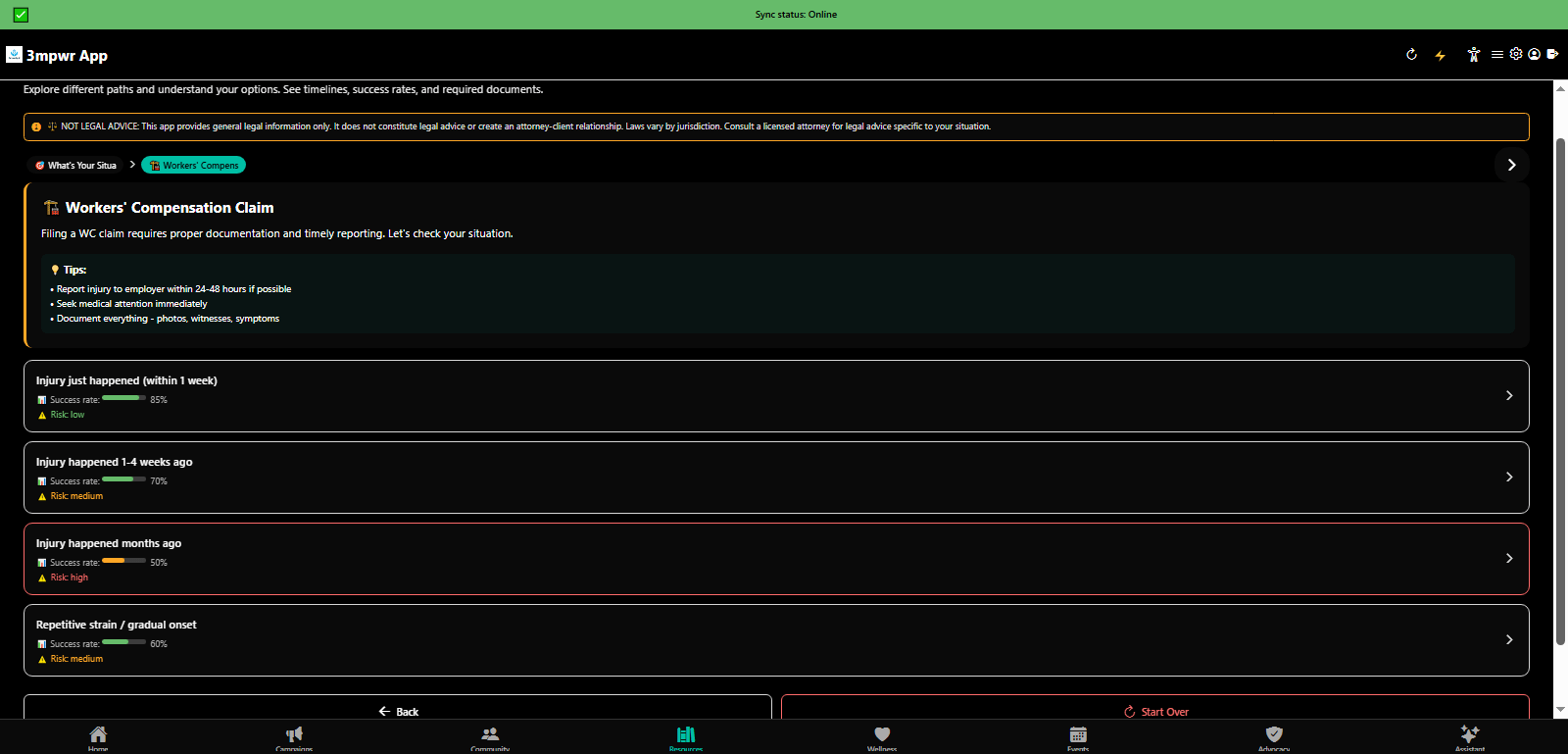
Interactive Policy Simulator: File a workers compensation claim walkthrough - step-by-step tutorial - 3mpwrApp
File Claim Tutorial | File
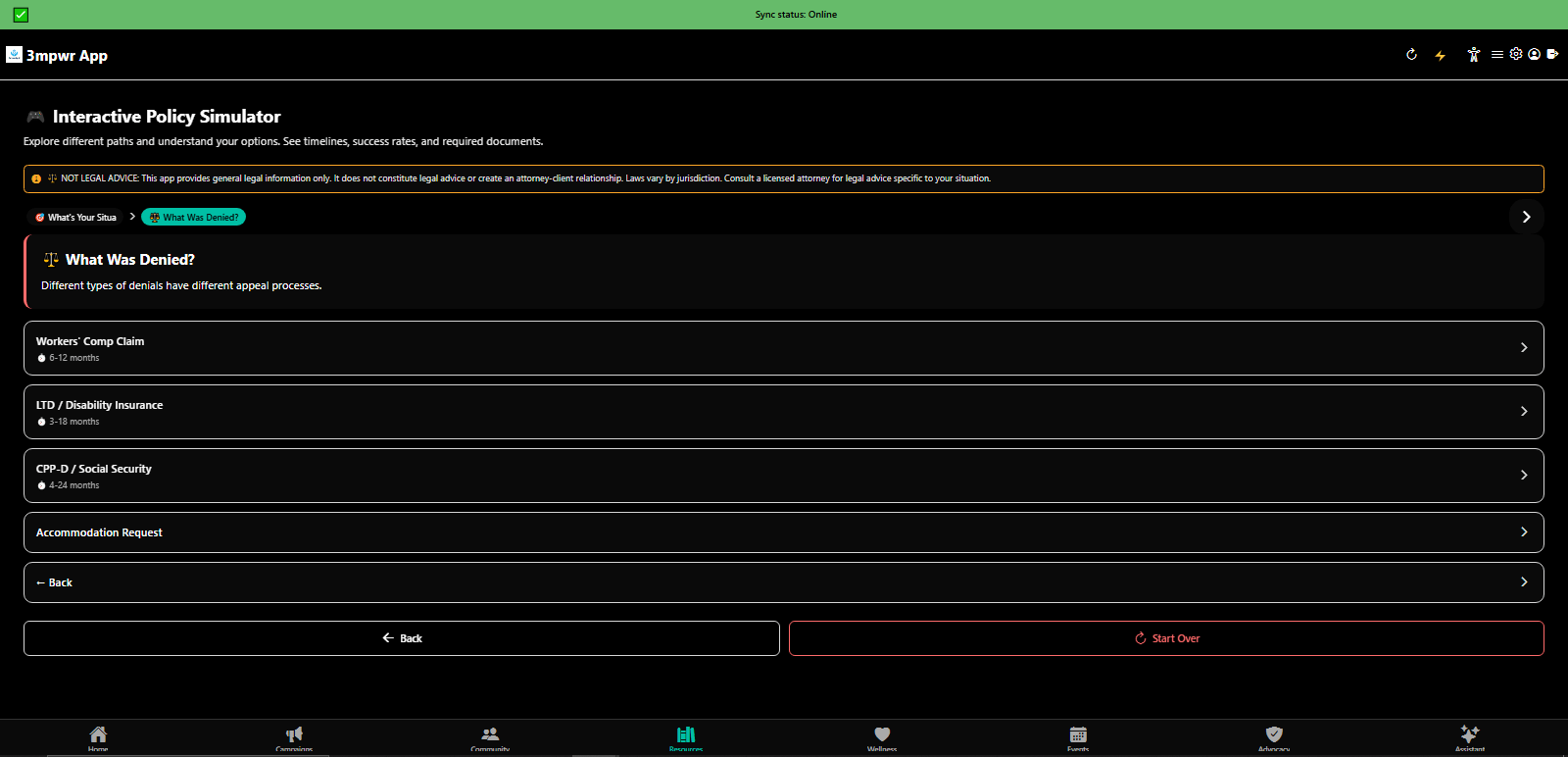
Interactive Policy Simulator: Appeal a denied workers comp claim with AI-generated strategy - 3mpwrApp appeals
Appeal Denial Tutorial | Appeal
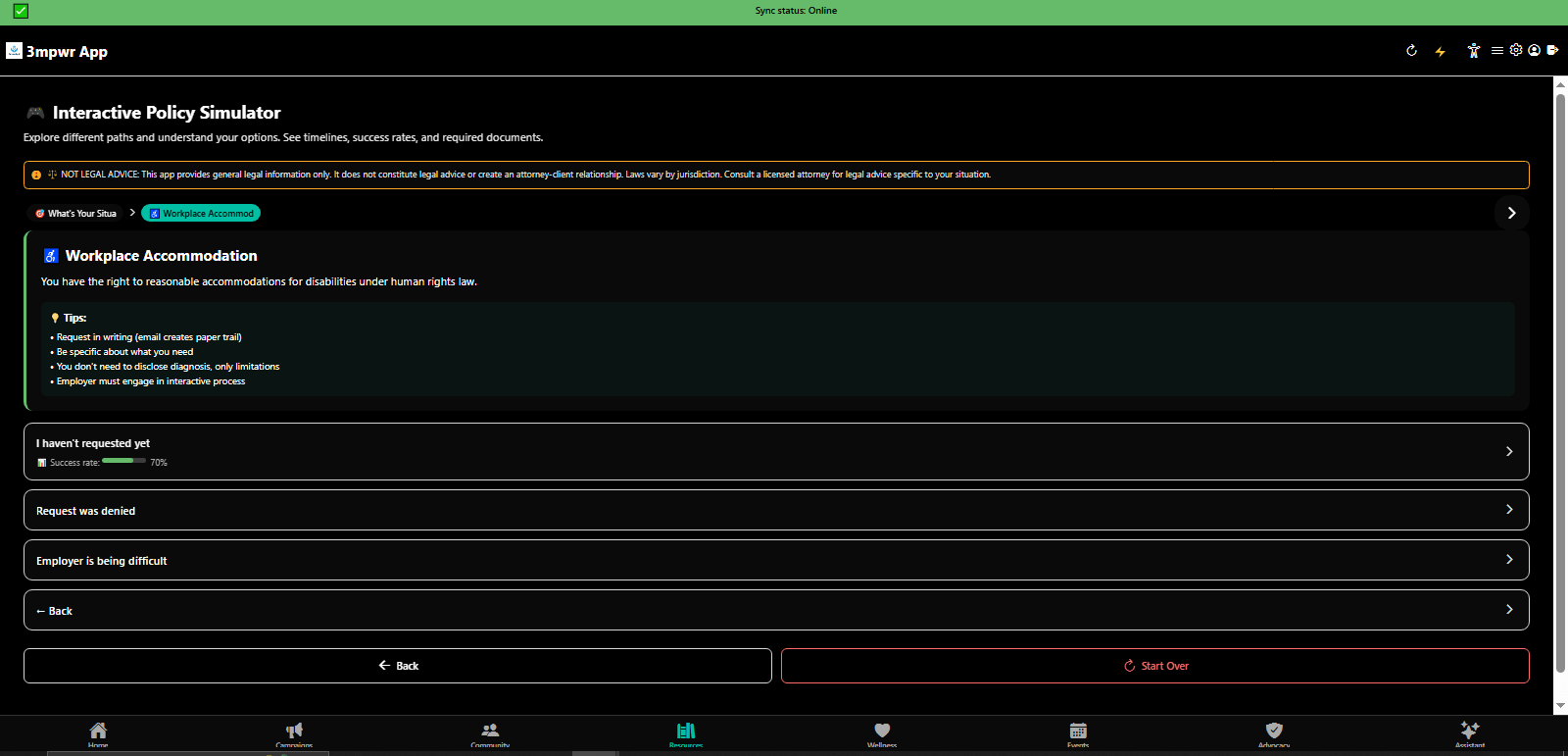
Interactive Policy Simulator: Request workplace accommodations under ADA/human rights laws - 3mpwrApp disability
Accommodations Tutorial | Request
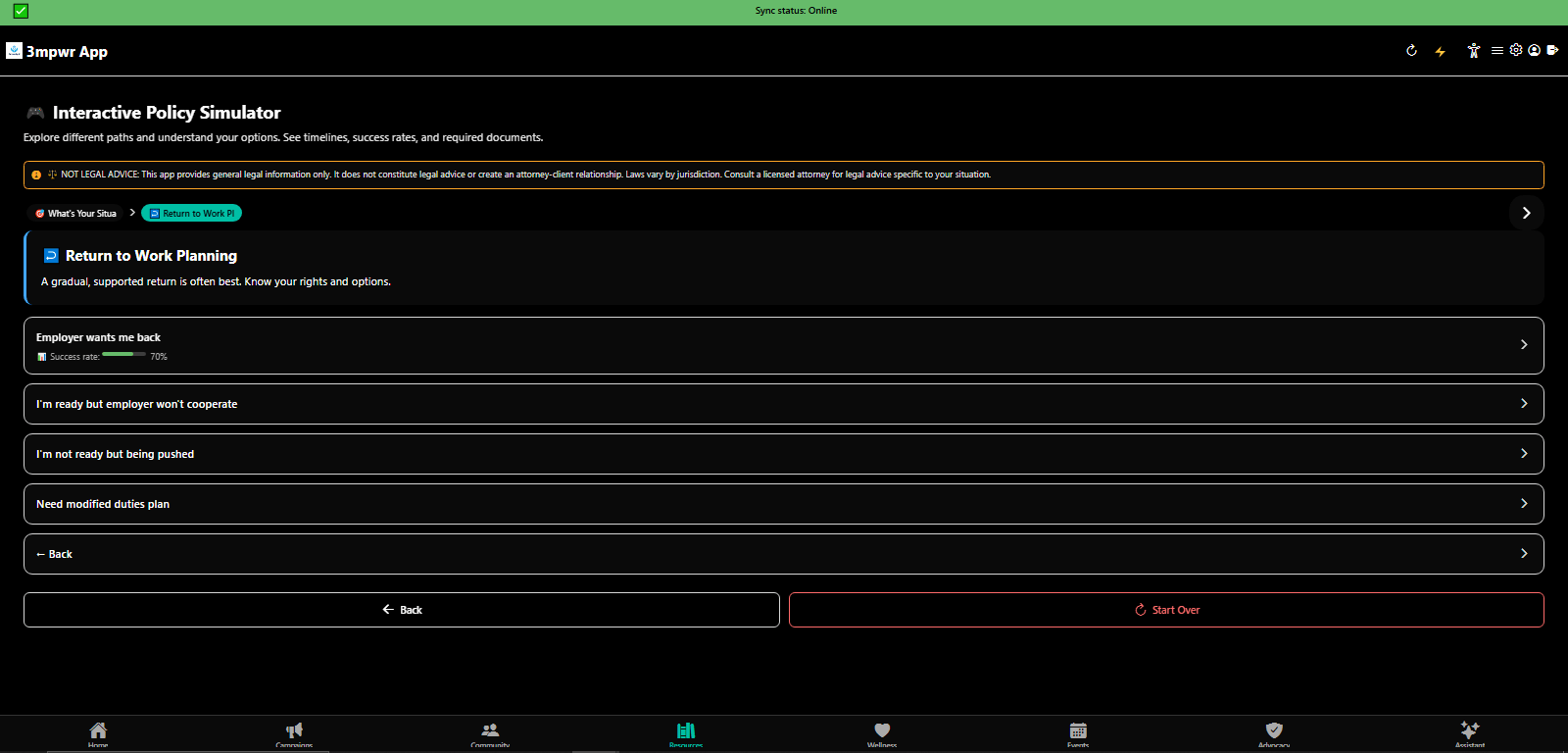
Interactive Policy Simulator: Return-to-work planning with gradual transition strategies - 3mpwrApp RTW
RTW Planning Tutorial | Plan
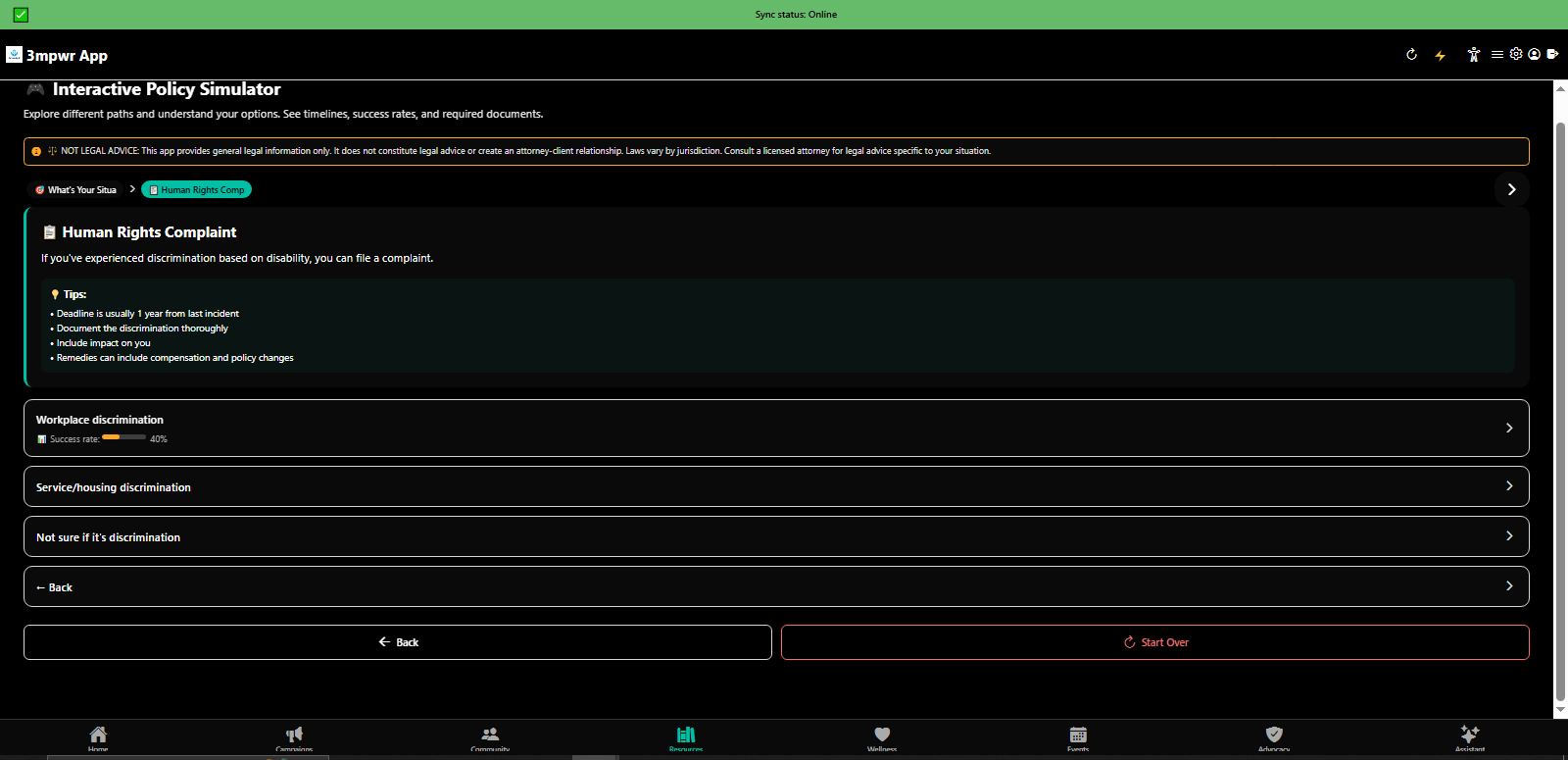
Interactive Policy Simulator: File human rights complaint for discrimination - disability rights - 3mpwrApp
Human Rights Tutorial | Rights
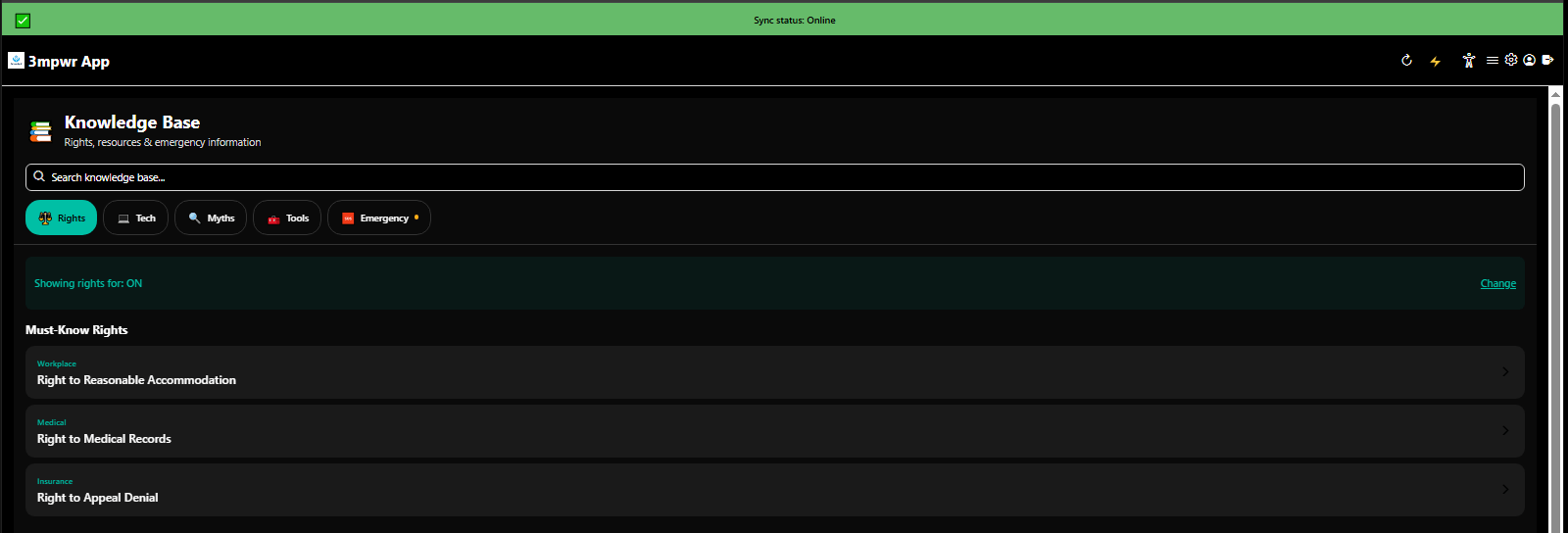
Knowledge Base highlighting must-know disability rights and workers compensation protections - 3mpwrApp education
Must-Know Rights | Know
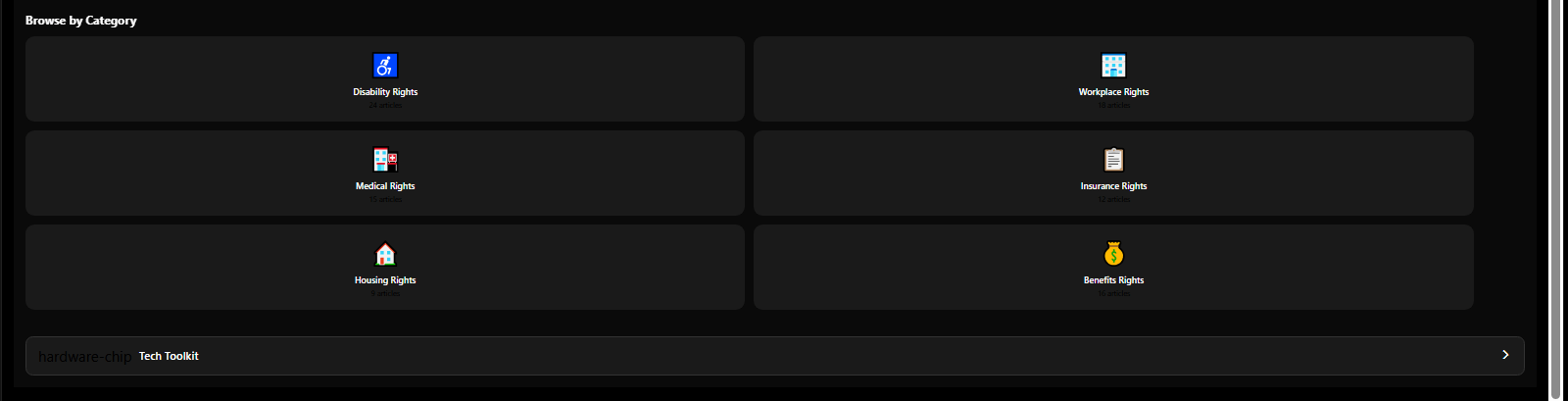
Knowledge Base browse by category - benefits, employment, healthcare, housing, legal rights - 3mpwrApp resources
Knowledge Base | Browse
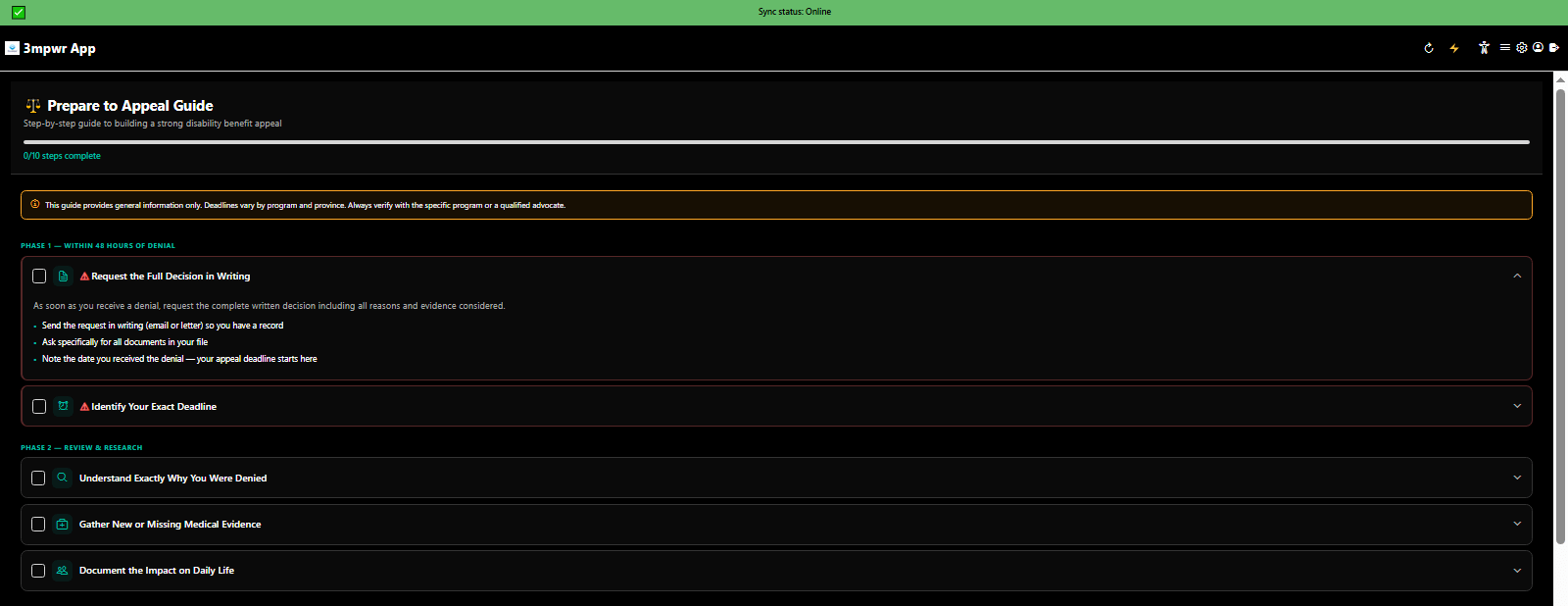
Prepare to Appeal comprehensive guide covering evidence gathering and deadline preparation - 3mpwrApp appeals
Prepare To Appeal - Part 1 | Prepare
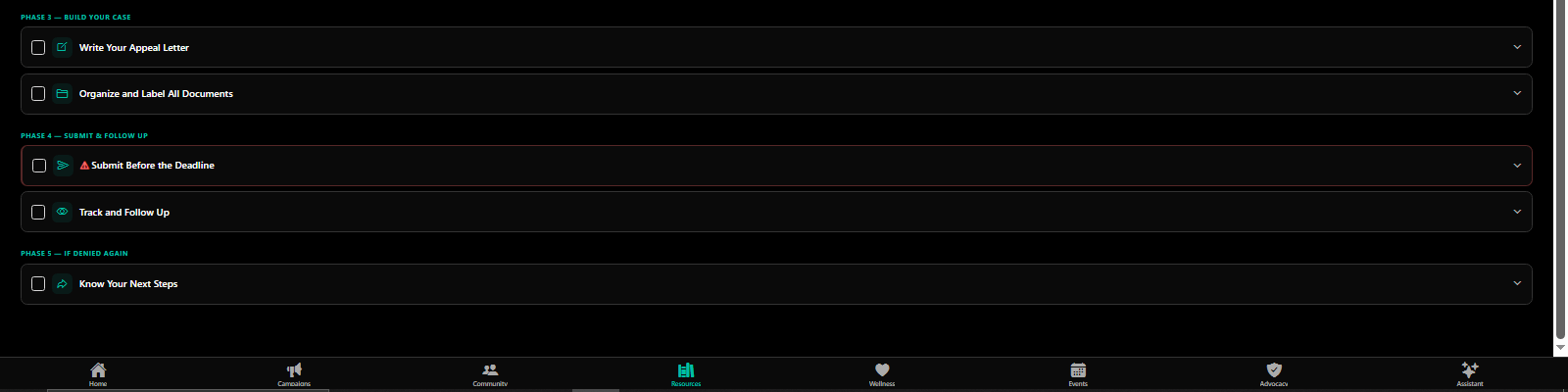
Prepare to Appeal guide part 2 with appeal letter templates and submission process - 3mpwrApp legal help
Prepare To Appeal - Part 2 | Submit
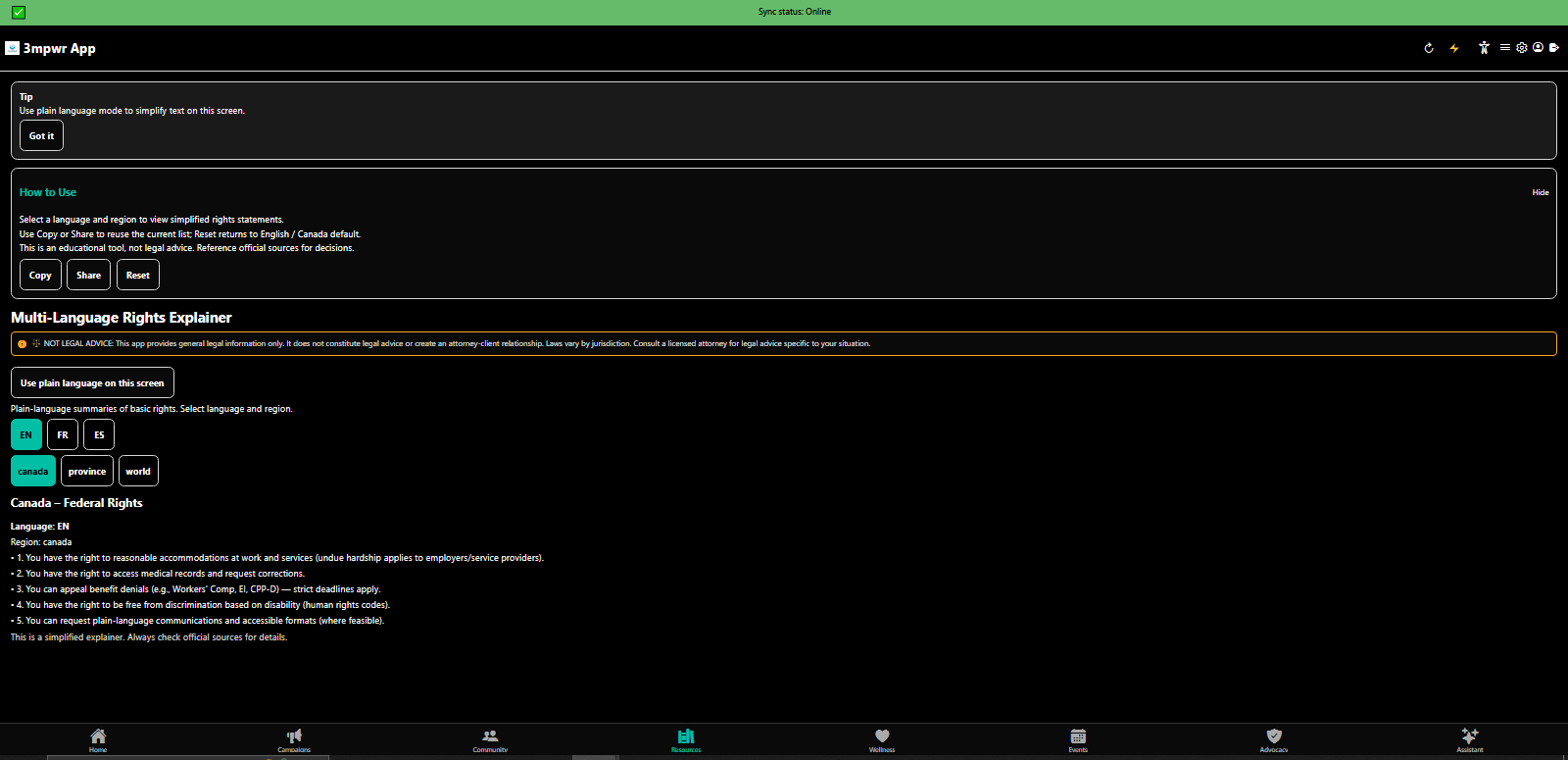
Rights Explained in plain language - legal jargon translated for accessibility - 3mpwrApp education
Rights in Plain Language | Translate
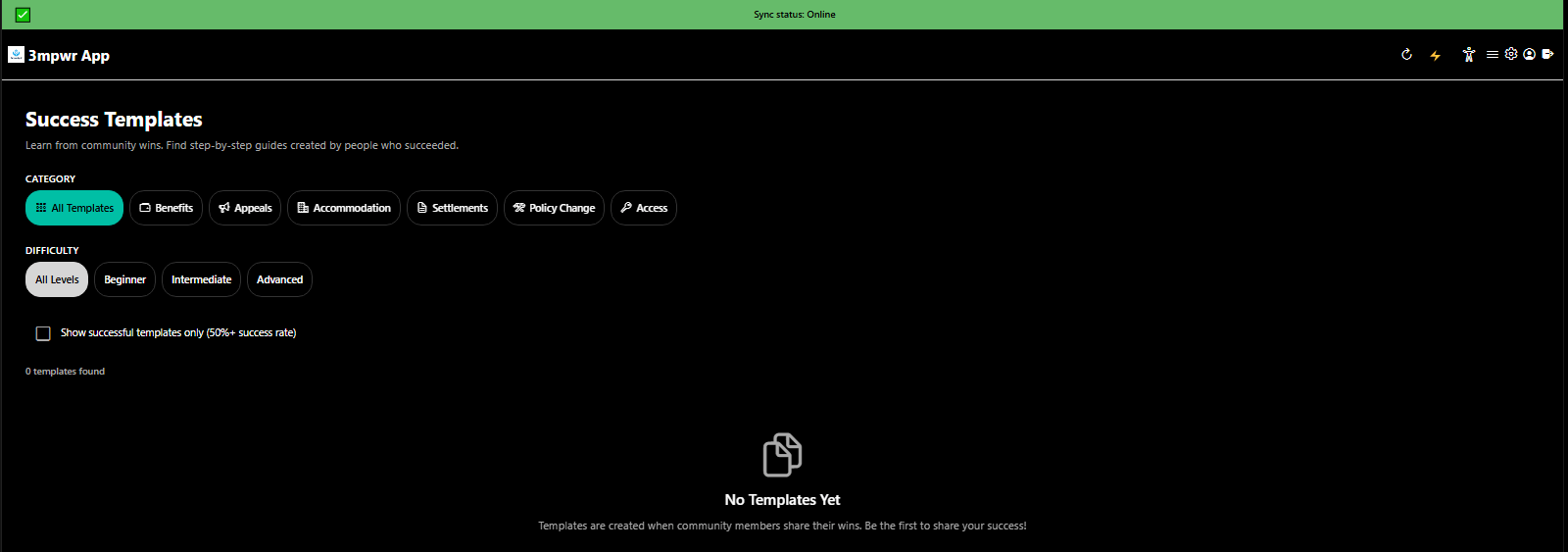
Success Templates library with proven appeal letters, accommodation requests, and legal documents - 3mpwrApp
Success Templates | Use

πŸ”¬ Research Library

Access medical research, legal precedents, UNCRPD guides, and evidence-based information for disability rights advocacy.

Research tab providing access to disability rights research, legal databases, and advocacy resources - 3mpwrApp
Research Library | Beta
Research tab external resources linking to disability rights organizations and legal aid - 3mpwrApp research
External Resources | Resources
Research tab master index organizing legal research by topic and jurisdiction - 3mpwrApp knowledge base
Master Research Index | Index
Research library with curated articles, case law, and disability advocacy studies - 3mpwrApp education
Research Documents | Library
UN Convention on the Rights of Persons with Disabilities (UNCRPD) framework and application guide - 3mpwrApp international rights
UNCRPD Guide | Rights

πŸ“’ Campaigns

Join or create advocacy campaigns for disability rights, workers compensation reform, and collective action.

Campaigns tab showing active disability rights campaigns and community organizing efforts - 3mpwrApp advocacy
Active Campaigns | Organize
Create a new advocacy campaign for disability rights and workers compensation reform - 3mpwrApp community organizing
Create Campaign | Start

πŸ“… Events Calendar

Stay connected with community events, support group meetings, advocacy actions, and important deadlines.

Events calendar month view for planning disability community events and support group meetings - 3mpwrApp
Calendar - Month View | Schedule
Events calendar week view with color-coded categories and accessibility information - 3mpwrApp events
Calendar - Week View | Events
Events tab showing upcoming disability community events, support groups, and advocacy meetups - 3mpwrApp
Upcoming Events | Join
Events tab with detailed event information, accessibility notes, and RSVP options - 3mpwrApp community
Event Details | RSVP
Events filter options by type, location, accessibility, and advocacy focus - 3mpwrApp community tools
Filter Events | Search
Create a community event, support group meeting, or advocacy action - 3mpwrApp event management
Create Event | Organize

πŸ‘₯ Community Hub

Connect with the disability community, injured workers, advocates, and allies - 24 support groups and counting.

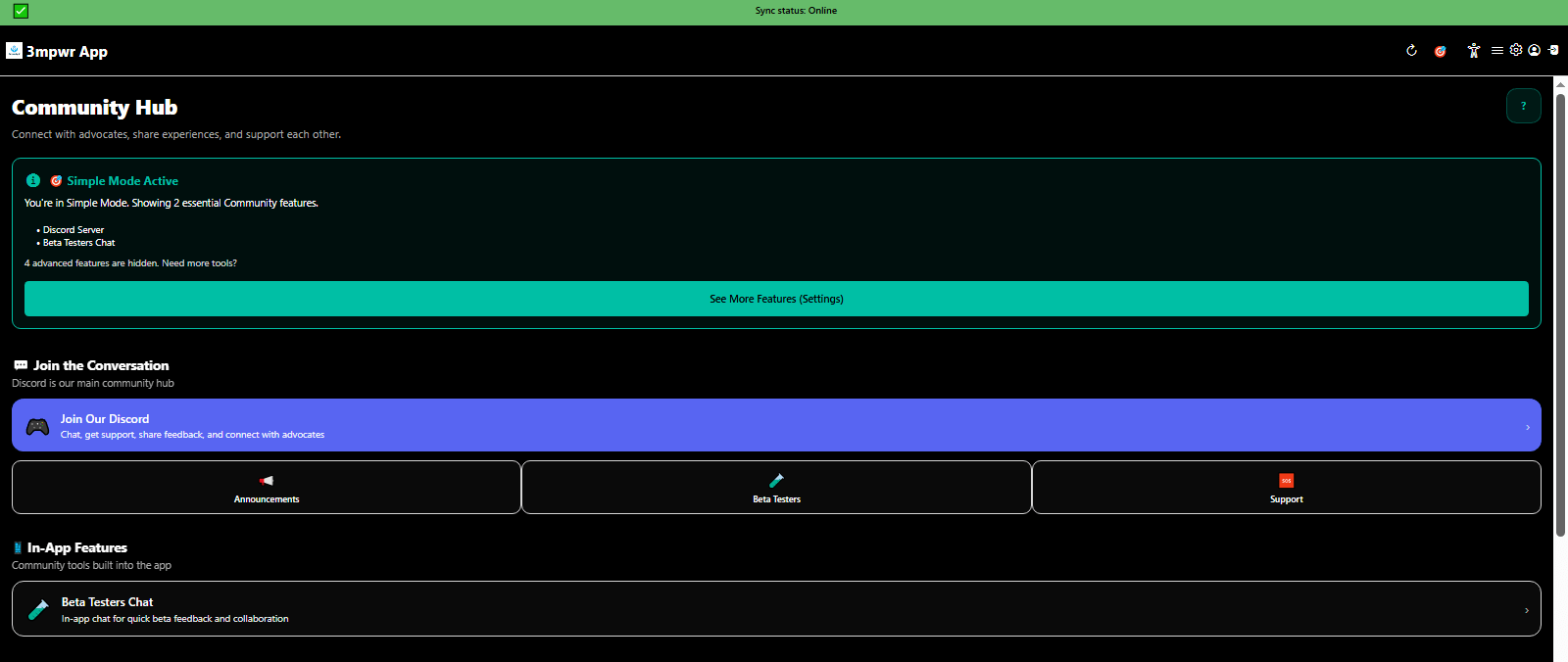
Community Hub main interface connecting disability community members, injured workers, and advocates - 3mpwrApp
Community Hub | Connect
Community tab discussion forums for disability support, workers compensation advice, and peer connection - 3mpwrApp
Discussions | Forums
Community tab with 24 support groups filtered by disability type, location, and advocacy focus - 3mpwrApp community
Support Groups - 24+ | Join
Community Discord integration for real-time chat and peer support - 3mpwrApp social features
Discord Integration | Chat
Beta tester community chat for providing feedback and connecting with other testers - 3mpwrApp beta program
Beta Testers Chat | Feedback

πŸ‘€ User Profile

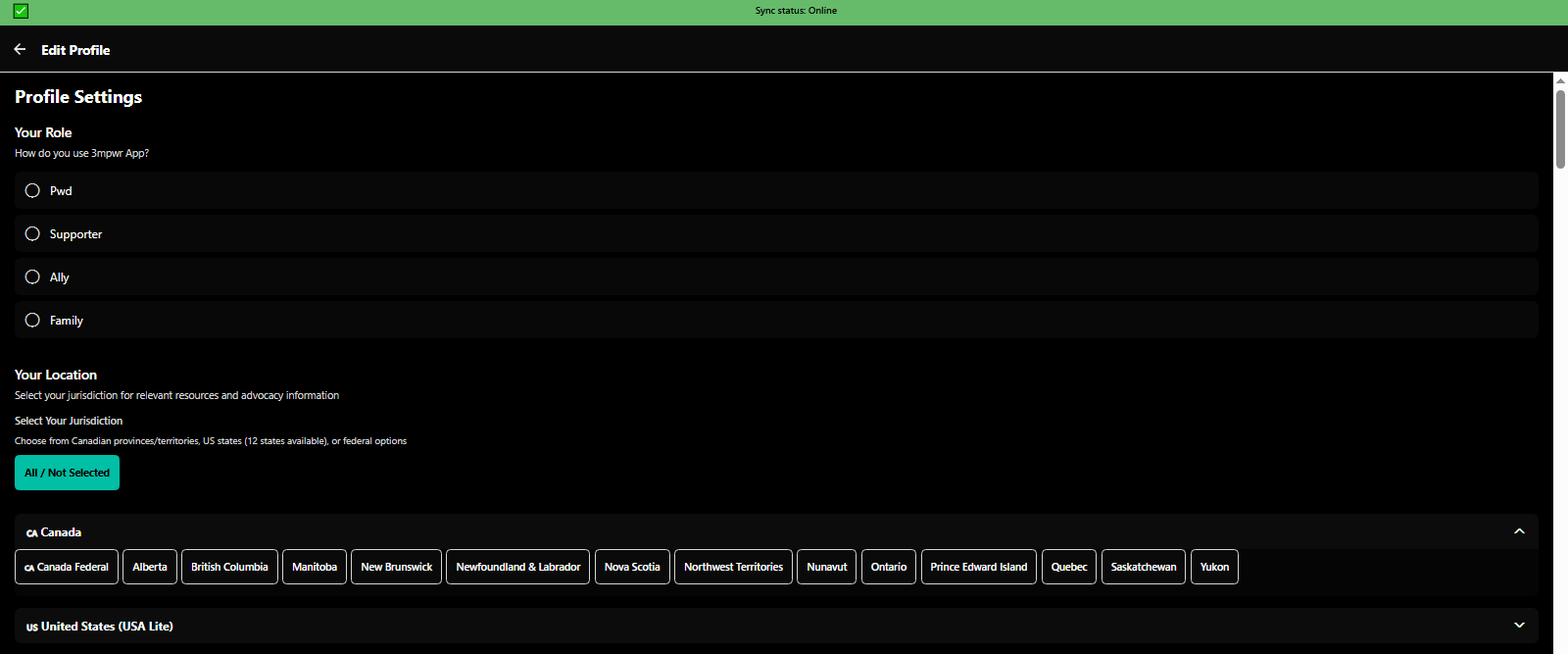
Personalize your experience with role selection, wellness preferences, advocacy needs, and accessibility accommodations.

Profile avatar selection with diverse representation for disability community - 3mpwrApp personalization
Avatar Selection | Customize
Profile avatar customization options for accessibility and self-expression - 3mpwrApp settings
Avatar Customization | Options
Profile avatar gallery with inclusive character designs for all users - 3mpwrApp diversity
Avatar Gallery | Gallery
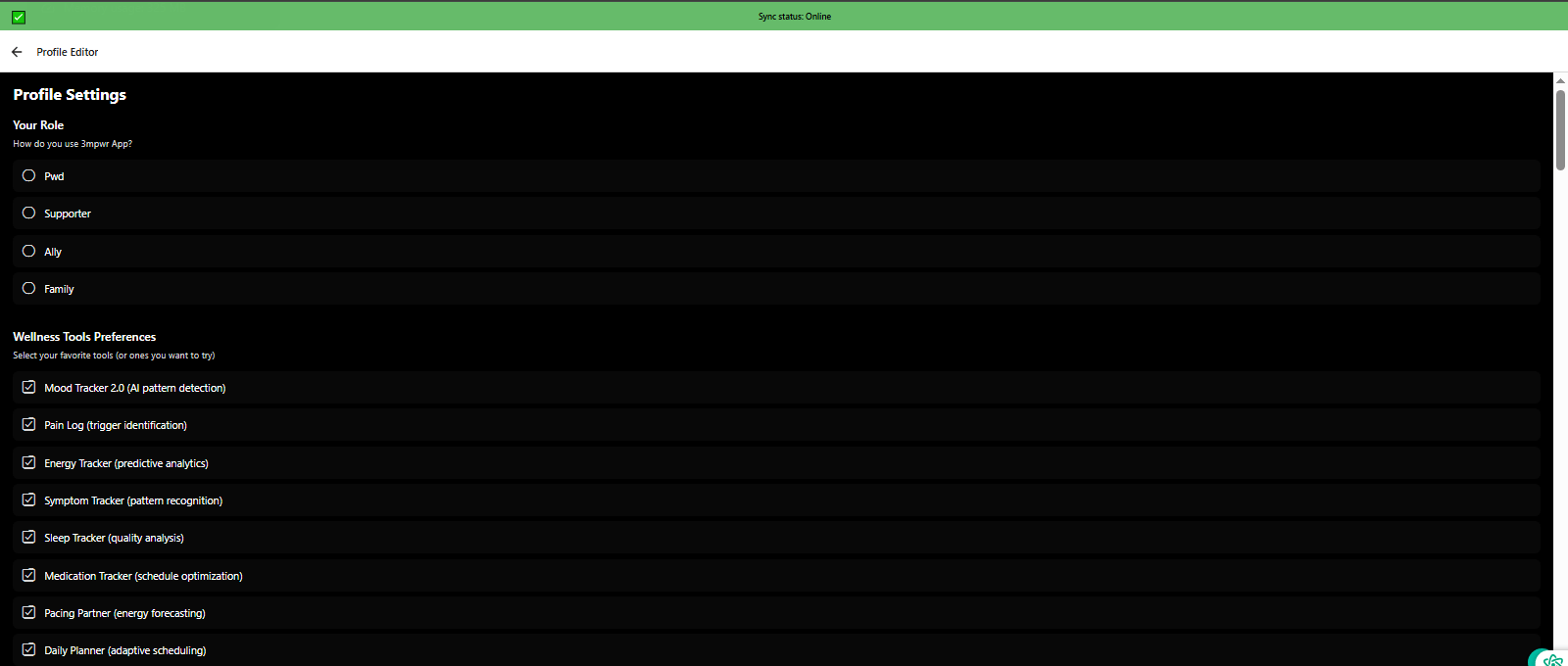
Setup profile step 1: Choose your role (person with disability, supporter, ally, family) and wellness tool preferences - 3mpwrApp personalization
Setup - Role & Wellness | Beta
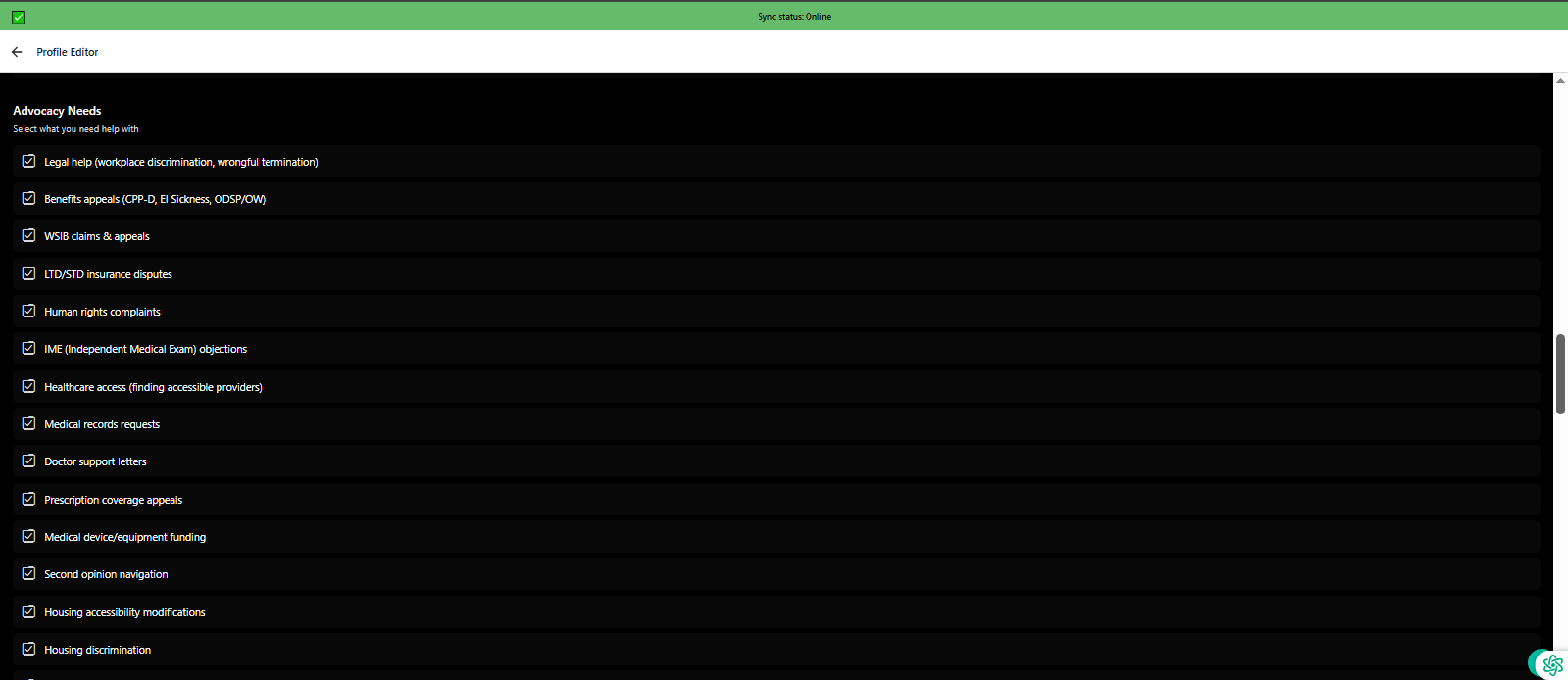
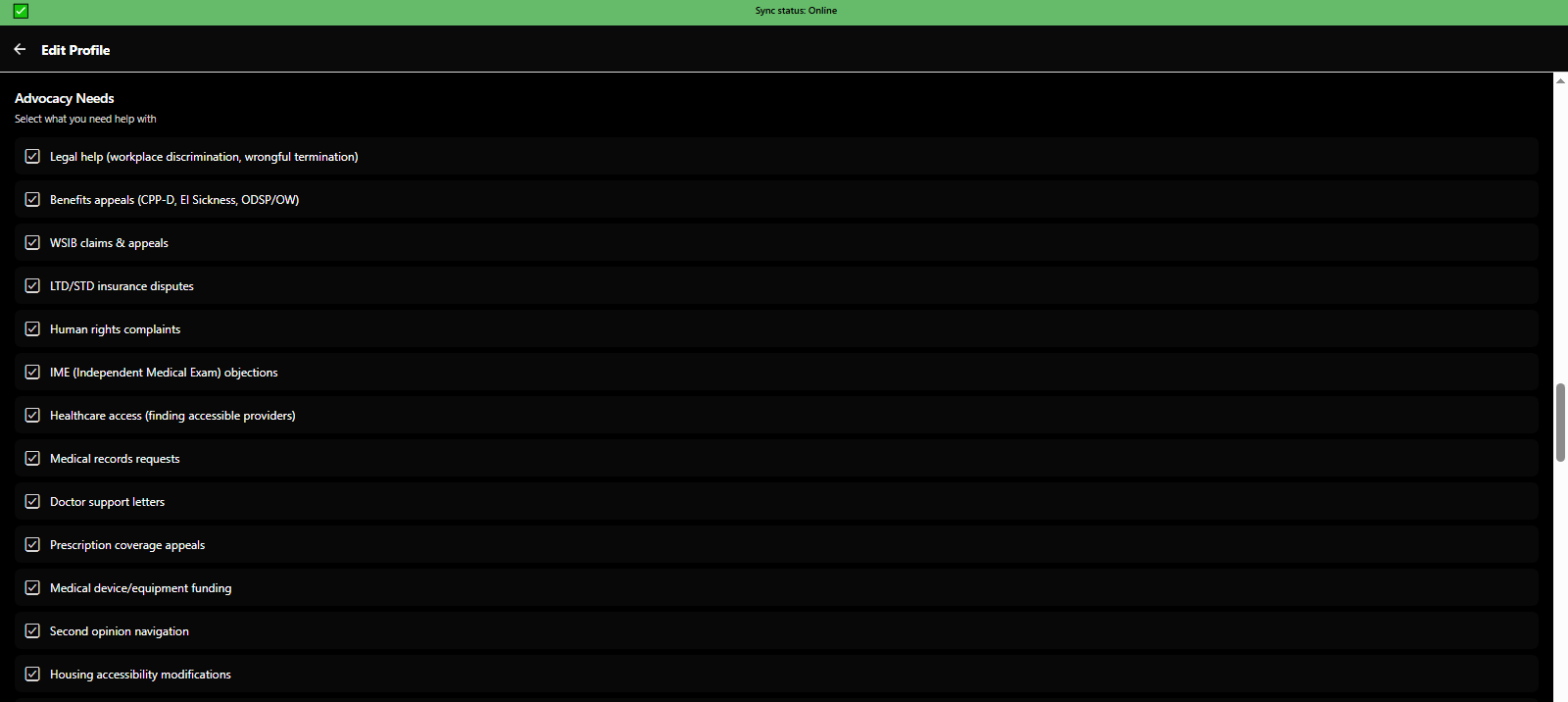
Setup profile step 2: Select advocacy needs (benefits appeals, legal help, housing, employment, healthcare) - 3mpwrApp
Setup - Advocacy Needs | Configure
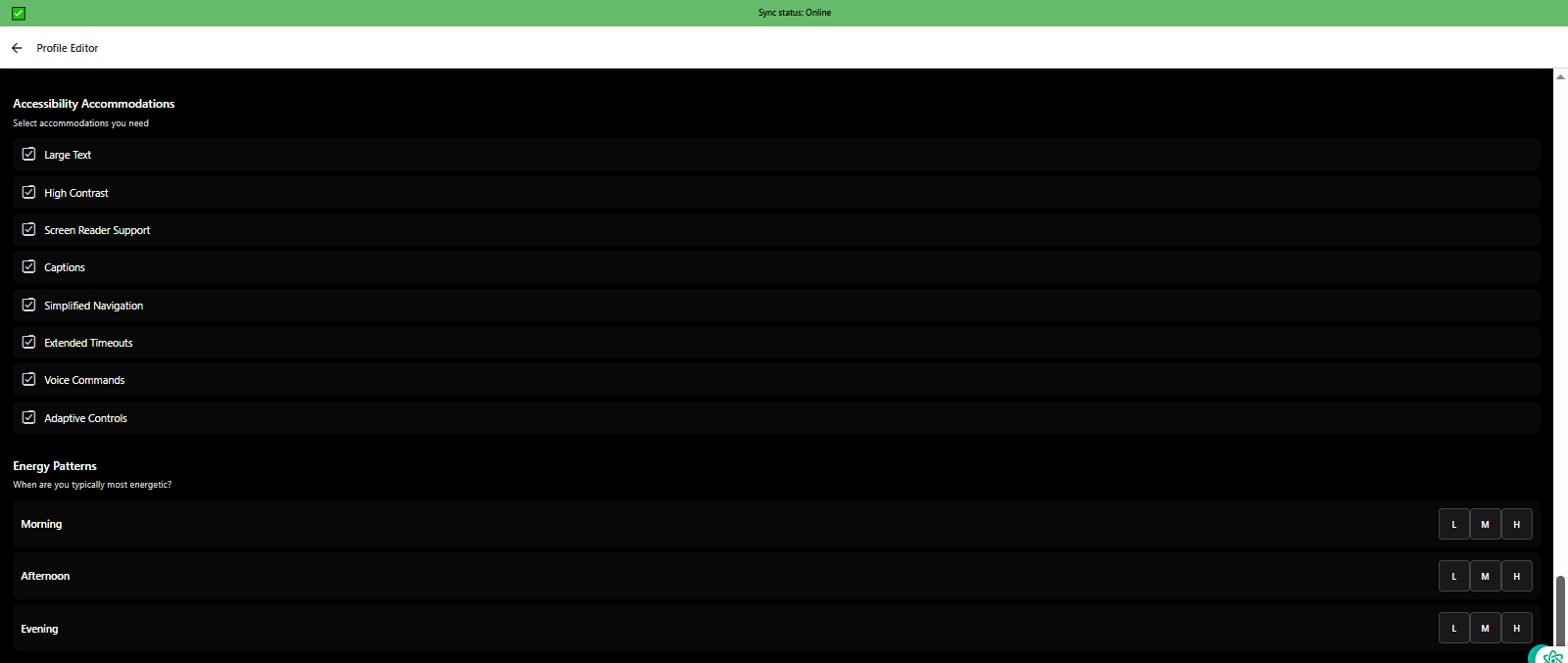
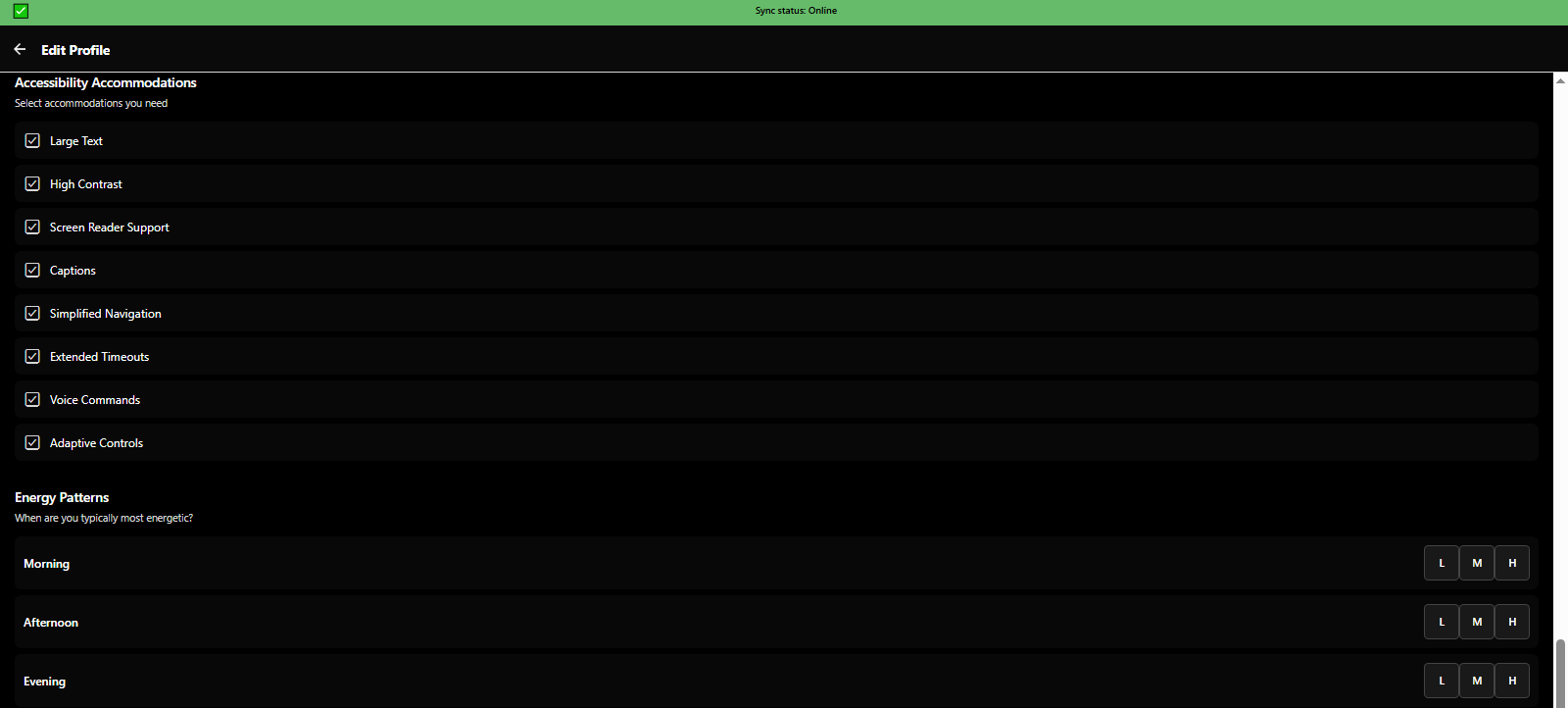
Setup profile step 3: Configure accessibility accommodations and track energy patterns for spoon theory - 3mpwrApp accessibility
Setup - Accessibility | Spoon Theory
Setup profile step 4: Configure push notifications, reminders, and save personalized experience - 3mpwrApp settings
Setup - Notifications | Save
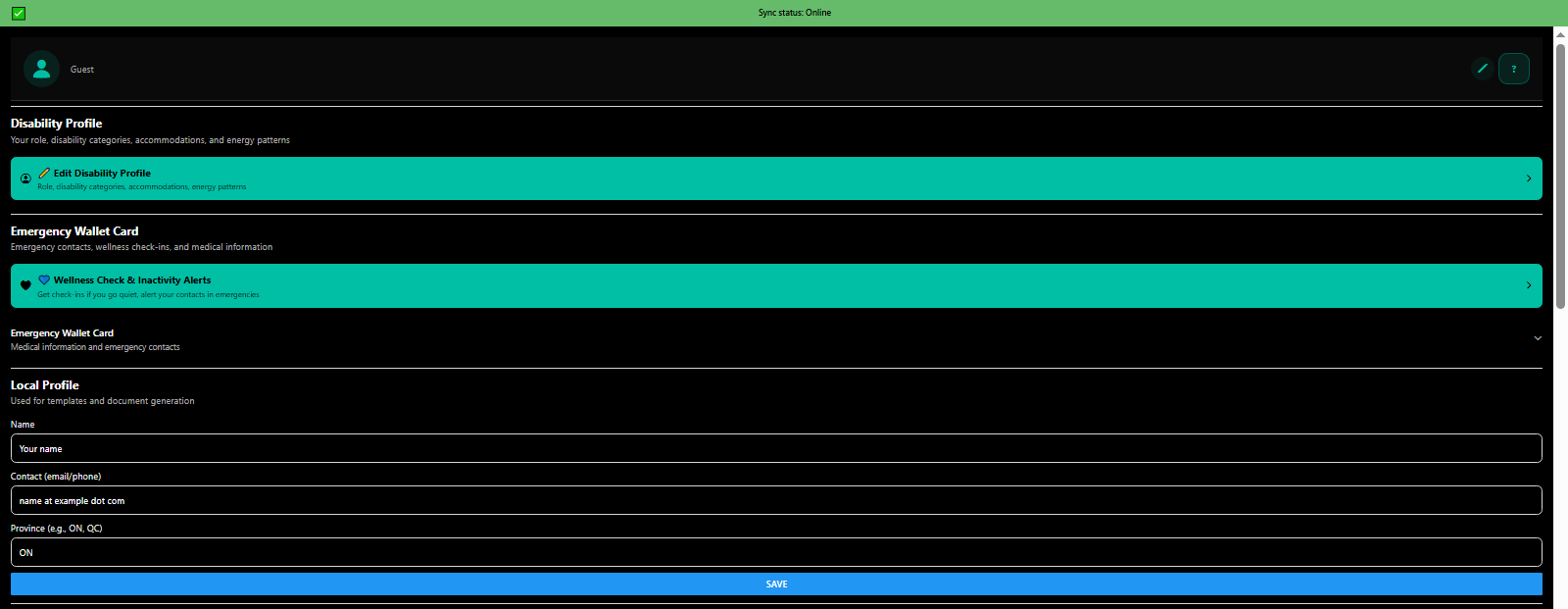
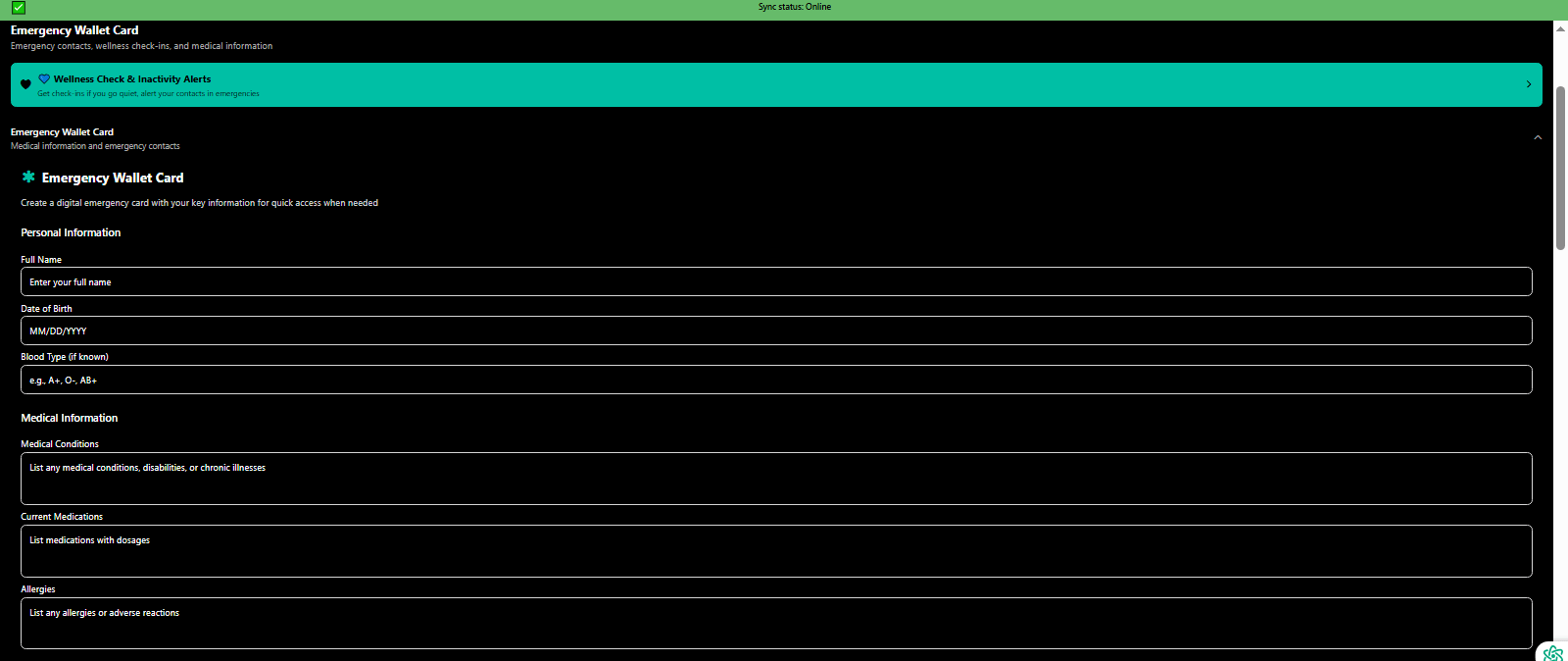
Emergency wallet card with critical medical info, emergency contacts, and accommodations - 3mpwrApp safety
Emergency Wallet Card | Safety
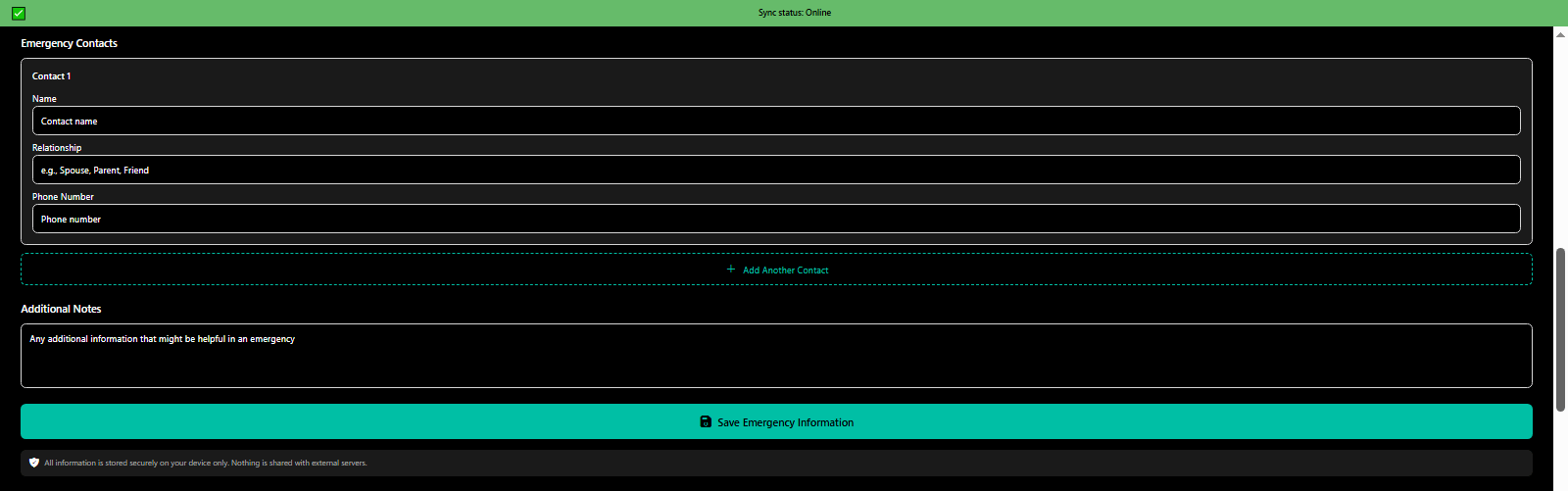
Emergency contacts wallet card for first responders - disability-aware crisis information - 3mpwrApp
Emergency Contacts | Contacts
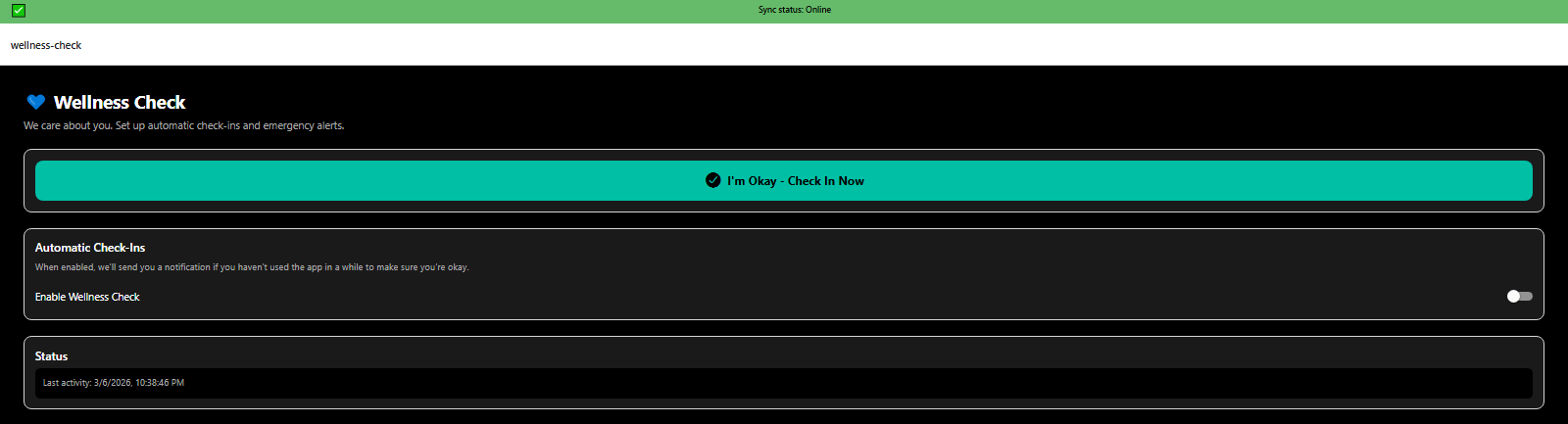
Wellness check-in feature tracking daily mood, energy, pain, and symptoms - 3mpwrApp health tracking
Wellness Check-In | Track

βš™οΈ Settings & Accessibility

Comprehensive accessibility options including cognitive support, neurodivergent features, cultural safety, complexity modes, WCAG AAA compliance, encryption, and privacy controls.

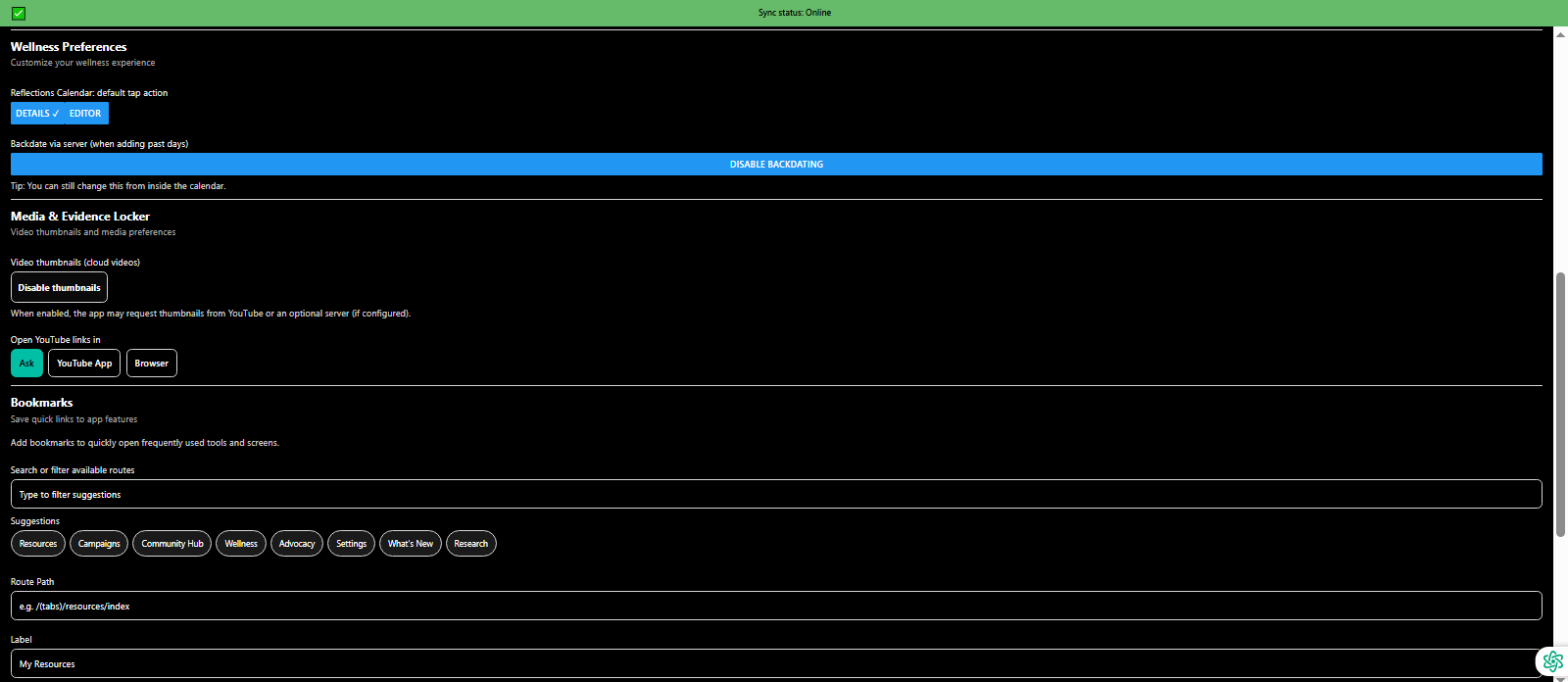
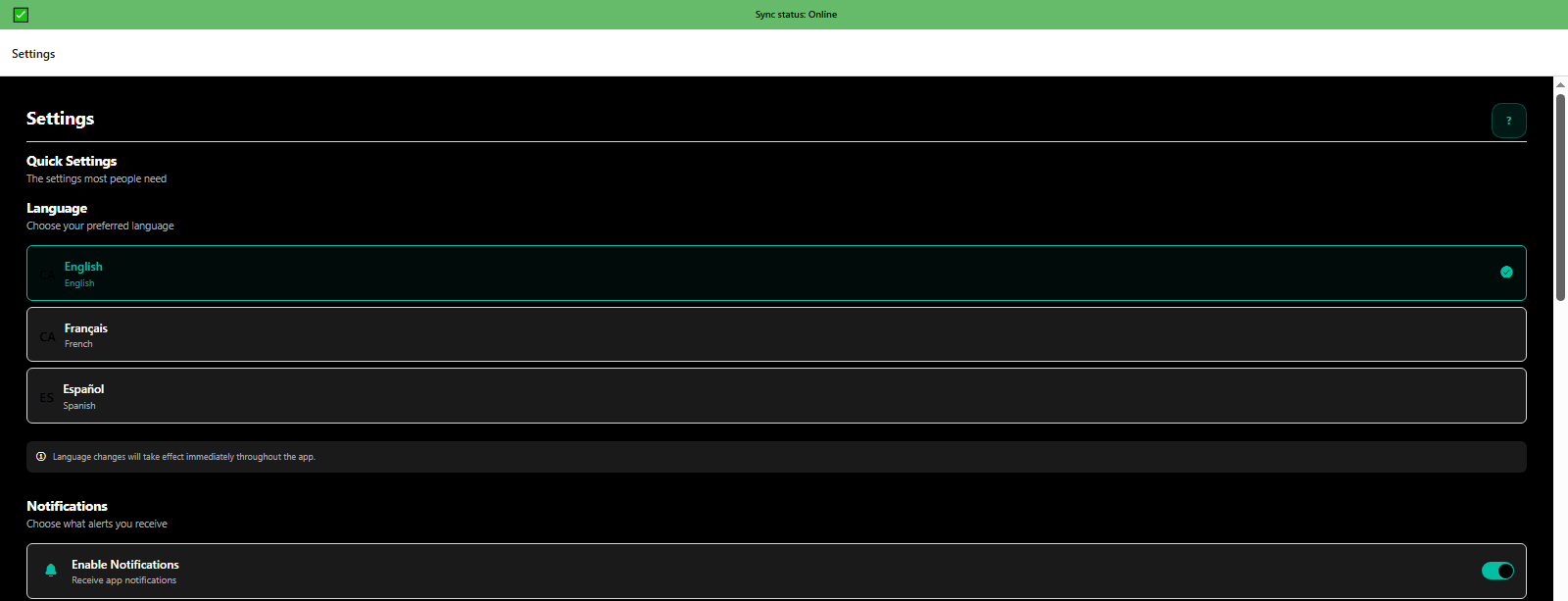
Settings for language selection and notification preferences - multilingual accessibility - 3mpwrApp
Language & Notifications | Configure
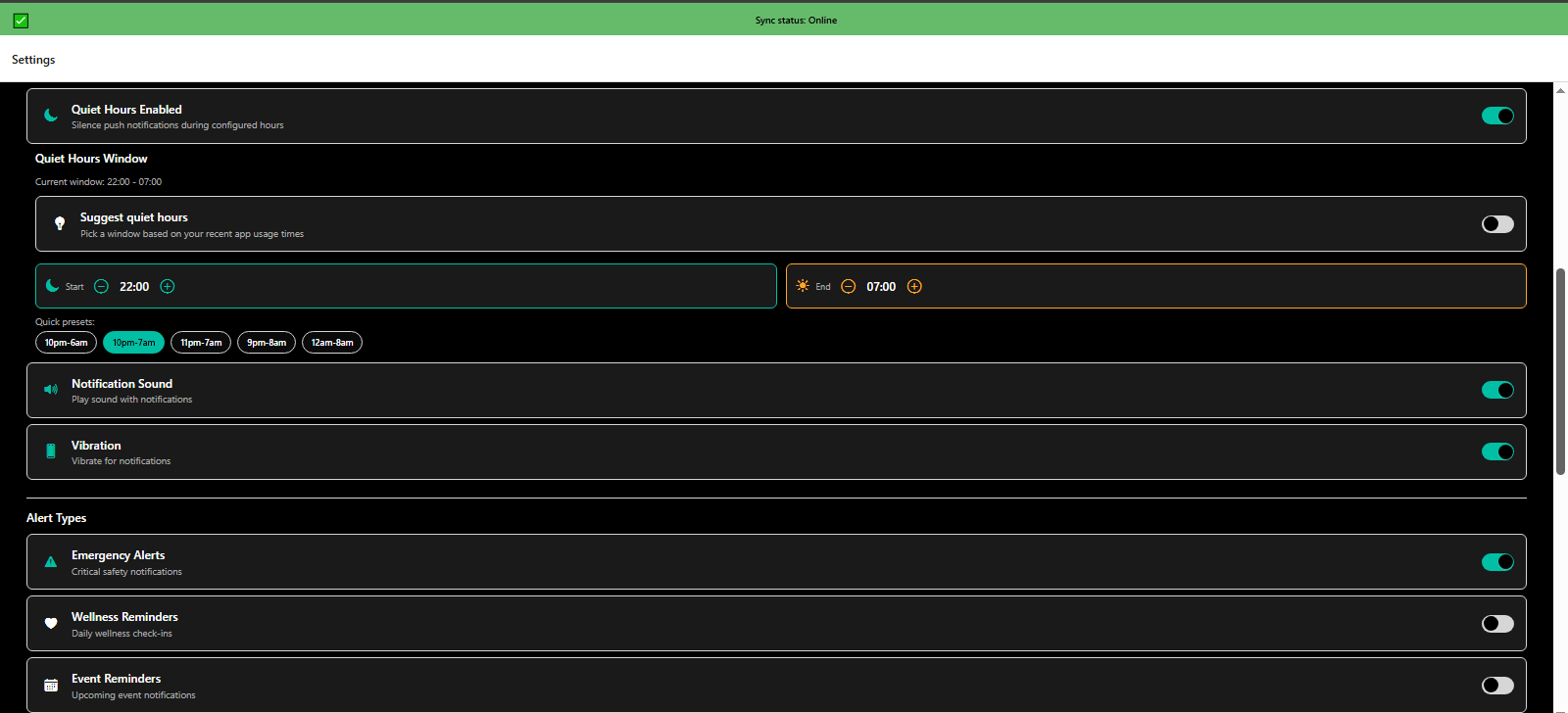
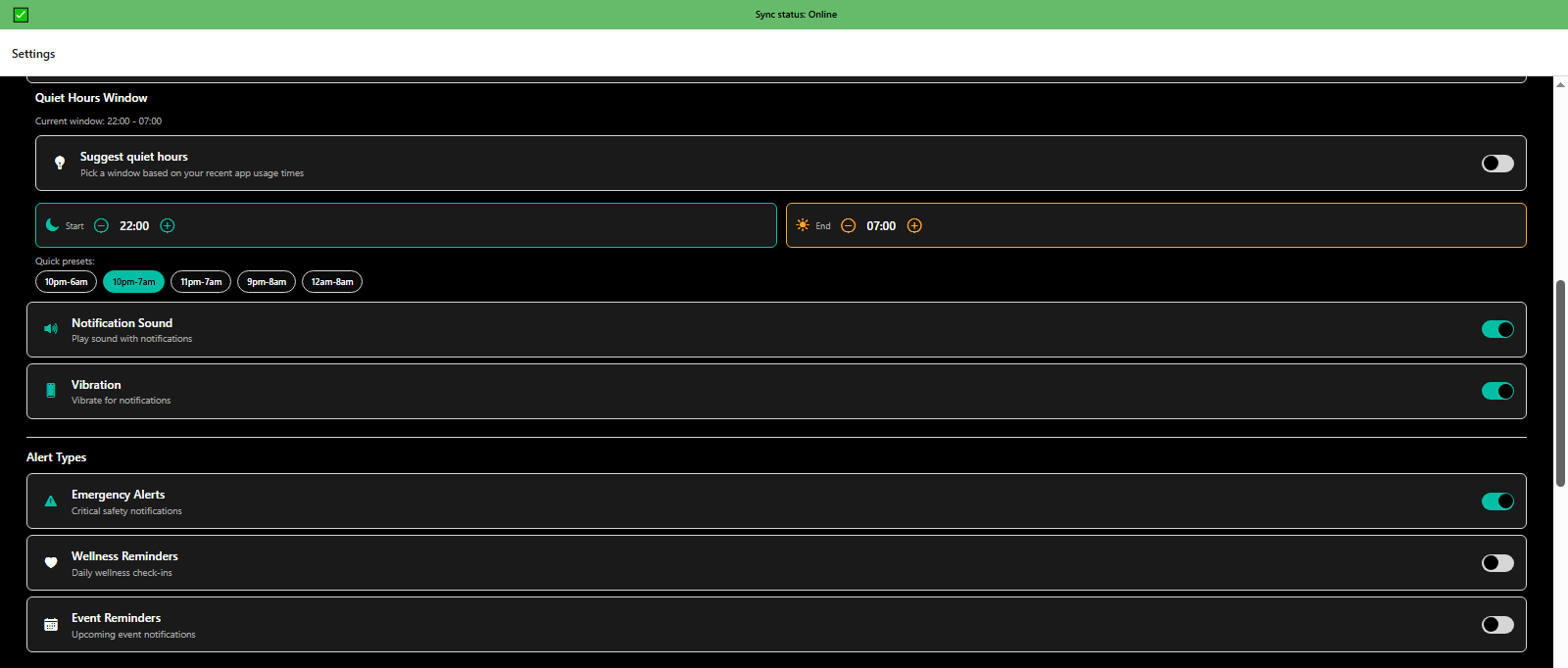
Settings quiet hours configuration and alert type customization - cognitive accessibility - 3mpwrApp
Quiet Hours & Alerts | Customize
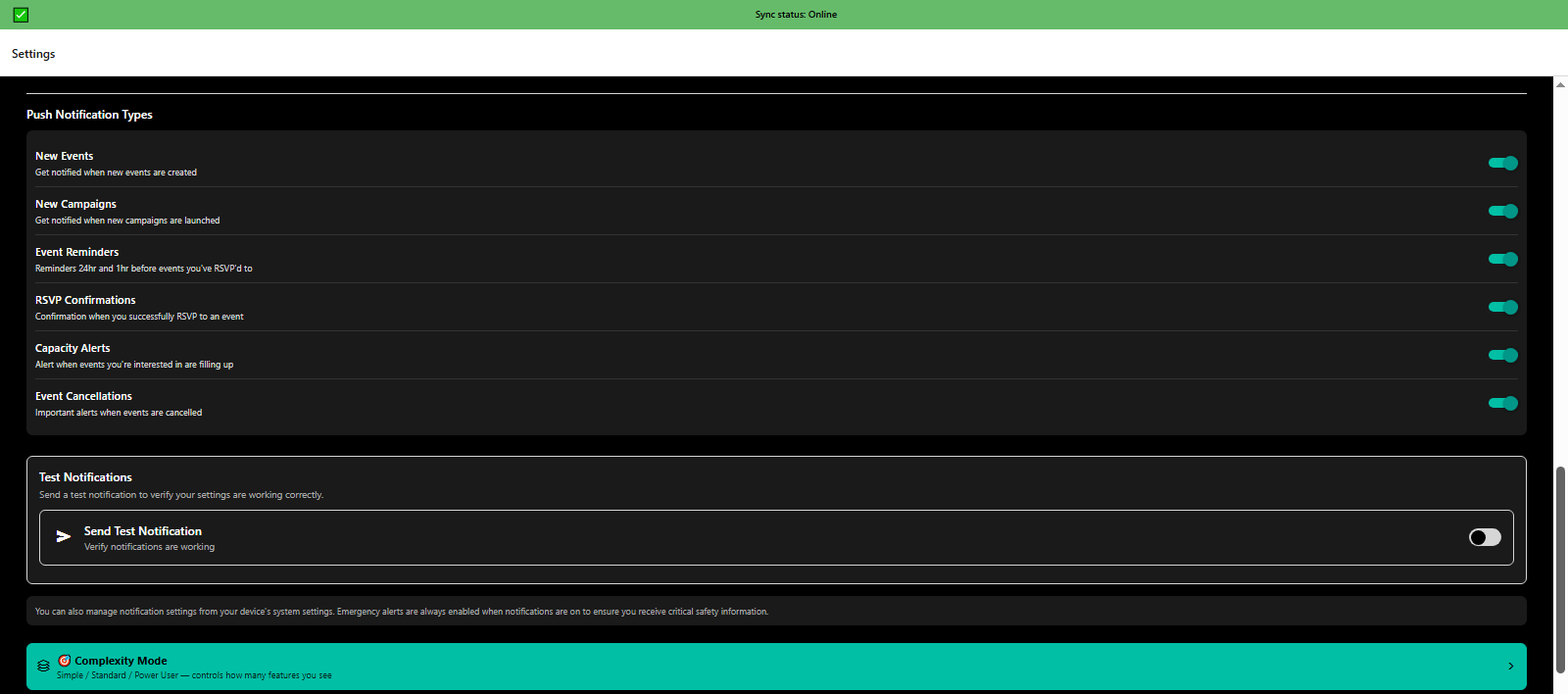
Settings push notification types and complexity mode selection (simple, standard, power user) - 3mpwrApp
Notifications & Complexity | Modes
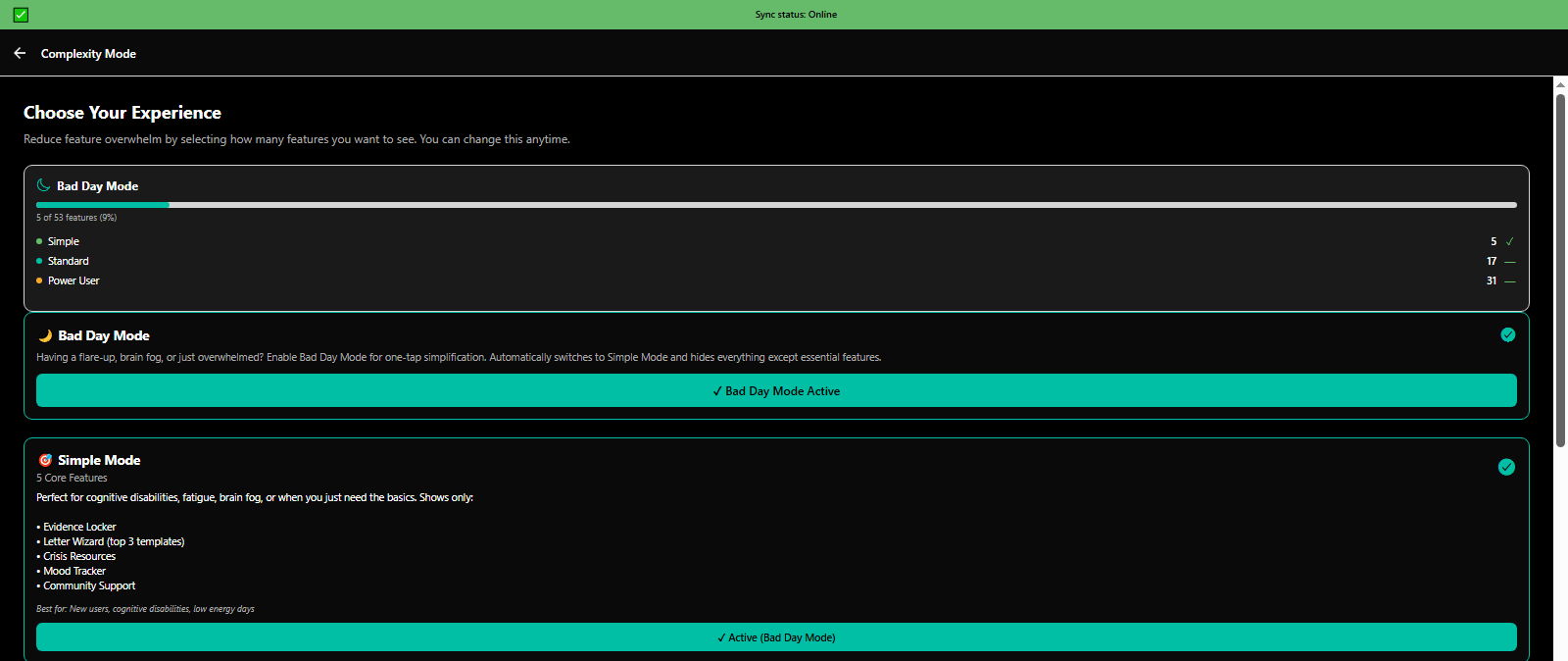
Complexity modes: Bad Day Mode (5features) and Simple Mode (20 features) for cognitive accessibility - 3mpwrApp
Bad Day & Simple Modes | Simplify
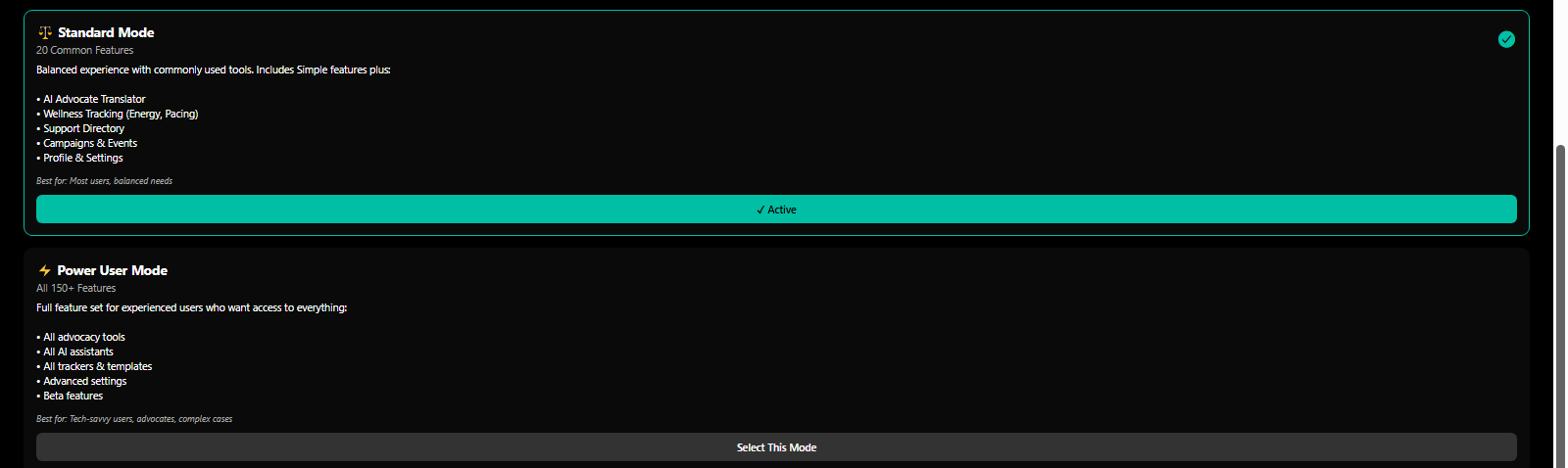
Complexity modes: Standard (50 features) and Power User (150+ features) for advanced advocacy - 3mpwrApp
Standard & Power Modes | Advanced
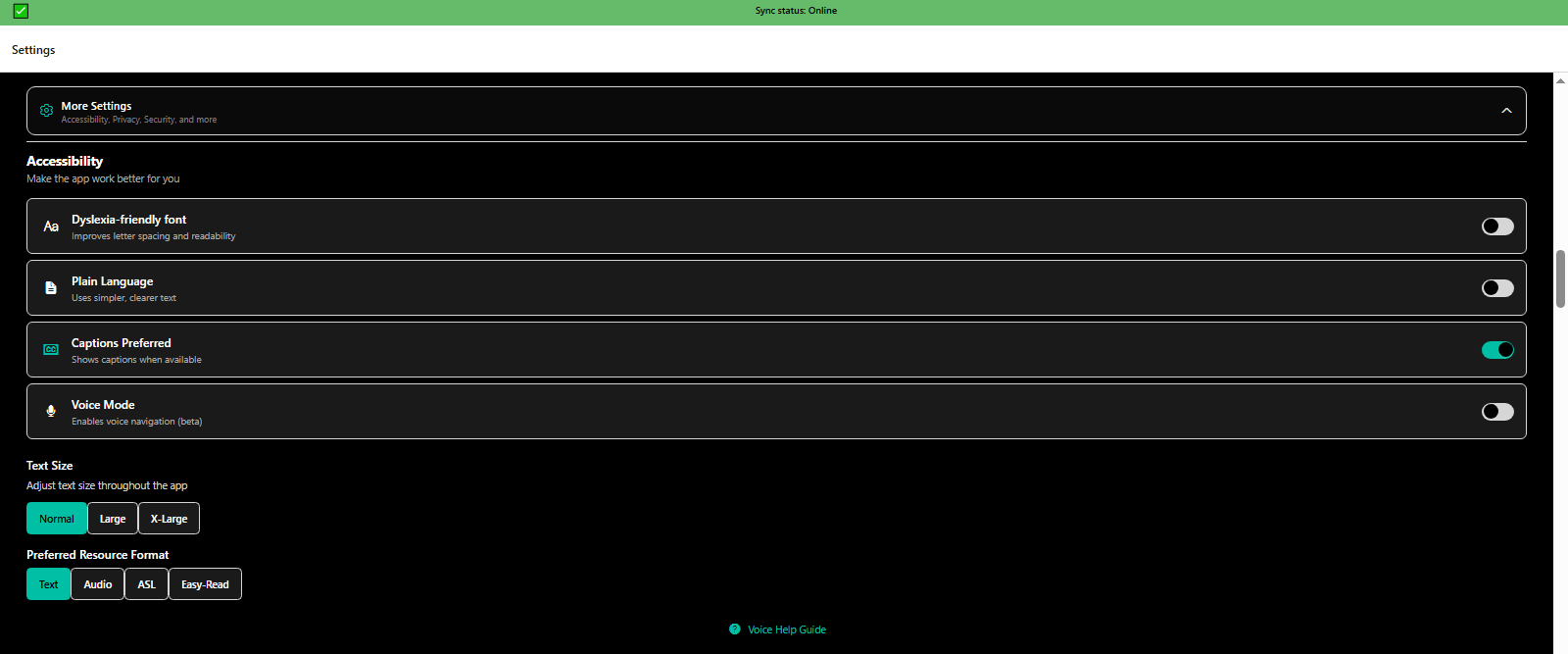
More settings accessibility options including text size, preferred format, and reading level - WCAG AAA - 3mpwrApp
Accessibility Options | Customize
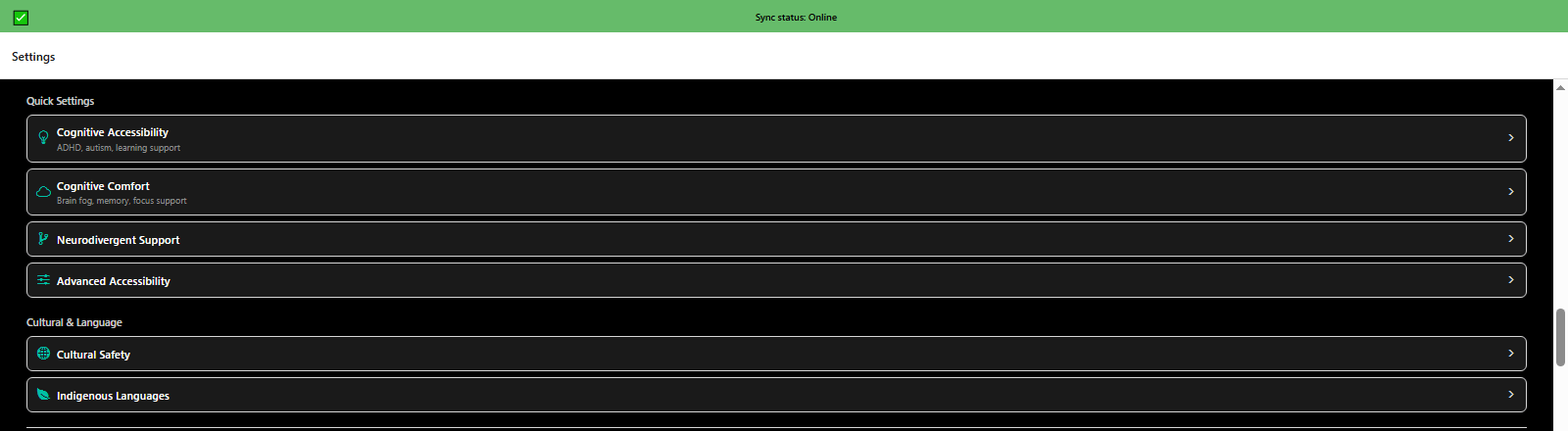
More settings quick access to cultural safety, language options, and personalization - 3mpwrApp diversity
Cultural & Language | Personalize
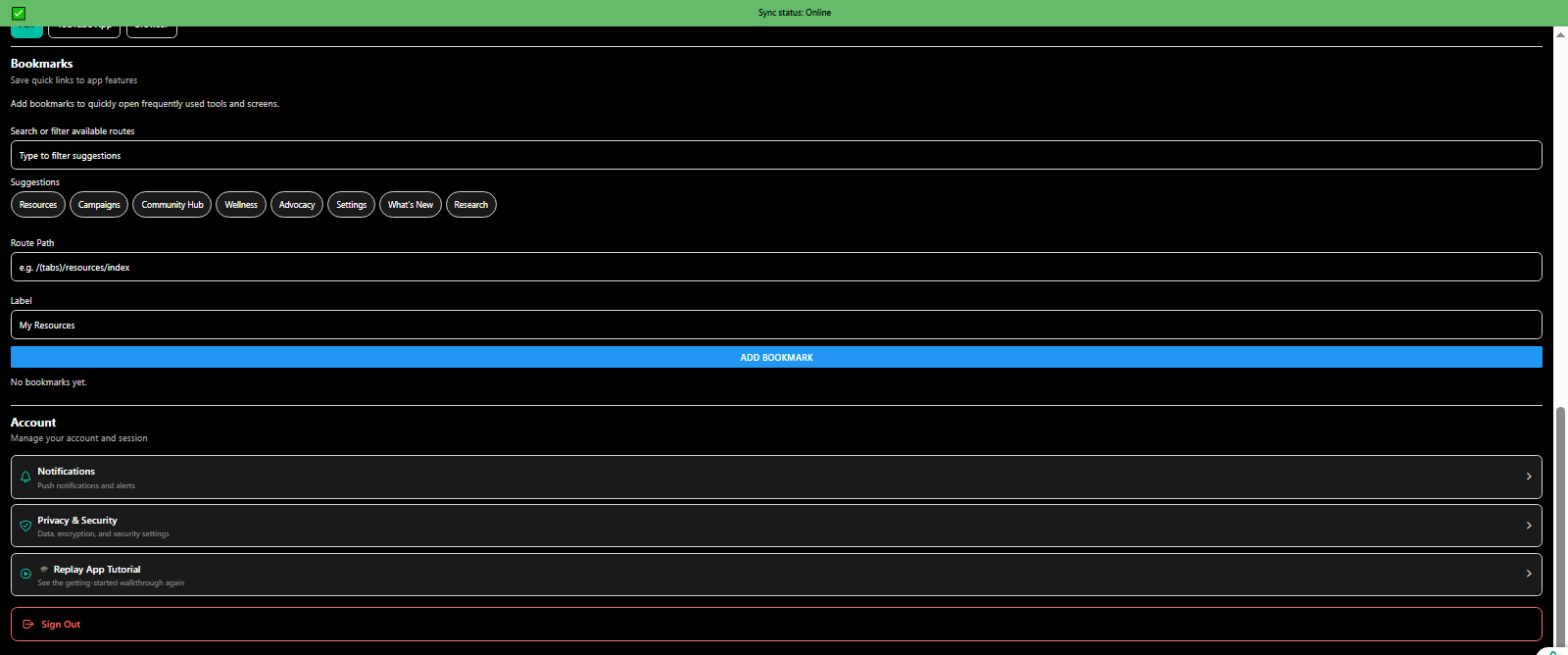
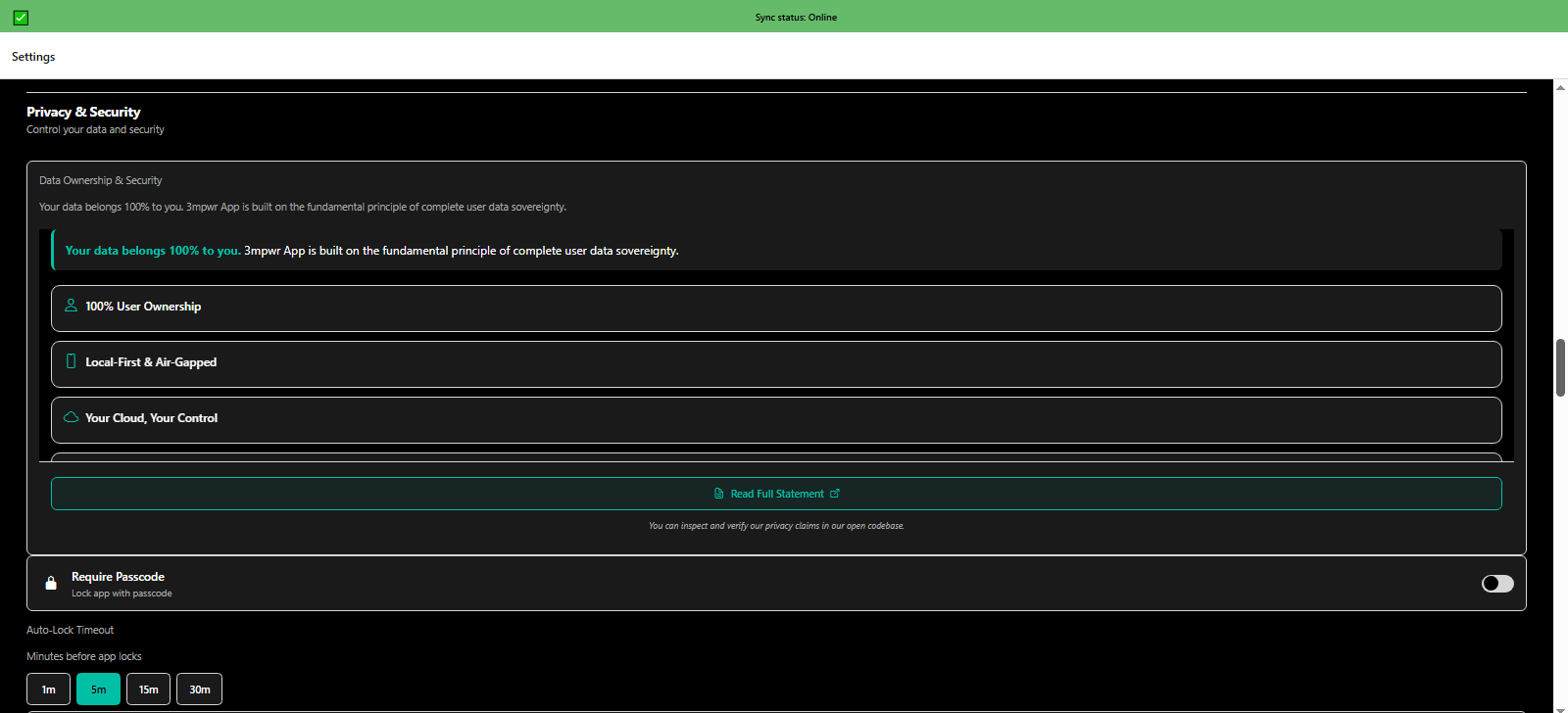
More settings privacy and security including passcode protection and encryption options - 3mpwrApp data safety
Privacy & Security | Secure
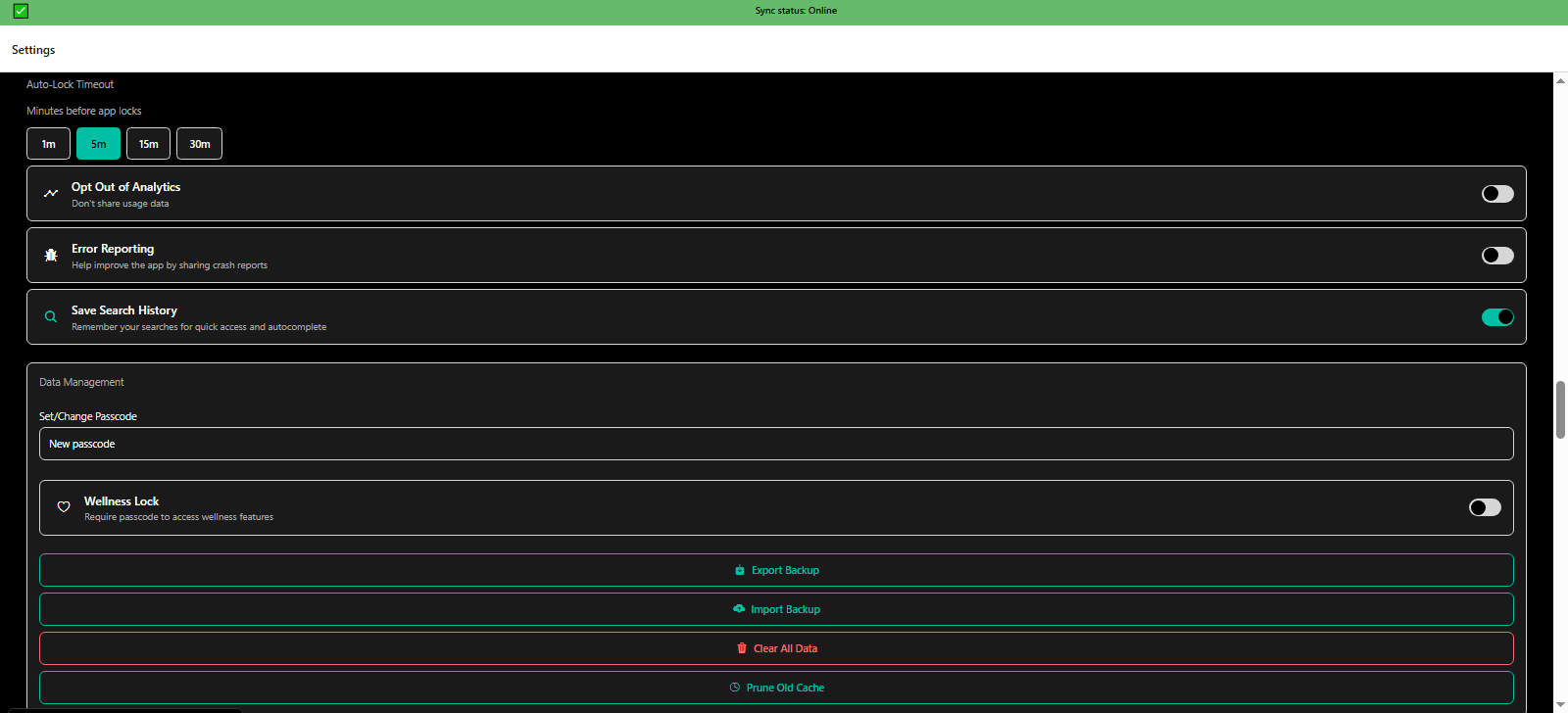
More settings auto-lock timeout, analytics opt-in, error reporting, search history, and data management - 3mpwrApp privacy
Data Management | Control
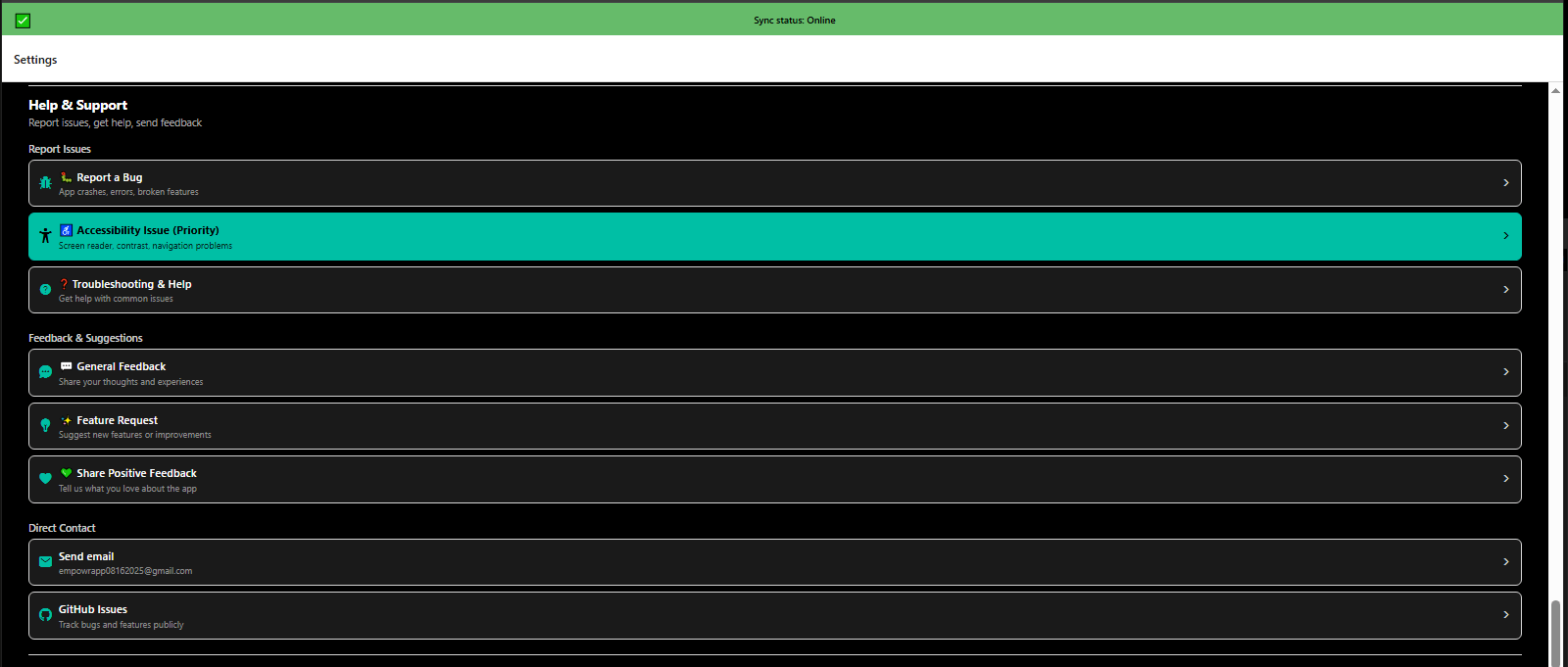
More settings help and support options with tutorials, FAQs, and contact channels - 3mpwrApp assistance
Help & Support | Contact
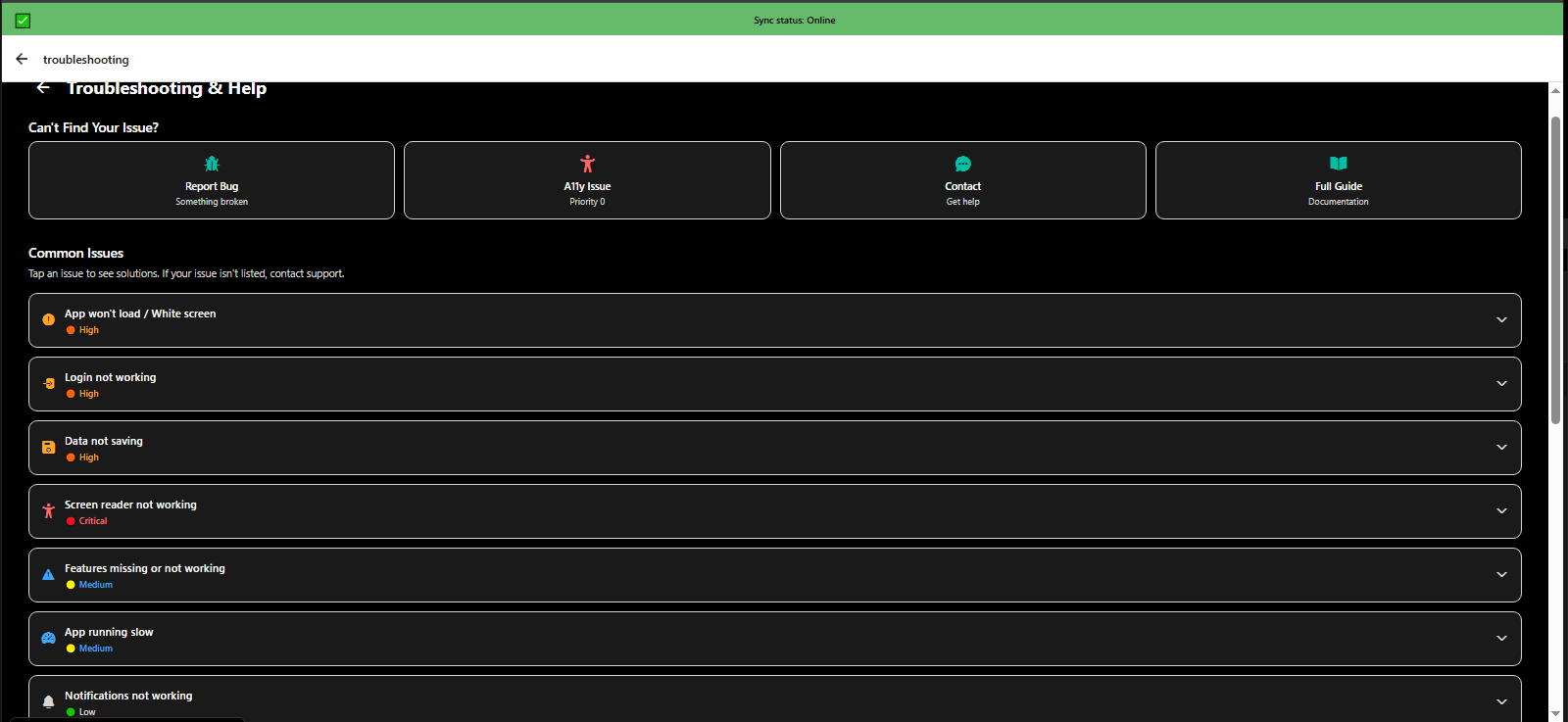
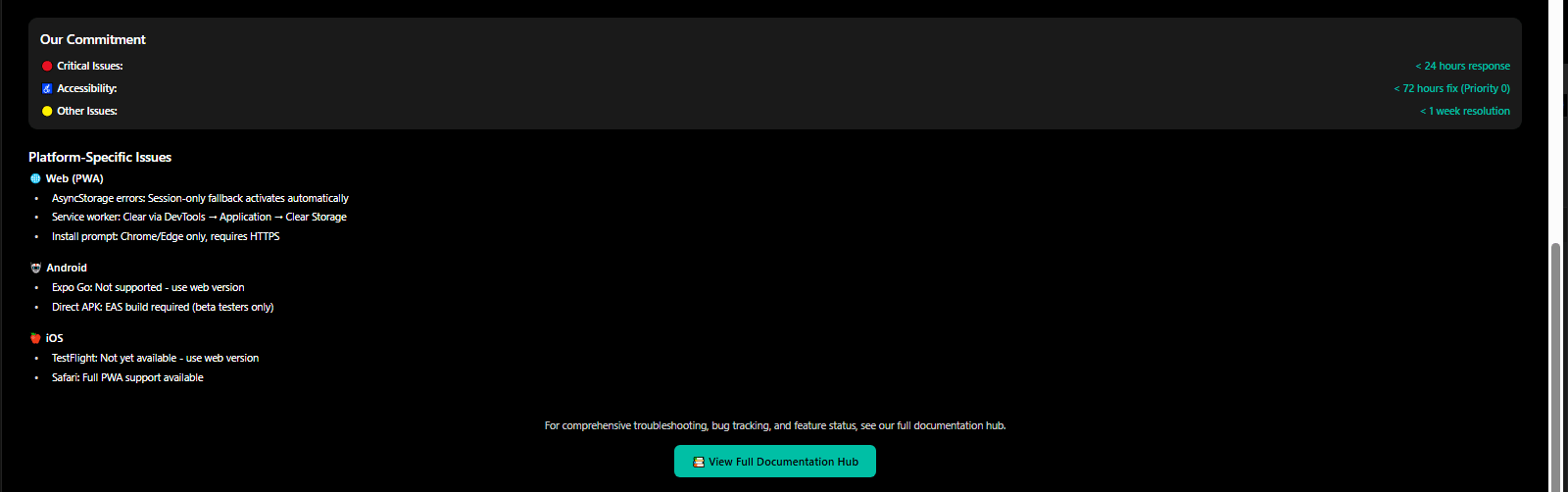
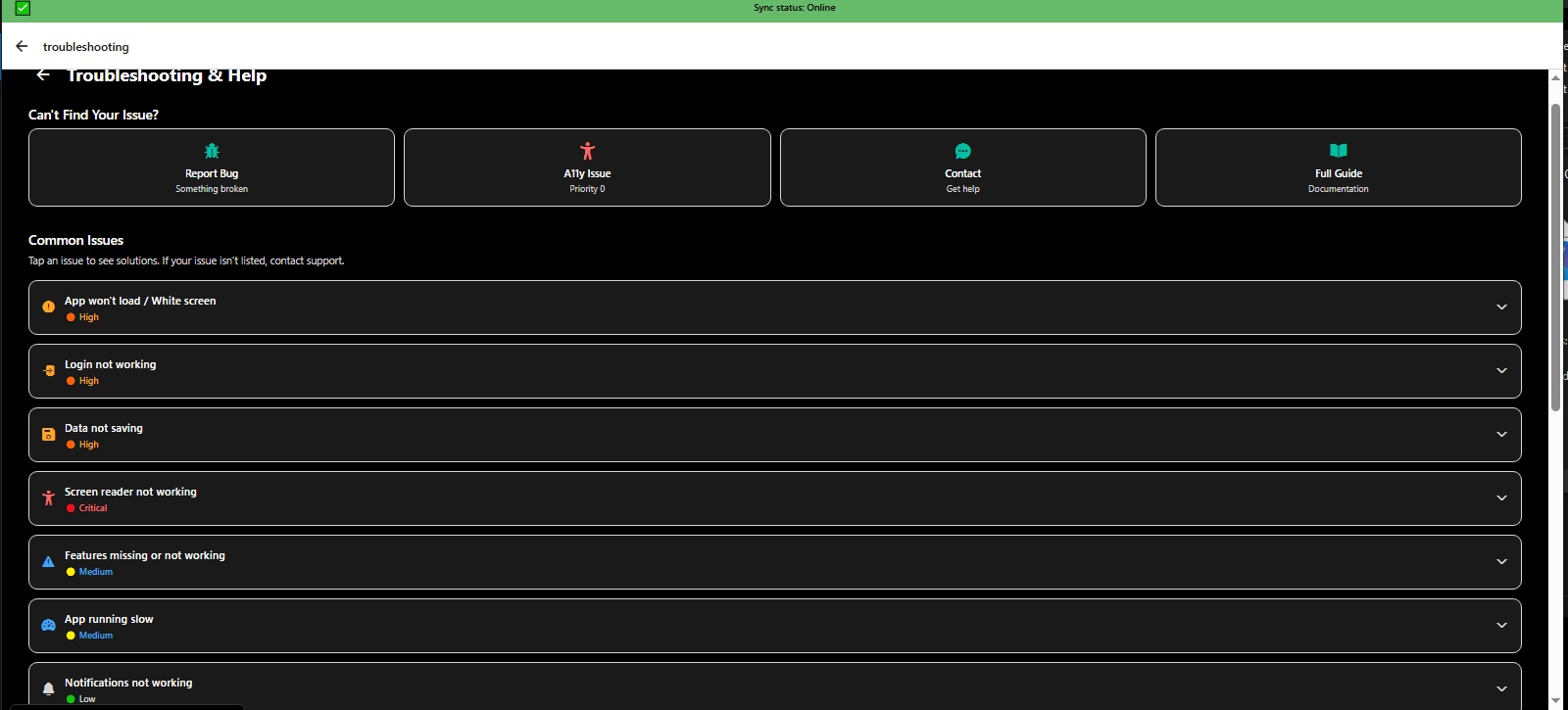
More settings troubleshooting guide for common issues and bug fixes - 3mpwrApp support
Troubleshooting | Help
More settings help resources with video tutorials and step-by-step guides - 3mpwrApp learning
Help Resources | Learn
More settings access to terms of service, privacy policy, and legal disclaimers - 3mpwrApp transparency
Terms & Policies | Legal
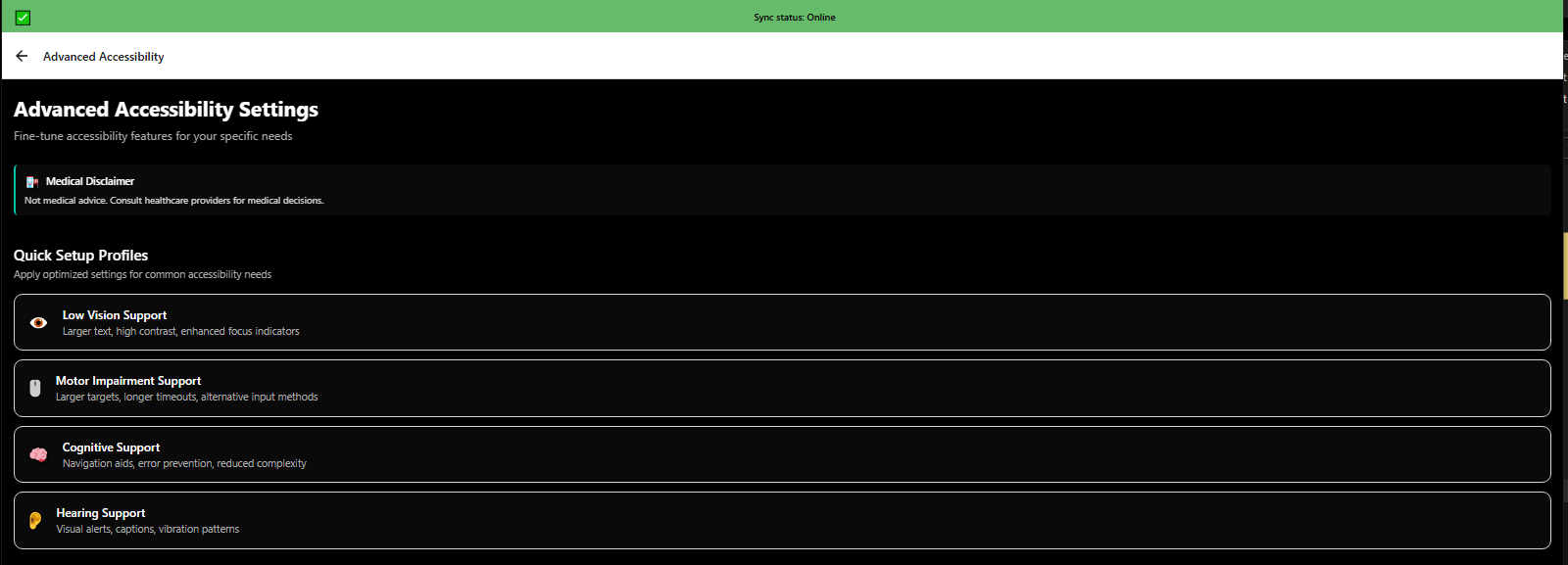
Advanced accessibility settings overview with WCAG AAA compliance options - 3mpwrApp inclusive design
Advanced Accessibility | WCAG AAA
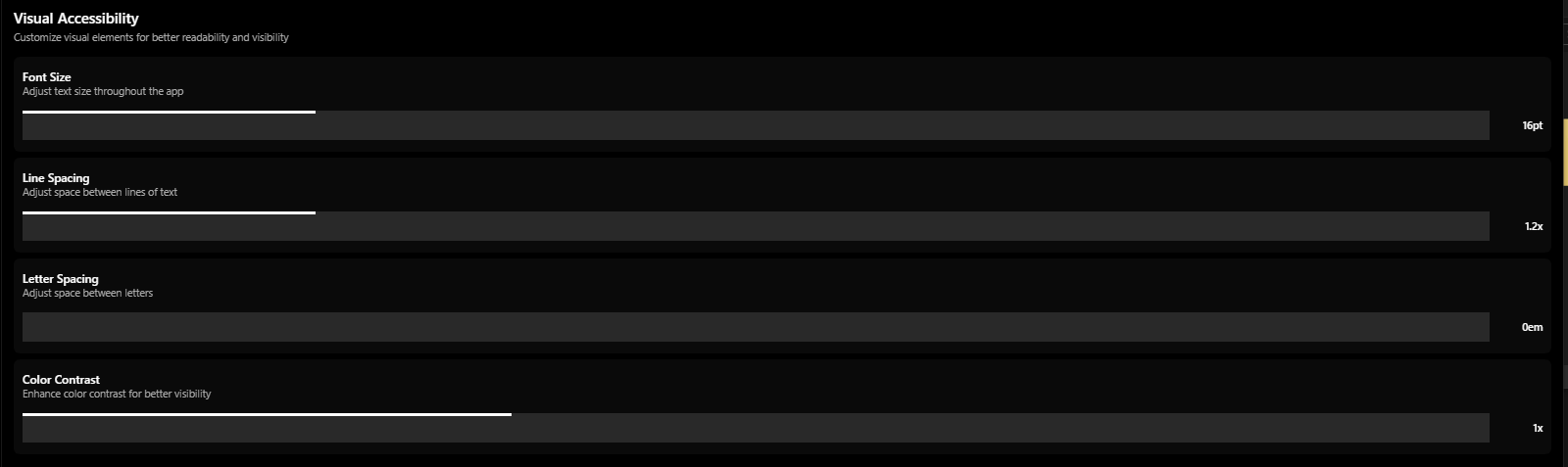
Advanced accessibility visual settings: contrast, color blindness modes, font options - 3mpwrApp vision
Visual Accessibility | Vision
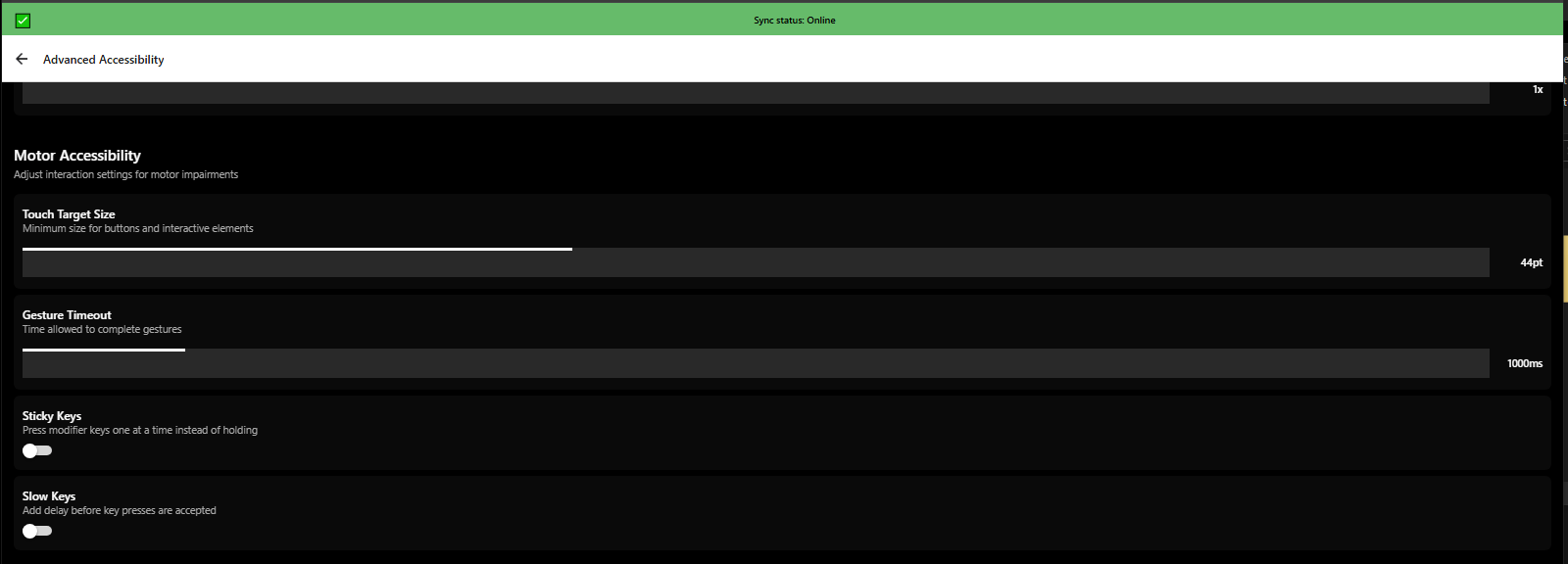
Advanced accessibility motor settings: touch targets, dwell time, switch control - 3mpwrApp physical disabilities
Motor Accessibility | Physical
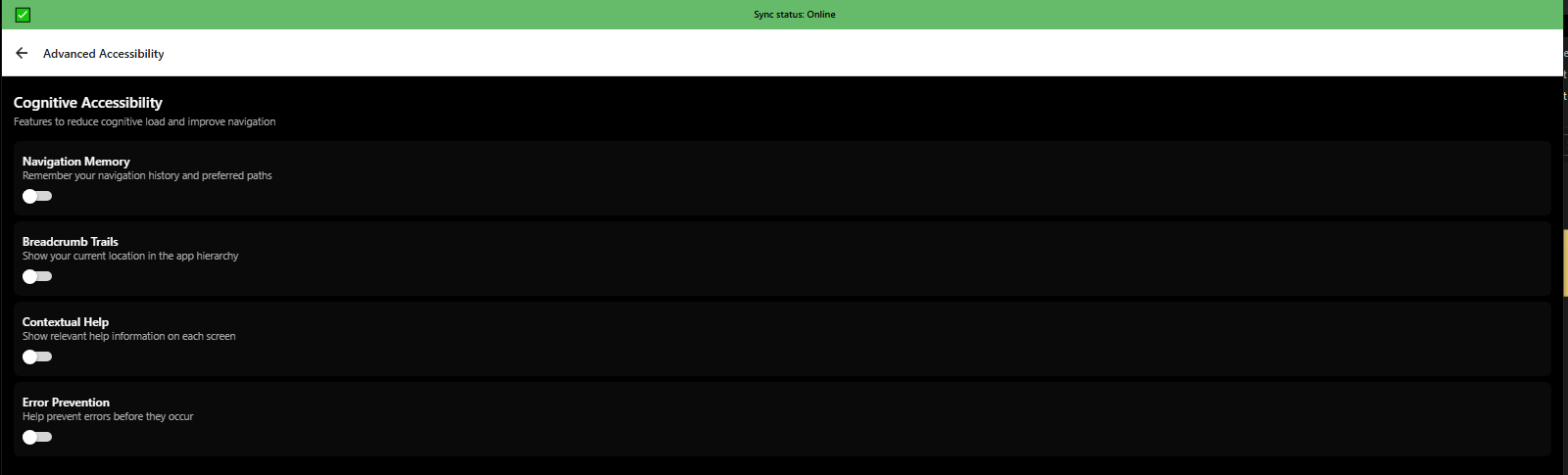
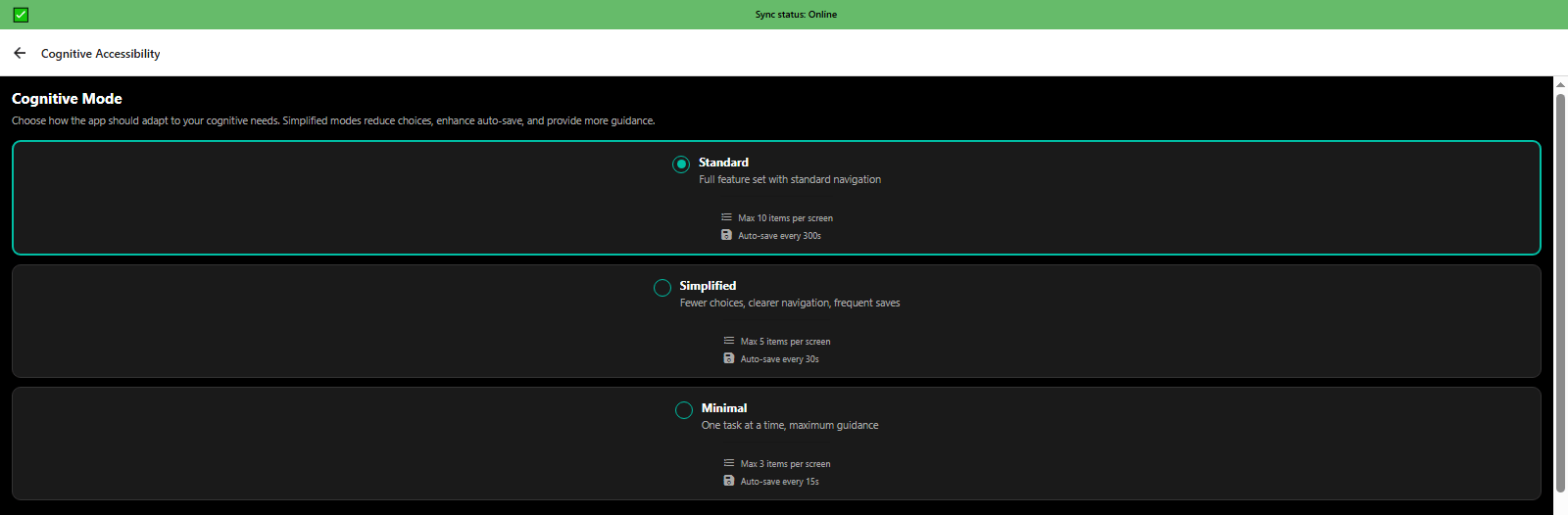
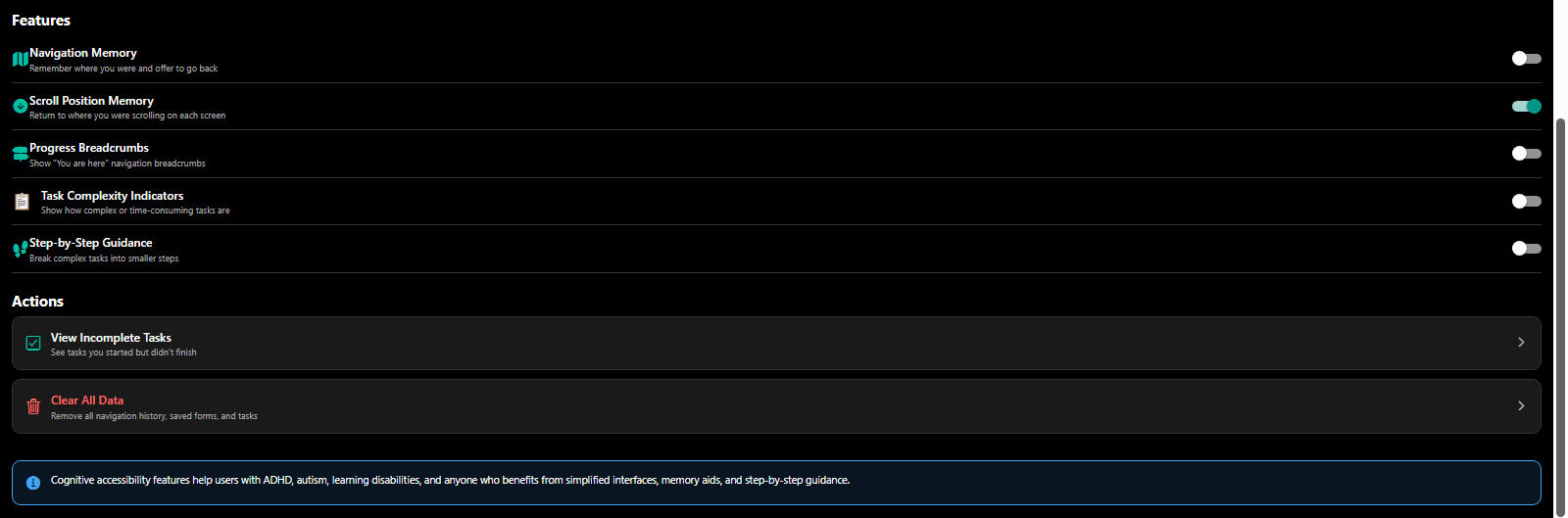
Advanced accessibility cognitive settings: simplified language, reduced motion, focus indicators - 3mpwrApp neurodivergent
Cognitive Accessibility | Neurodivergent
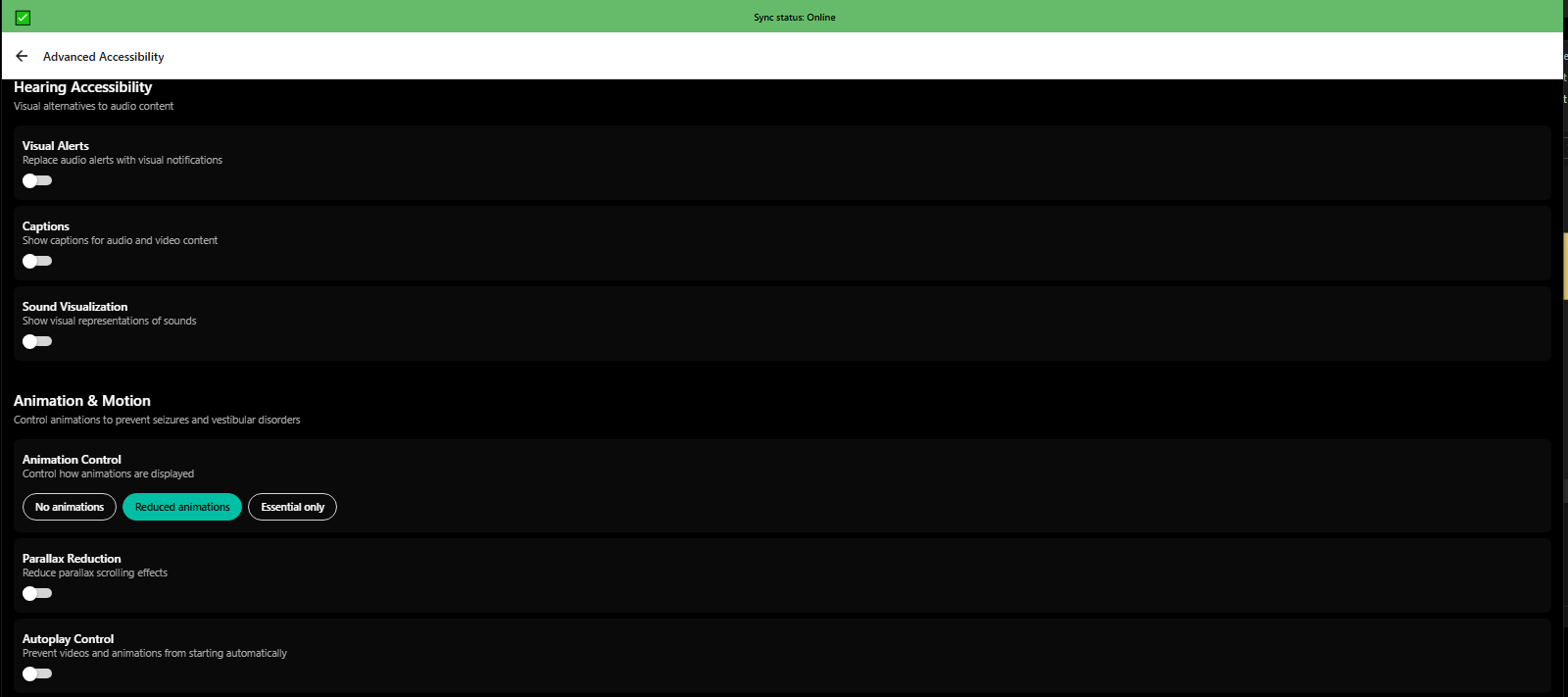
Advanced accessibility auditory settings: captions, visual alerts, haptic feedback - 3mpwrApp hearing
Auditory Accessibility | Hearing
Advanced accessibility custom presets saving personalized accessibility configurations - 3mpwrApp preferences
Custom Presets | Save
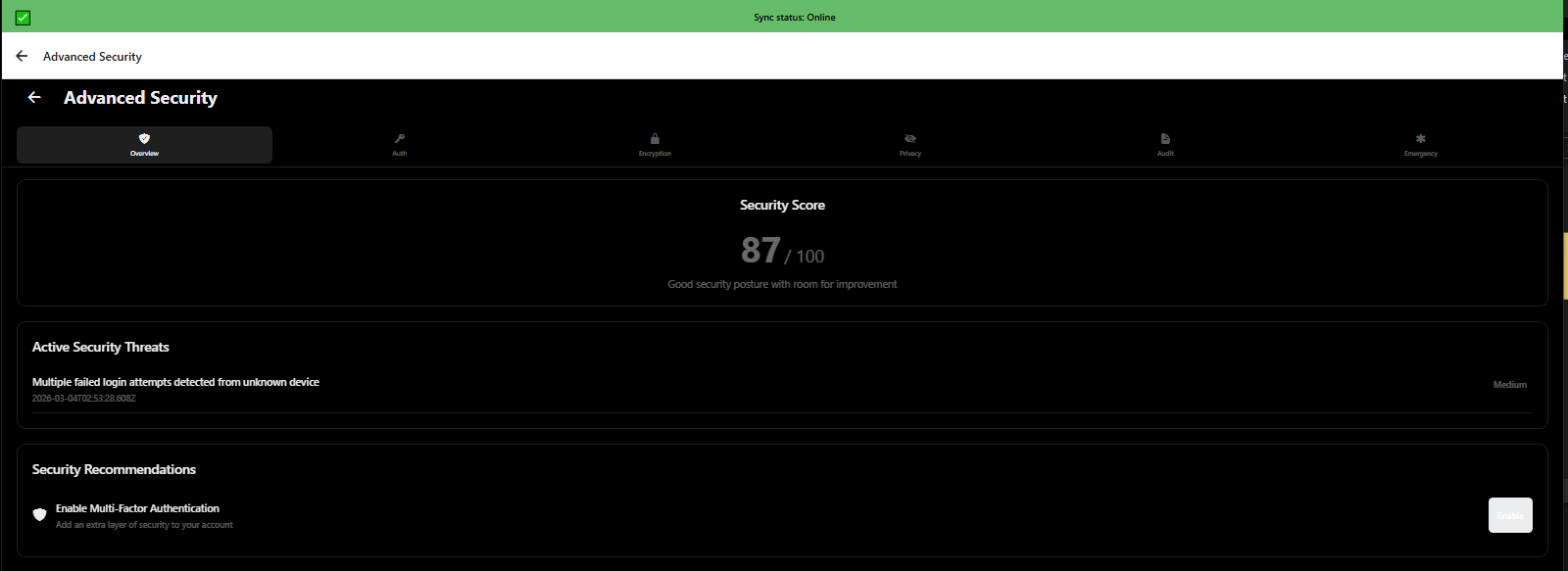
Advanced security settings overview with encryption, air-gapped mode, and data ownership - 3mpwrApp privacy
Security Overview | Protect
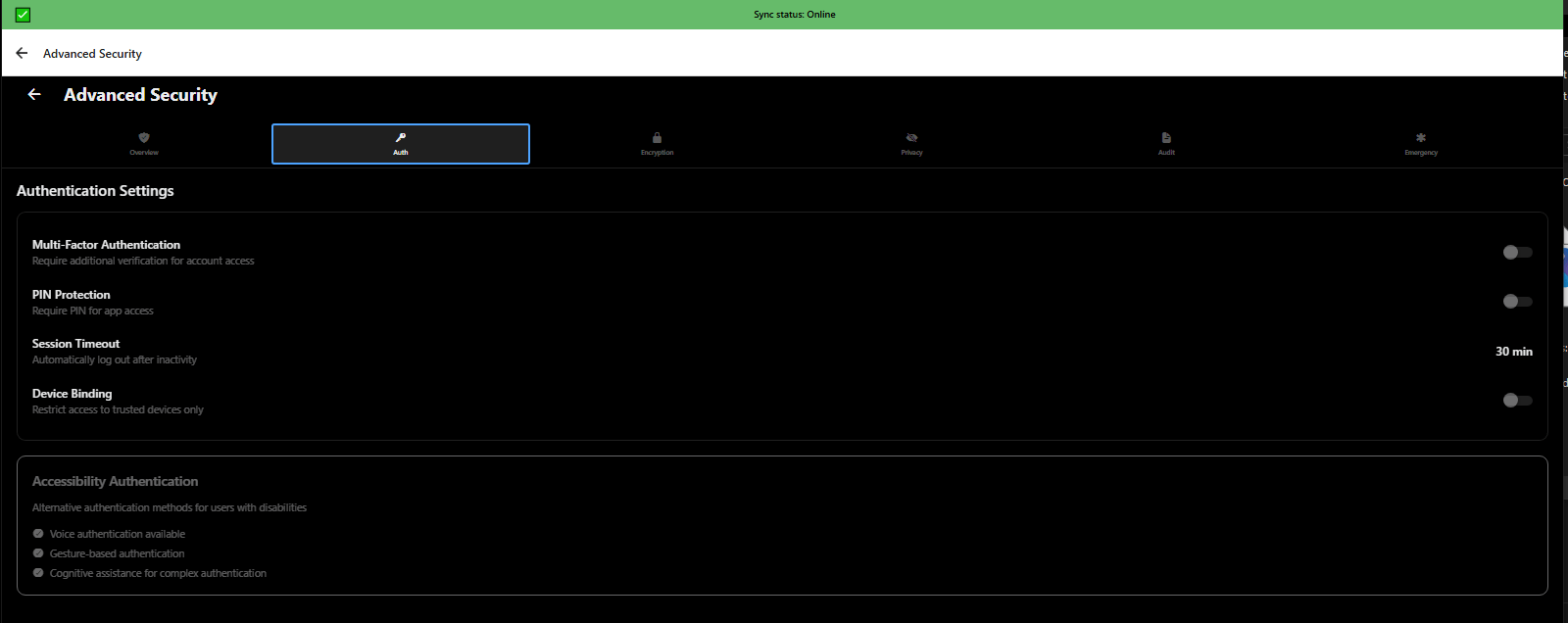
Advanced security authentication settings with biometric login and multi-factor authentication - 3mpwrApp security
Authentication | Login
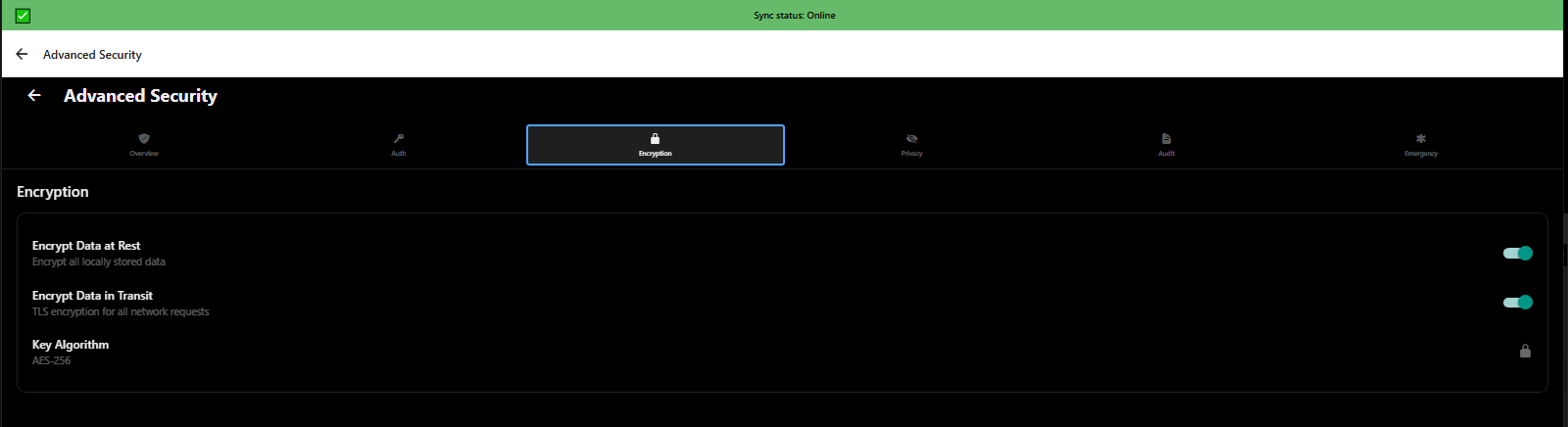
Advanced security encryption options for protecting medical records and legal documents - 3mpwrApp data protection
Encryption | Encrypt
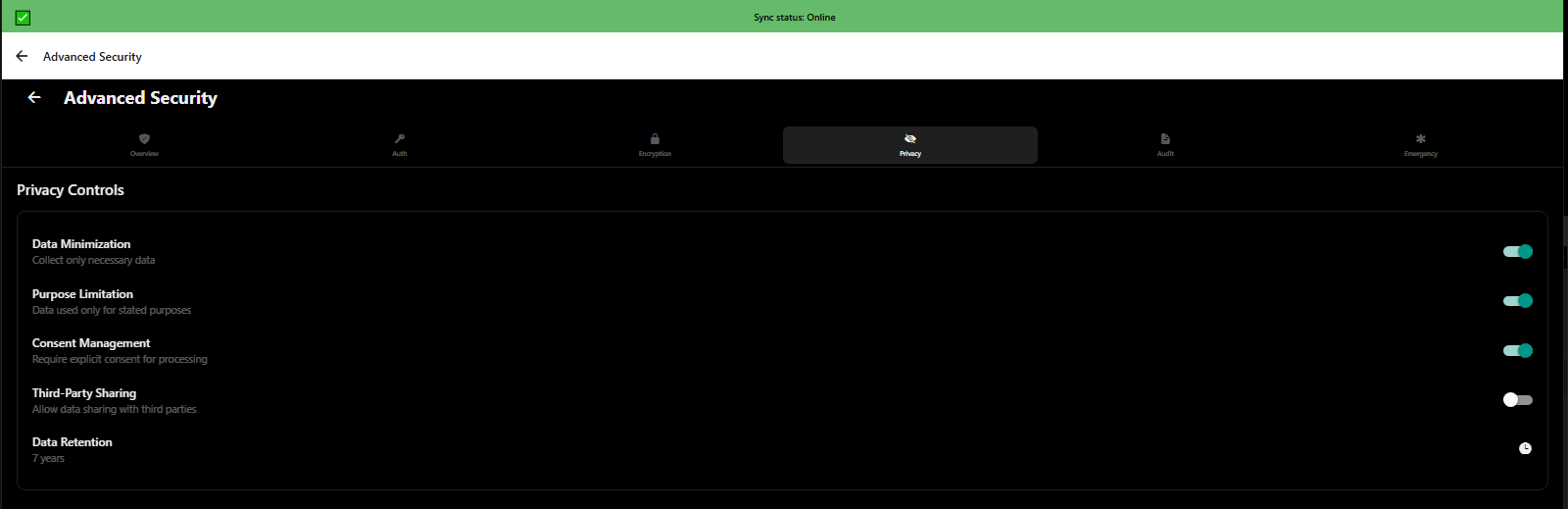
Advanced security privacy settings controlling data sharing and analytics - 3mpwrApp user control
Privacy Controls | Control
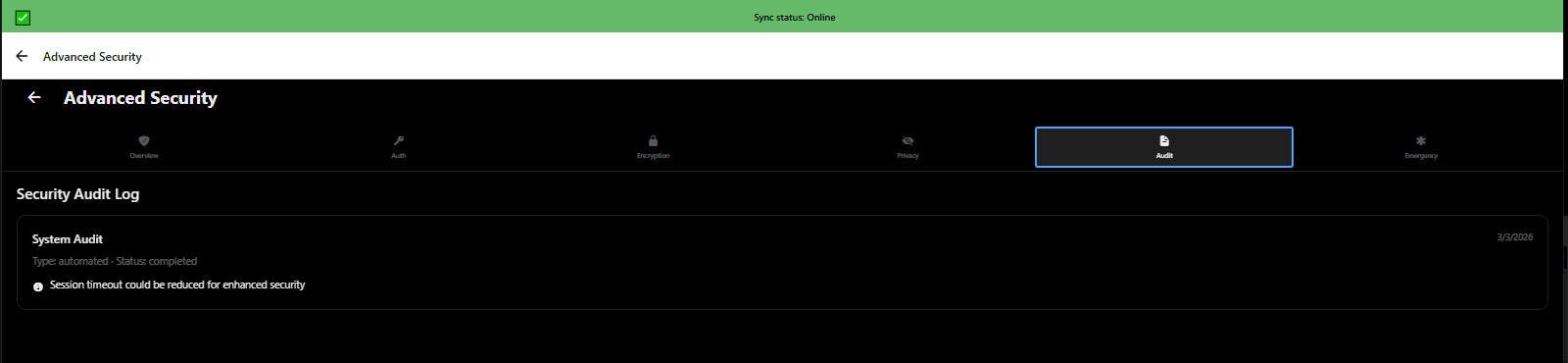
Advanced security audit log showing who accessed your data and when - HIPAA compliance - 3mpwrApp
Audit Log | Track
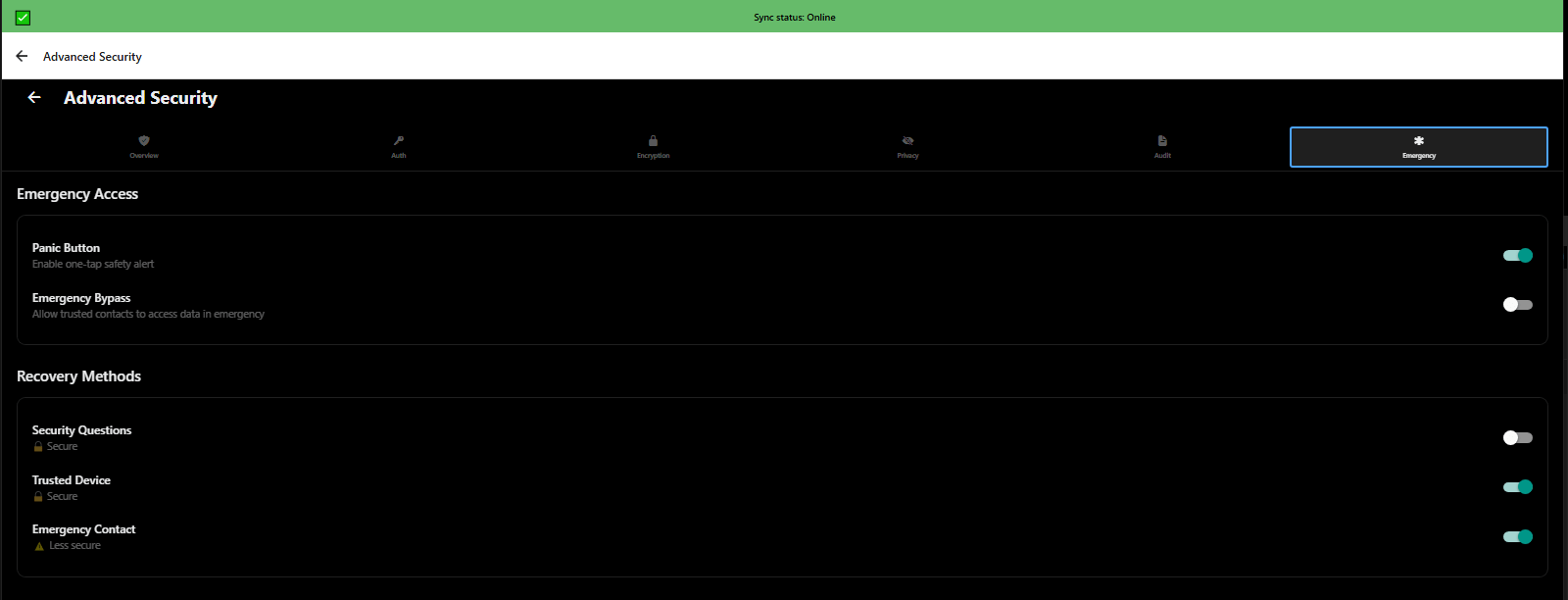
Advanced security emergency access for trusted contacts in crisis situations - 3mpwrApp safety
Emergency Access | Safety
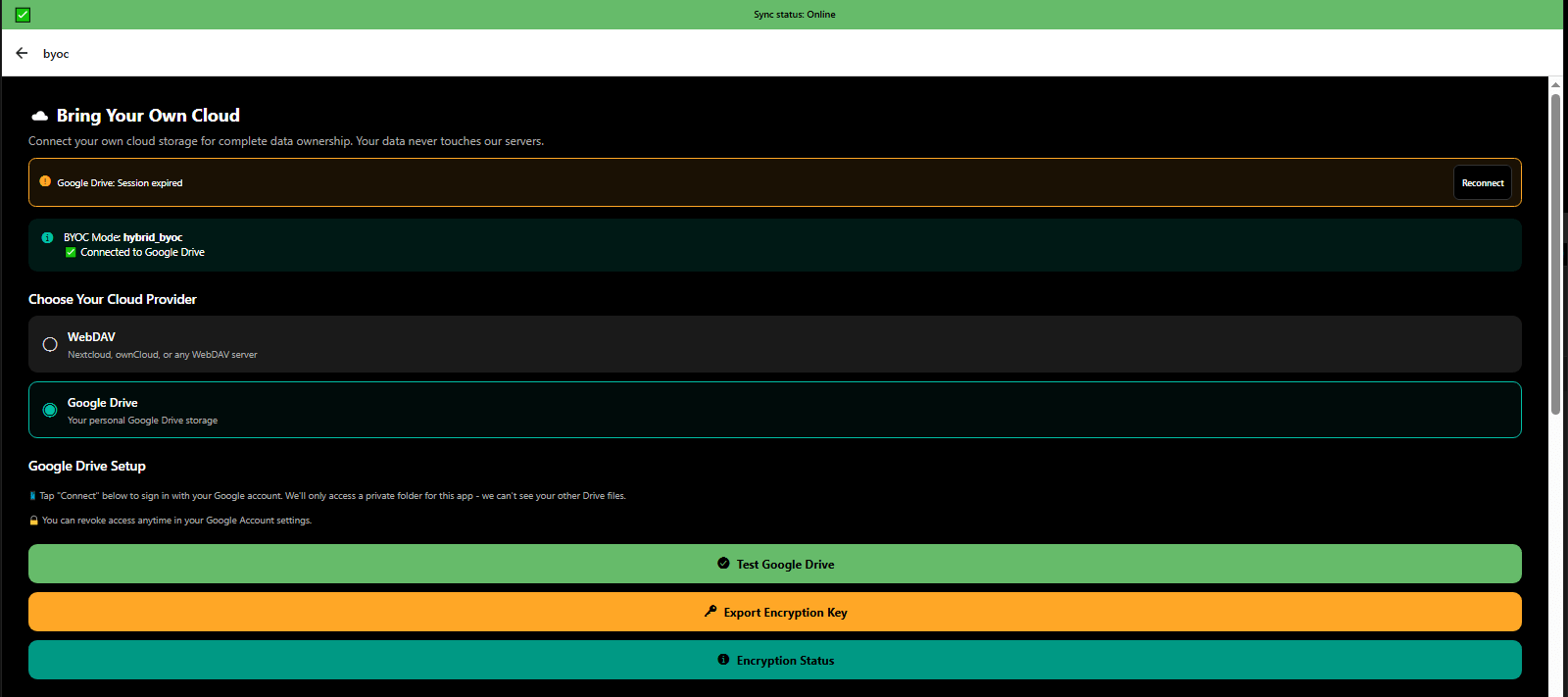
Bring Your Own Cloud (BYOC) connected to Google Drive - user-controlled data storage - 3mpwrApp data ownership
BYOC - Connected | Cloud
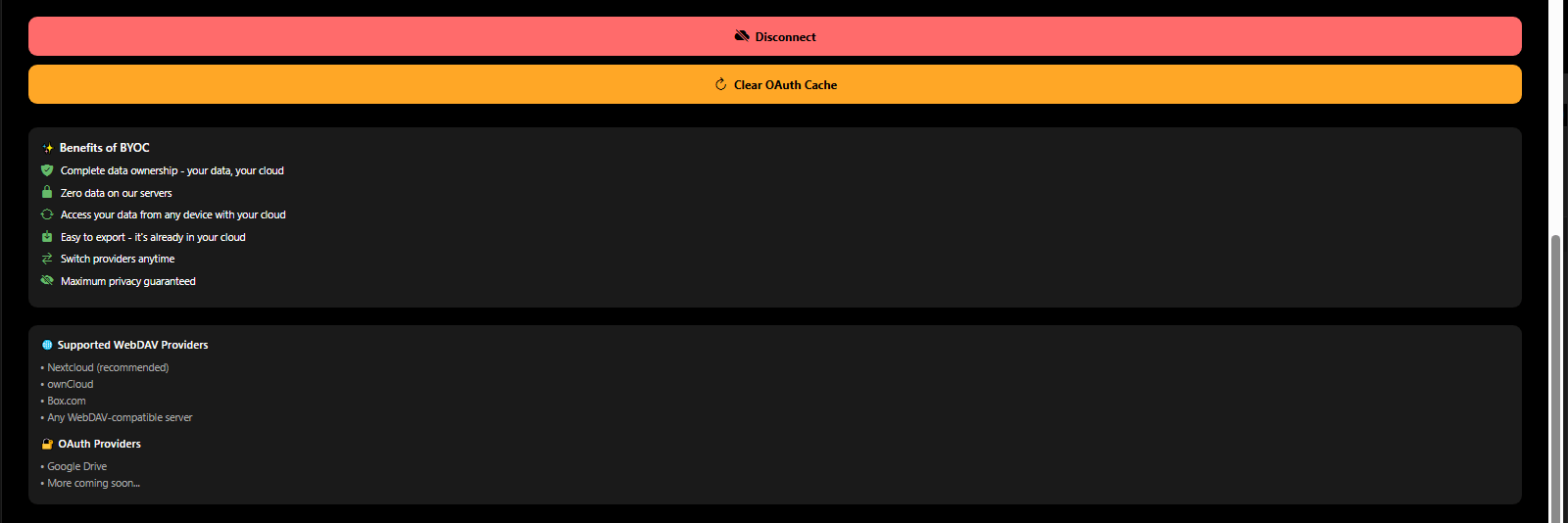
BYOC sync settings managing what data syncs to your personal cloud storage - 3mpwrApp privacy
BYOC - Sync Settings | Manage
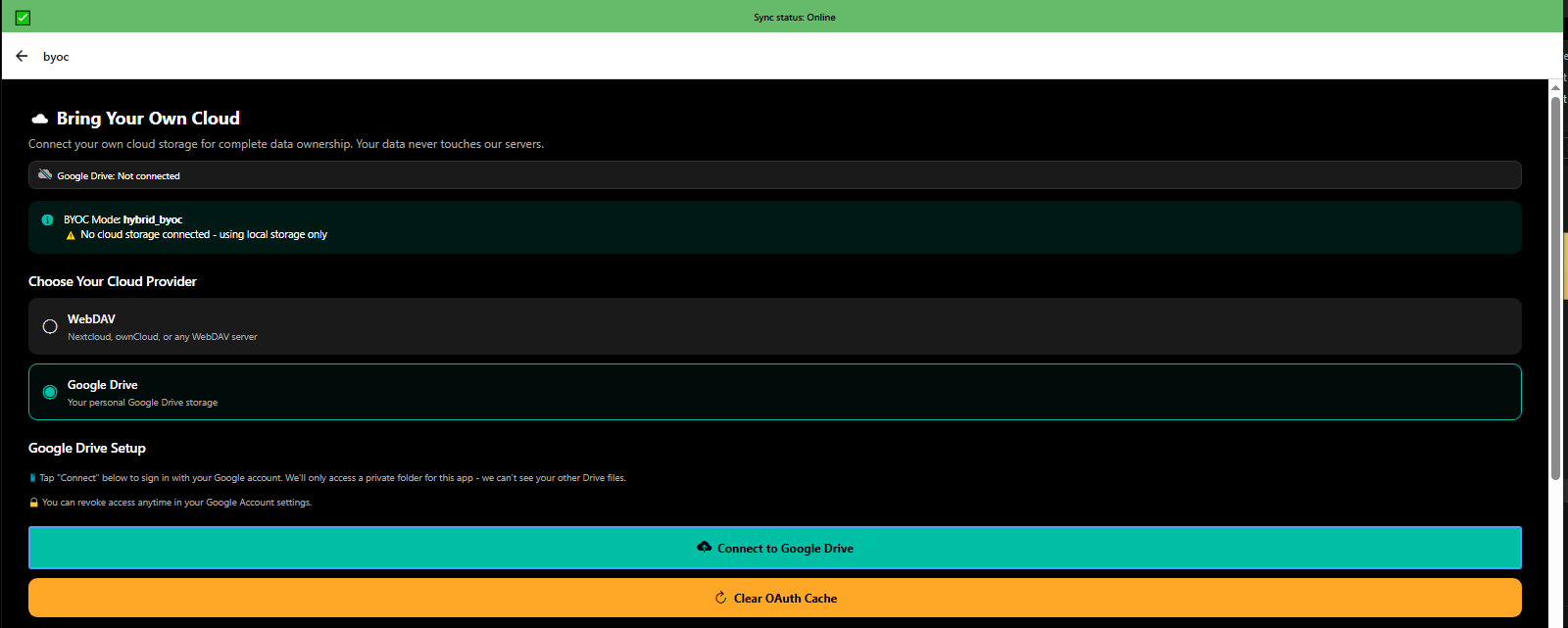
BYOC disconnected status showing local-only data storage - complete privacy - 3mpwrApp offline mode
BYOC - Local Only | Offline
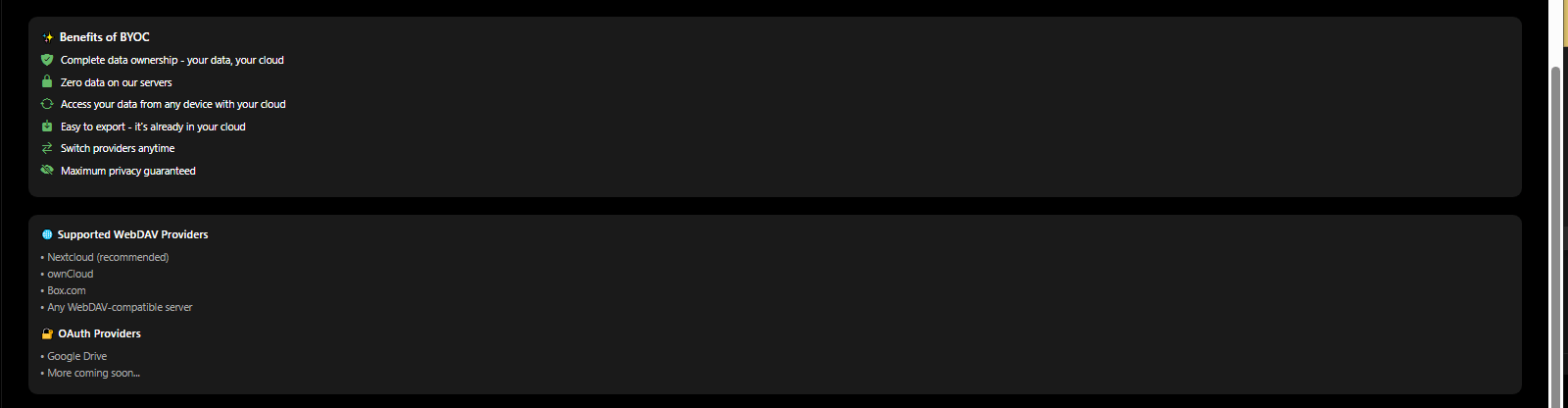
BYOC connection options for Google Drive, Dropbox, or local-only storage - 3mpwrApp data control
BYOC - Connect Options | Setup
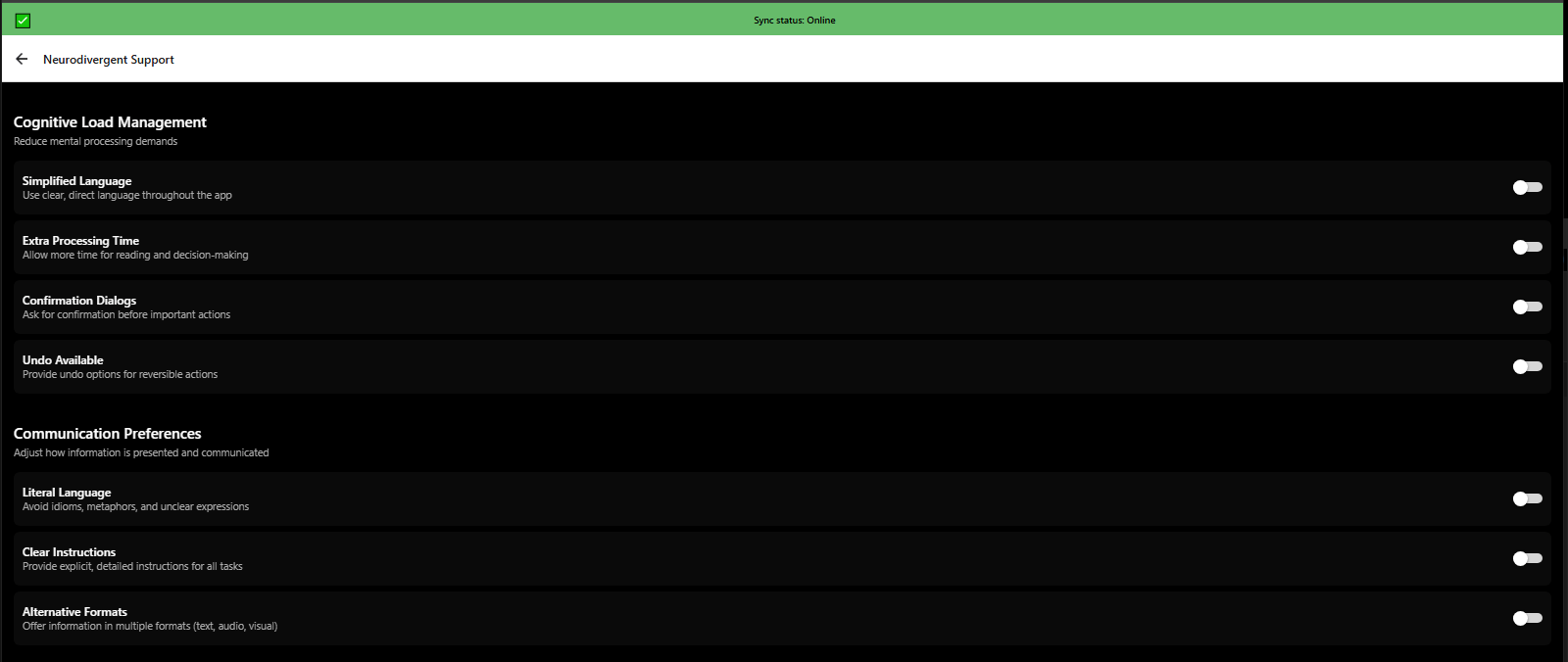
Cognitive accessibility settings reducing cognitive load for neurodivergent users - 3mpwrApp inclusive design
Cognitive Accessibility | Neurodivergent
Cognitive accessibility features: simplified menus, clear labels, progress indicators - 3mpwrApp ADHD autism
Cognitive Features | Simplify
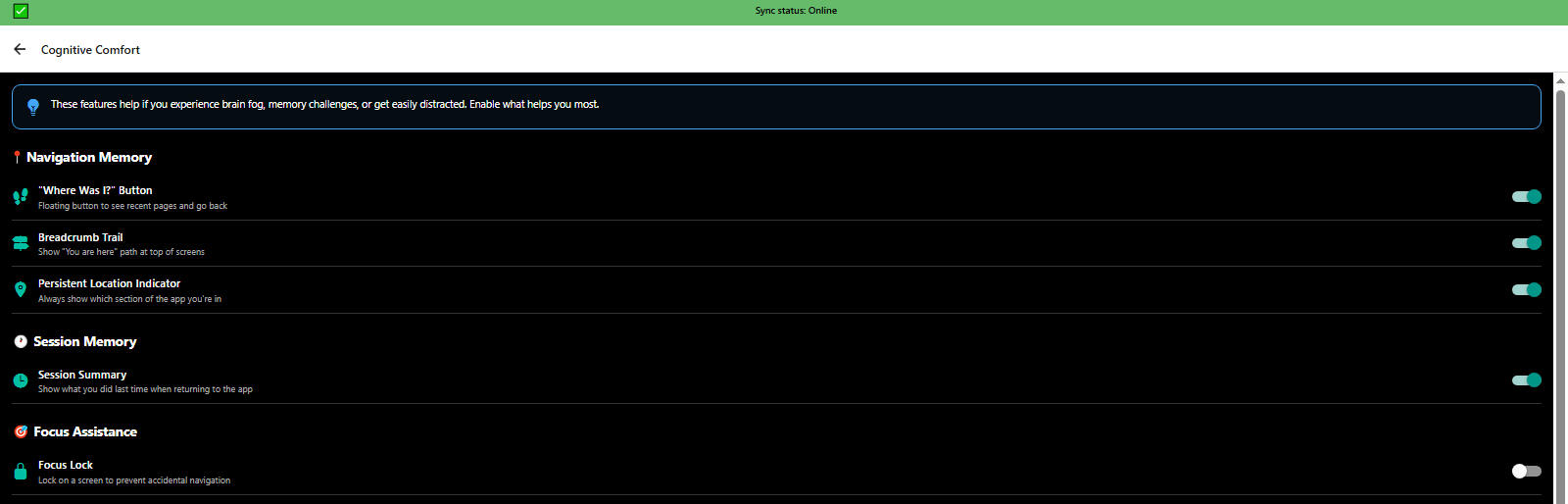
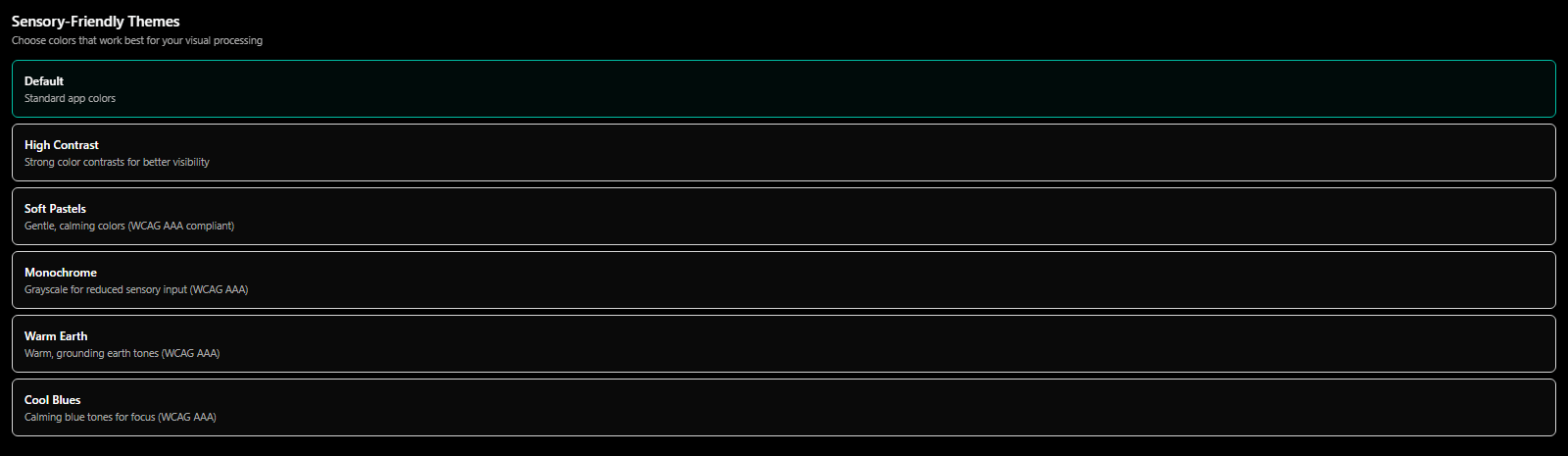
Cognitive comfort settings creating calming digital environment for sensory sensitivities - 3mpwrApp neurodivergent
Cognitive Comfort | Calm
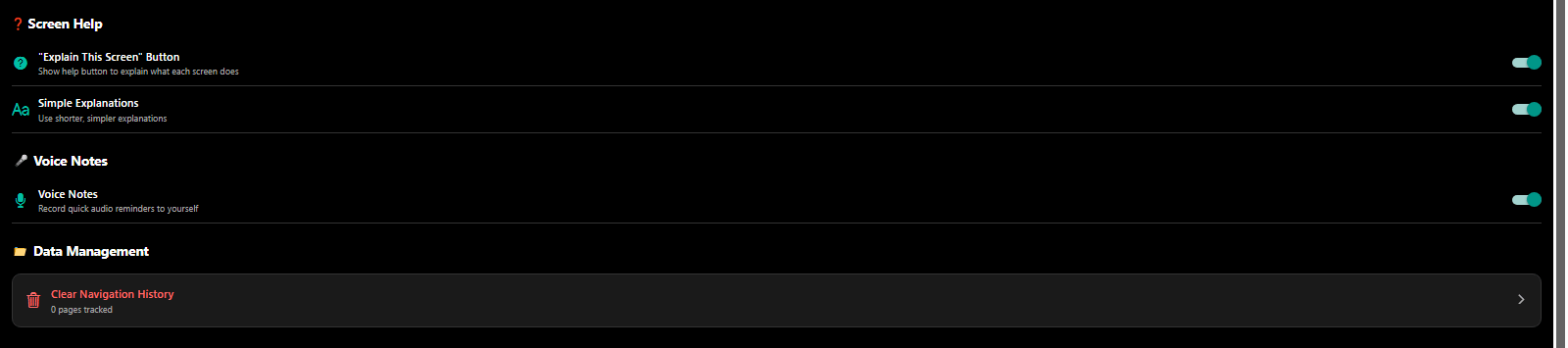
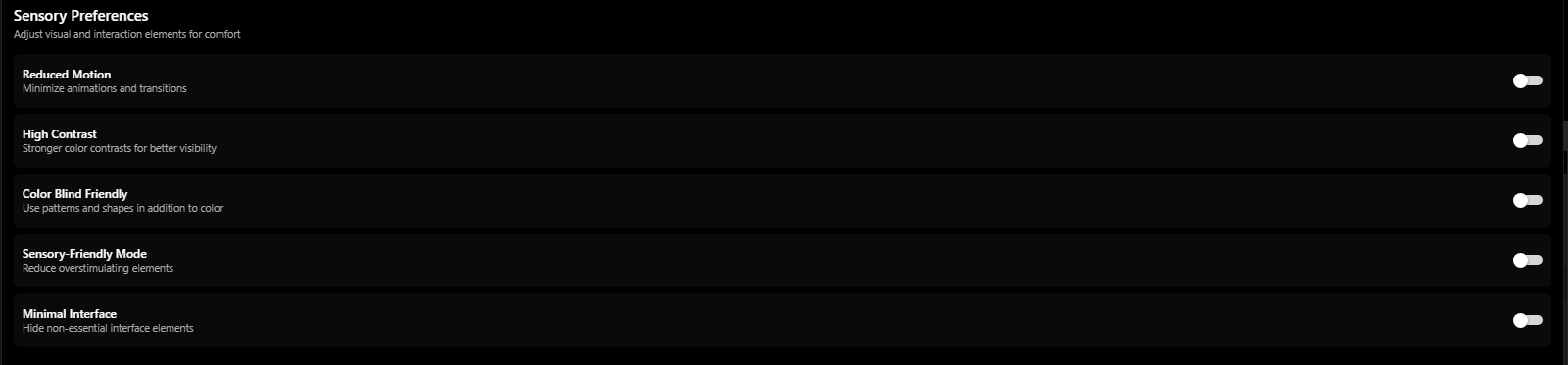
Cognitive comfort customization with reduced animations, quiet interface, focus modes - 3mpwrApp accessibility
Comfort Customization | Focus
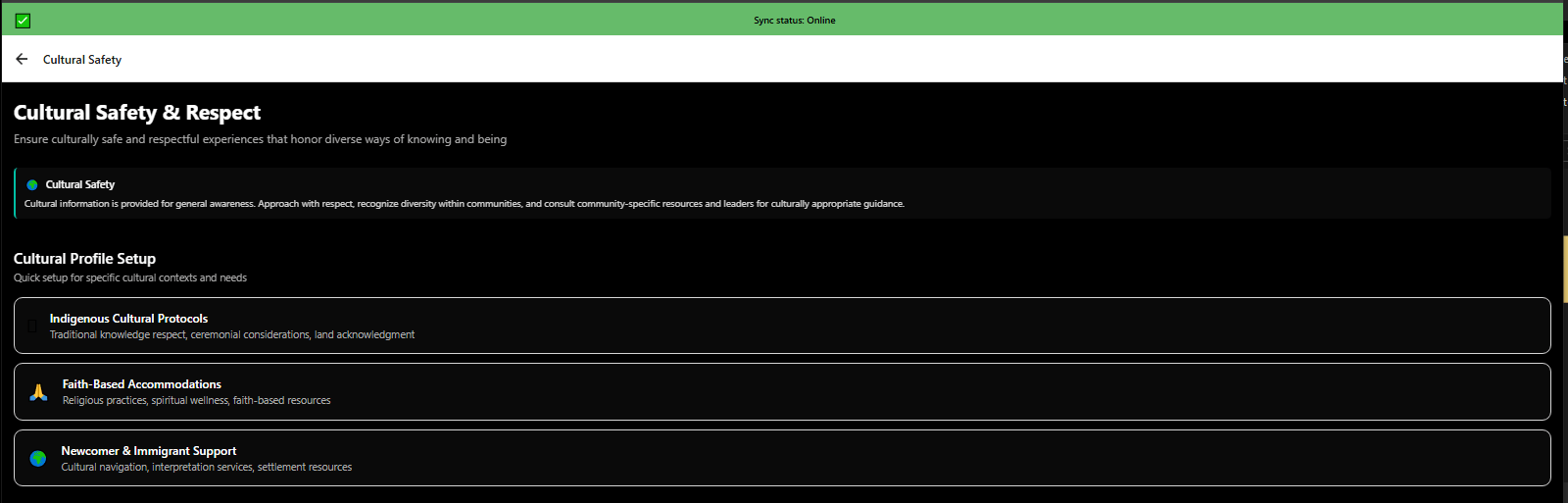
Cultural Safety profile setup configuring culturally appropriate language and content - 3mpwrApp diversity equity inclusion
Cultural Safety | Diversity
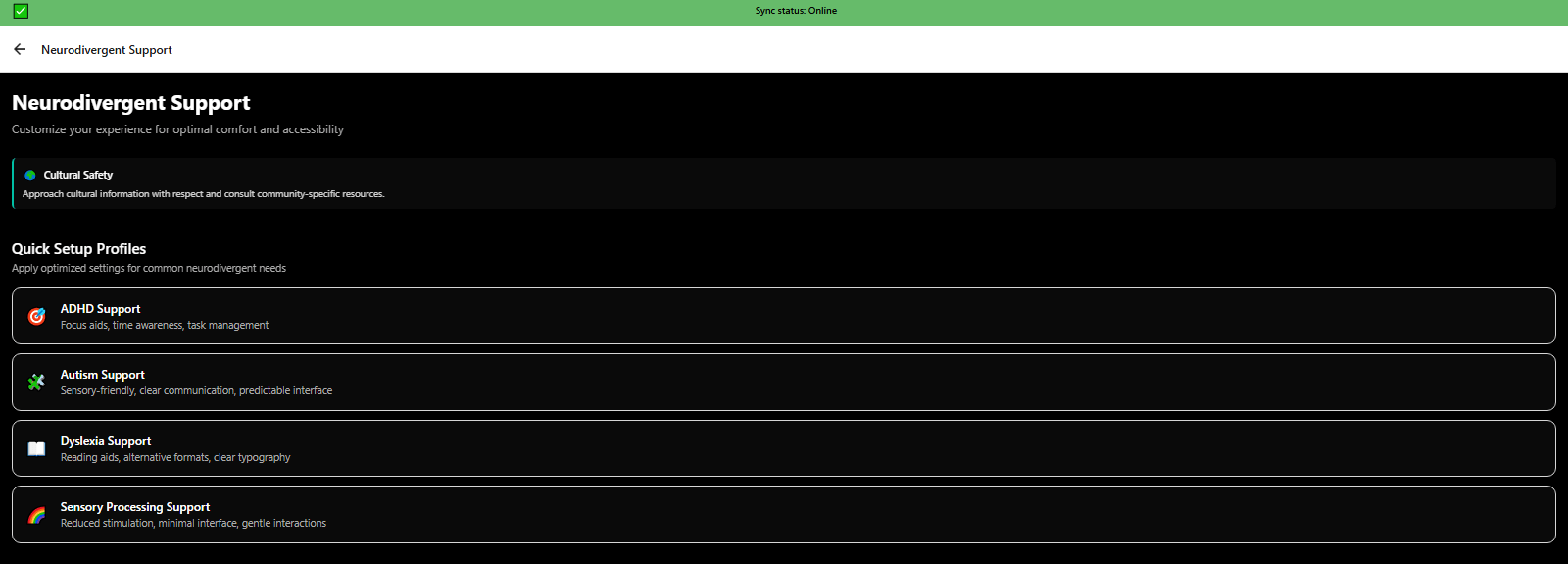
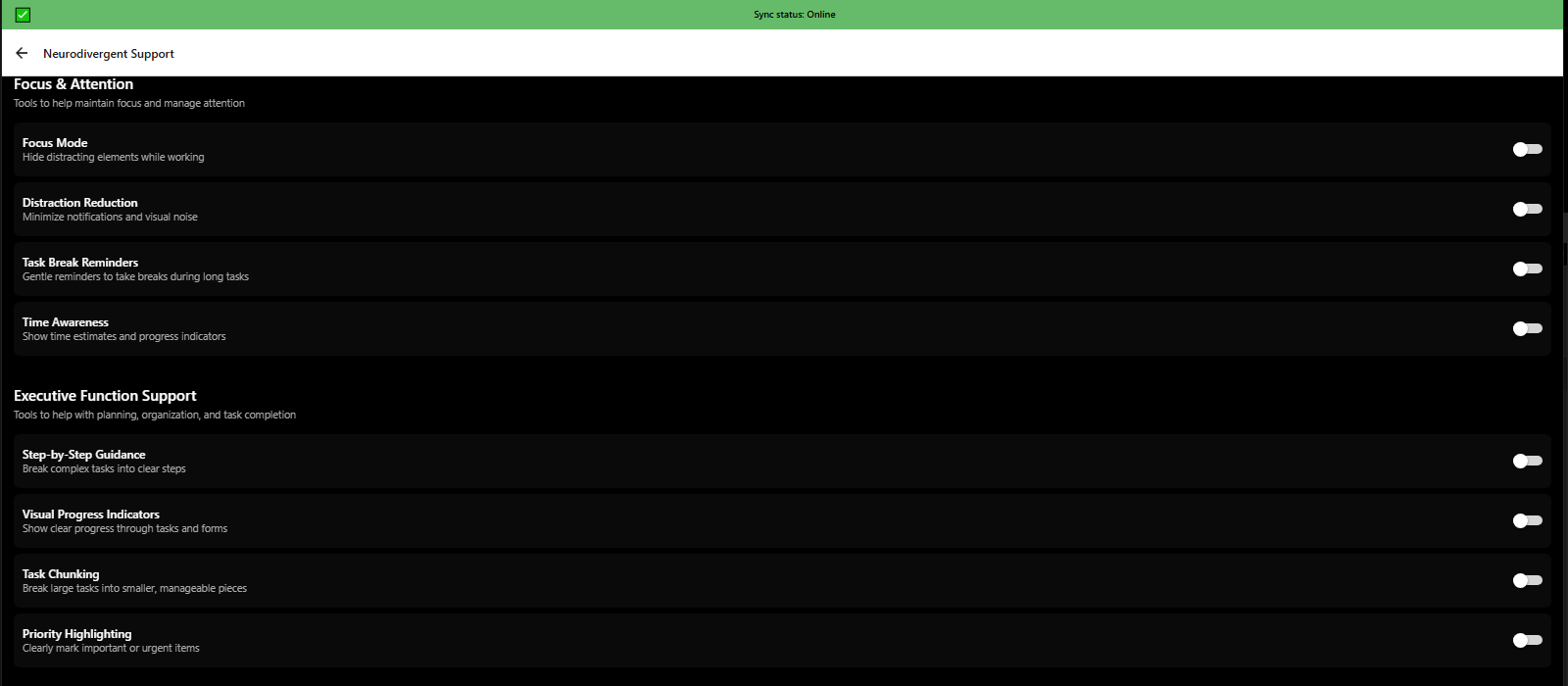
Neurodivergent support settings overview for ADHD, autism, and cognitive differences - 3mpwrApp inclusive design
Neurodivergent Support | Overview
Neurodivergent support ADHD-specific features: timers, reminders, focus tools - 3mpwrApp executive function
ADHD Support | ADHD
Neurodivergent support autism-specific features: sensory settings, communication tools - 3mpwrApp
Autism Support | Autism
Neurodivergent support learning disabilities features: text-to-speech, visual aids - 3mpwrApp accessibility
Learning Support | Learn
Neurodivergent support anxiety management: calming interface, predictability, control - 3mpwrApp mental health
Anxiety Management | Anxiety
Neurodivergent support custom combinations for individual cognitive accessibility needs - 3mpwrApp personalization
Custom Neurodivergent | Personalize
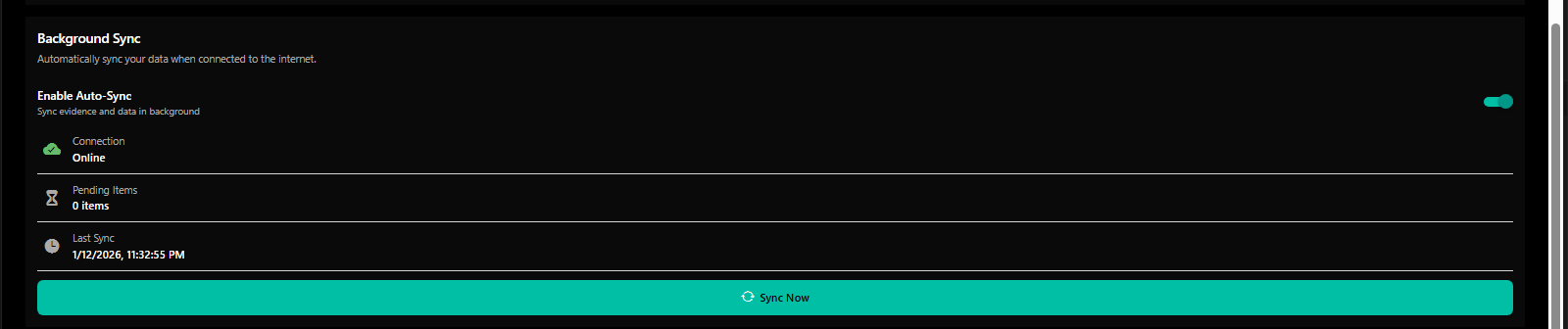
Evidence encryption and background sync settings for secure document management - 3mpwrApp data security
Evidence Encryption | Sync
Troubleshooting common issues guide with solutions for app problems - 3mpwrApp support
Common Issues | Troubleshoot

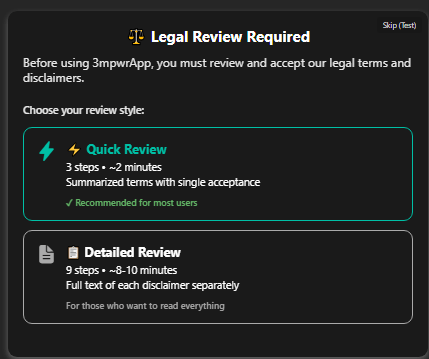
πŸšͺ Onboarding & Terms

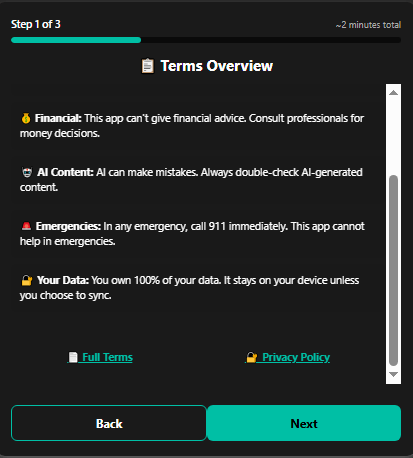
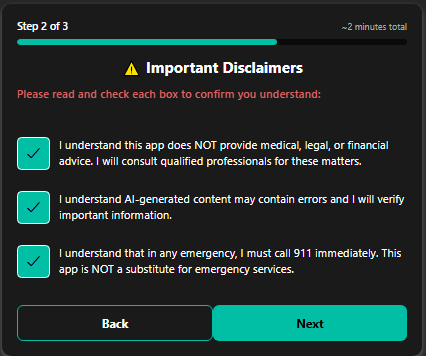
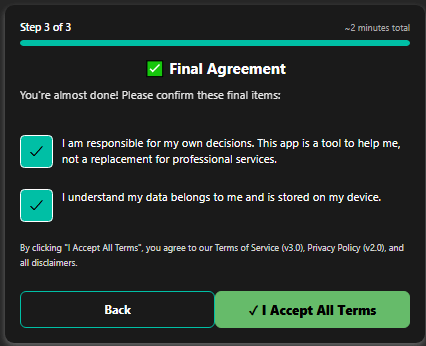
Welcome experience, guided tutorials, terms of service, privacy policies, and important disclaimers to ensure informed consent and successful onboarding.

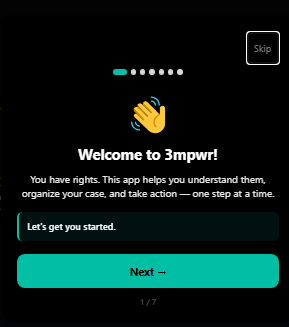
3mpwrApp first launch welcome screen - start your disability advocacy journey - beta testing
First Launch | Beta
Welcome to 3mpwrApp detailed review of features and capabilities - onboarding tutorial
Welcome Details | Features
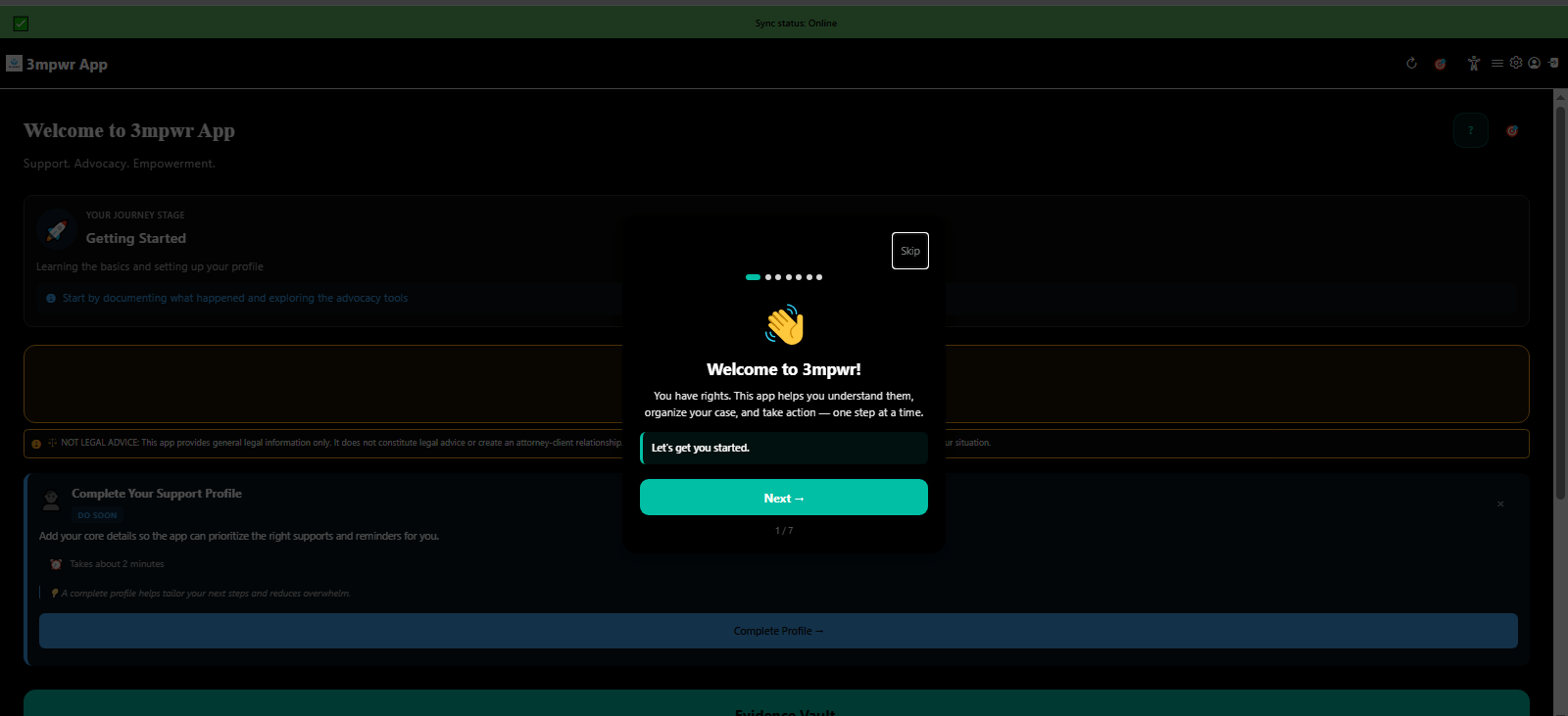
Welcome to 3mpwrApp onboarding tutorial step 1 - getting started guide - disability app
Tutorial Step 1 | Start
Welcome tutorial step 2 explaining AI-powered advocacy tools - 3mpwrApp features
Tutorial Step 2 - AI | AI Tools
Welcome tutorial step 3 showcasing wellness tracking and health management - 3mpwrApp
Tutorial Step 3 - Wellness | Wellness
Welcome tutorial step 4 demonstrating evidence management and legal tools - 3mpwrApp
Tutorial Step 4 - Evidence | Evidence
Welcome tutorial step 5 introducing community support and peer connection - 3mpwrApp
Tutorial Step 5 - Community | Community
Welcome tutorial step 6 explaining privacy and data ownership - 3mpwrApp security
Tutorial Step 6 - Privacy | Privacy
Welcome tutorial step 7 final onboarding step ready to start - 3mpwrApp beta
Tutorial Step 7 - Ready | Join
First-time settings: language and notification preferences - 3mpwrApp personalization
First Settings | Settings
First-time settings: quiet hours and alert type configuration - 3mpwrApp accessibility
Quiet Hours Setup | Configure
First home screen after onboarding with next steps - 3mpwrApp getting started
First Home Screen | Dashboard
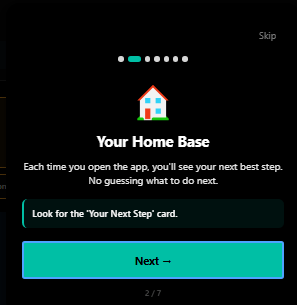
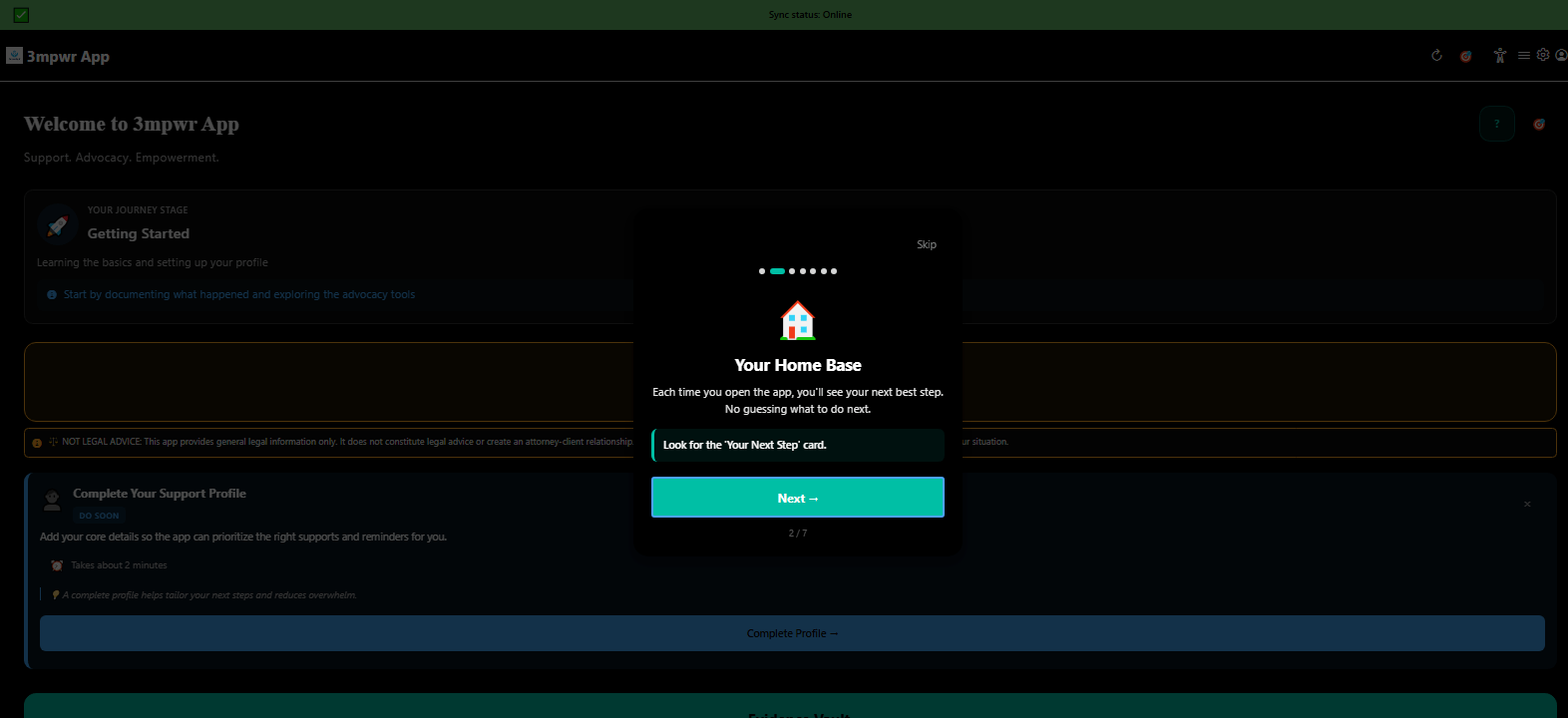
Home base dashboard showing main features and quick actions - 3mpwrApp
Home Base | Base
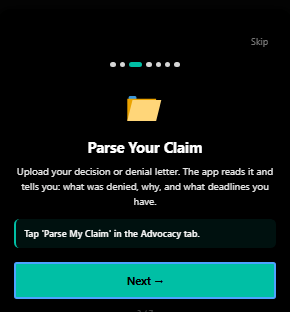
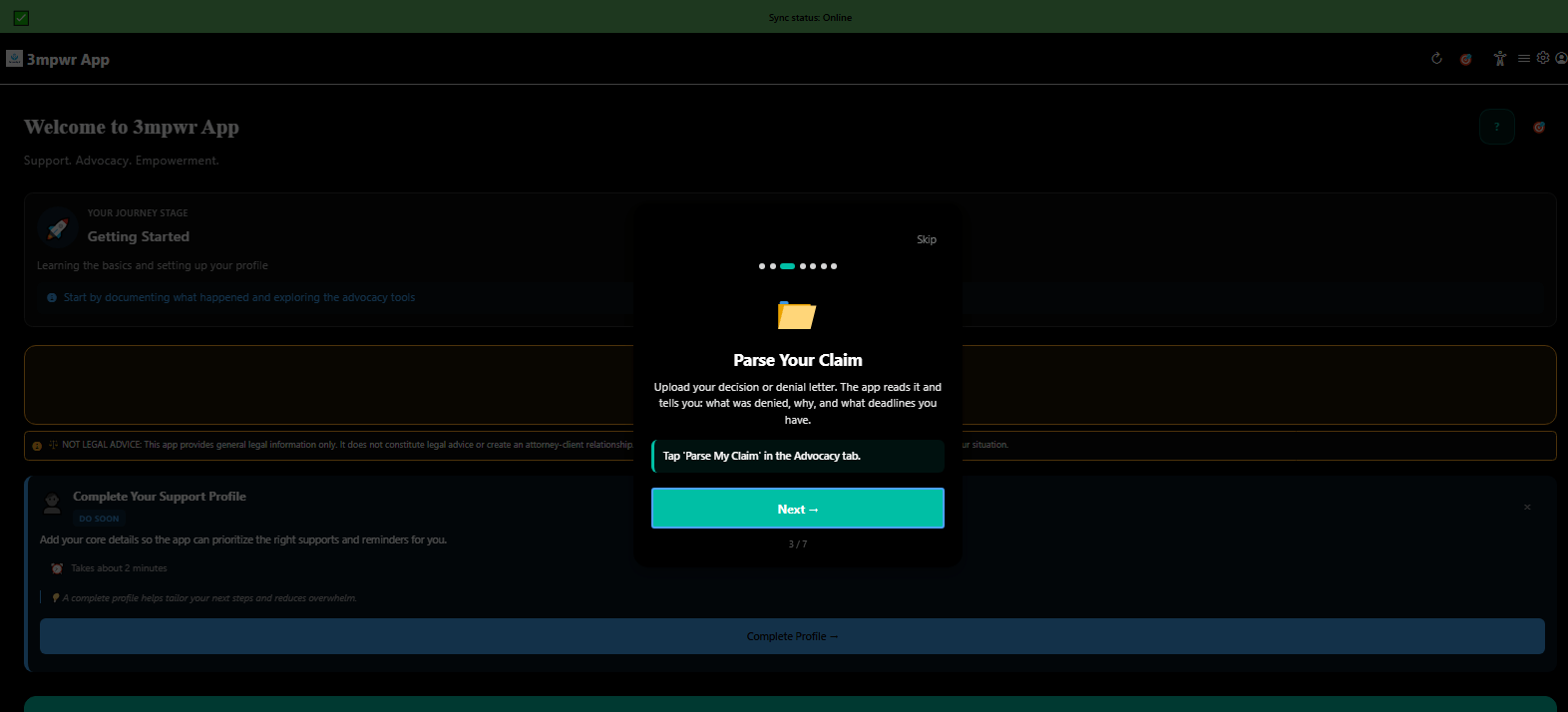
Tutorial screen: parse your workers compensation claim with AI - 3mpwrApp AI tools
Tutorial - Parse Claim | Parse
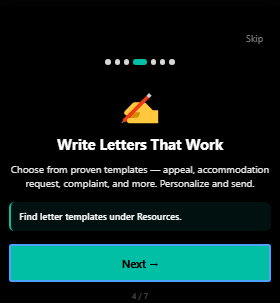
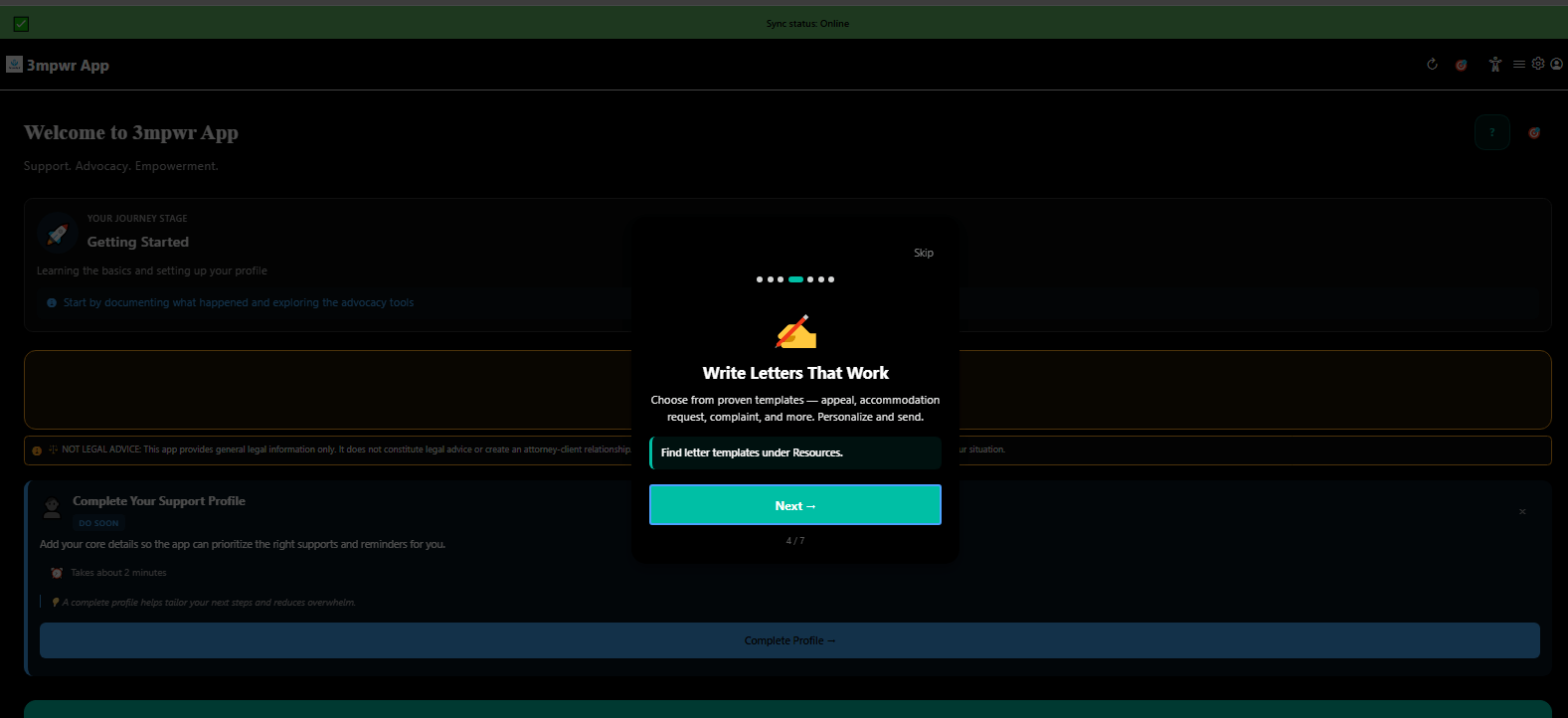
Tutorial screen: write professional appeal letters with AI assistance - 3mpwrApp advocacy
Tutorial - Write Letters | Write
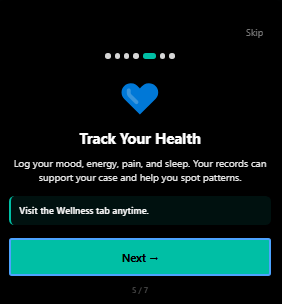
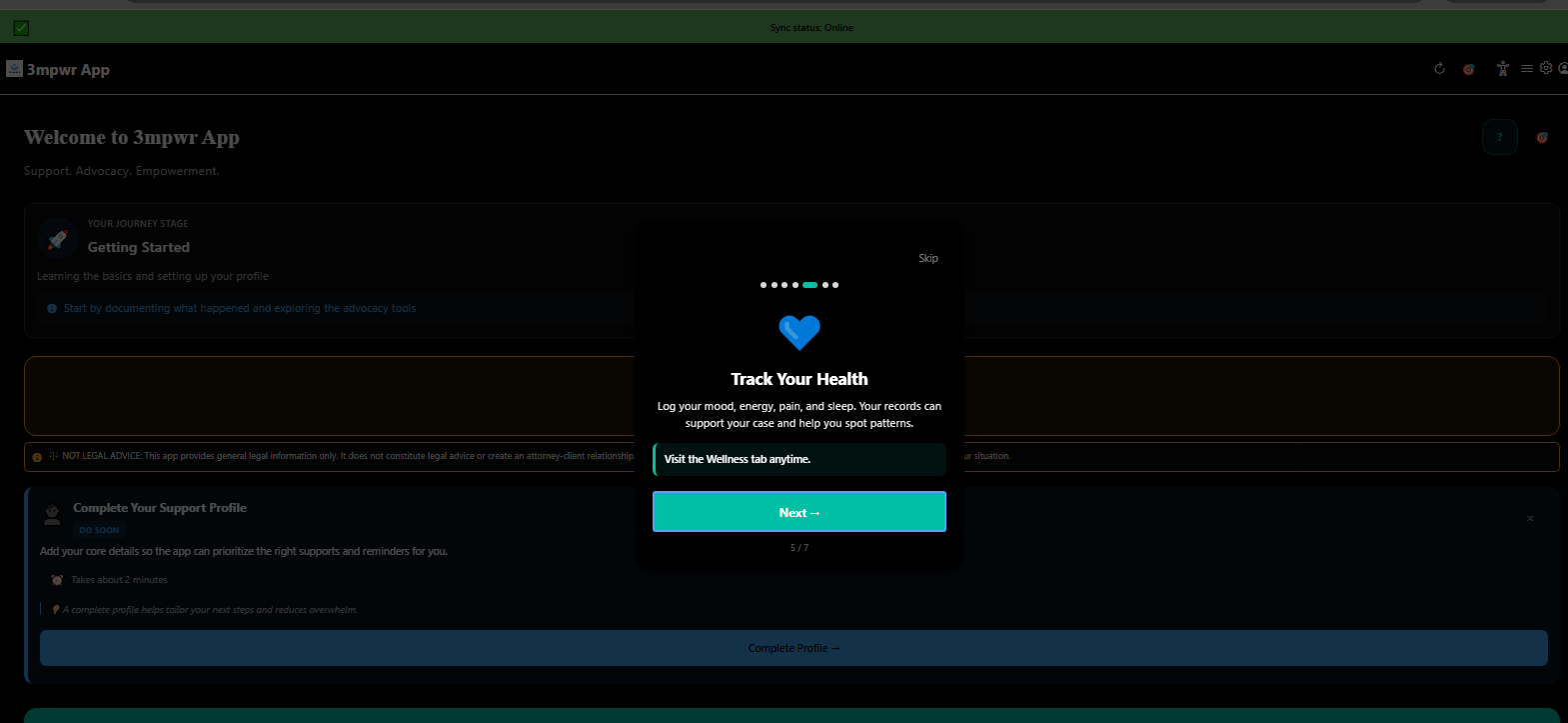
Tutorial screen: track health symptoms and energy patterns - 3mpwrApp wellness
Tutorial - Track Health | Track
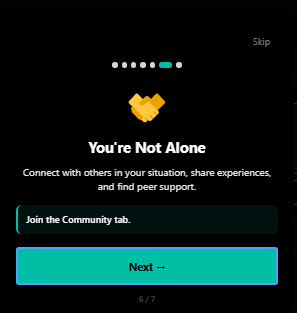
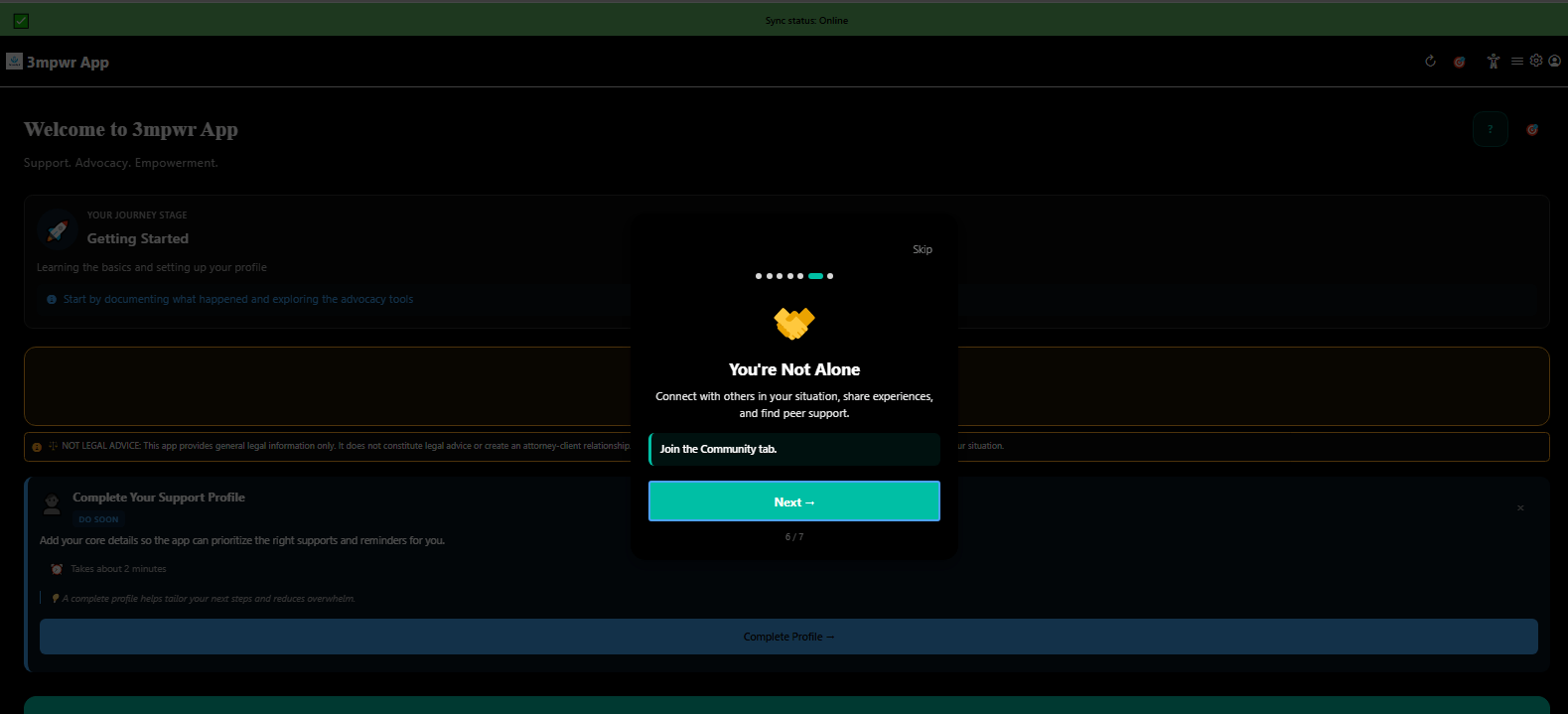
Tutorial screen: you're not alone, join the disability community - 3mpwrApp support
Tutorial - Community | Connect
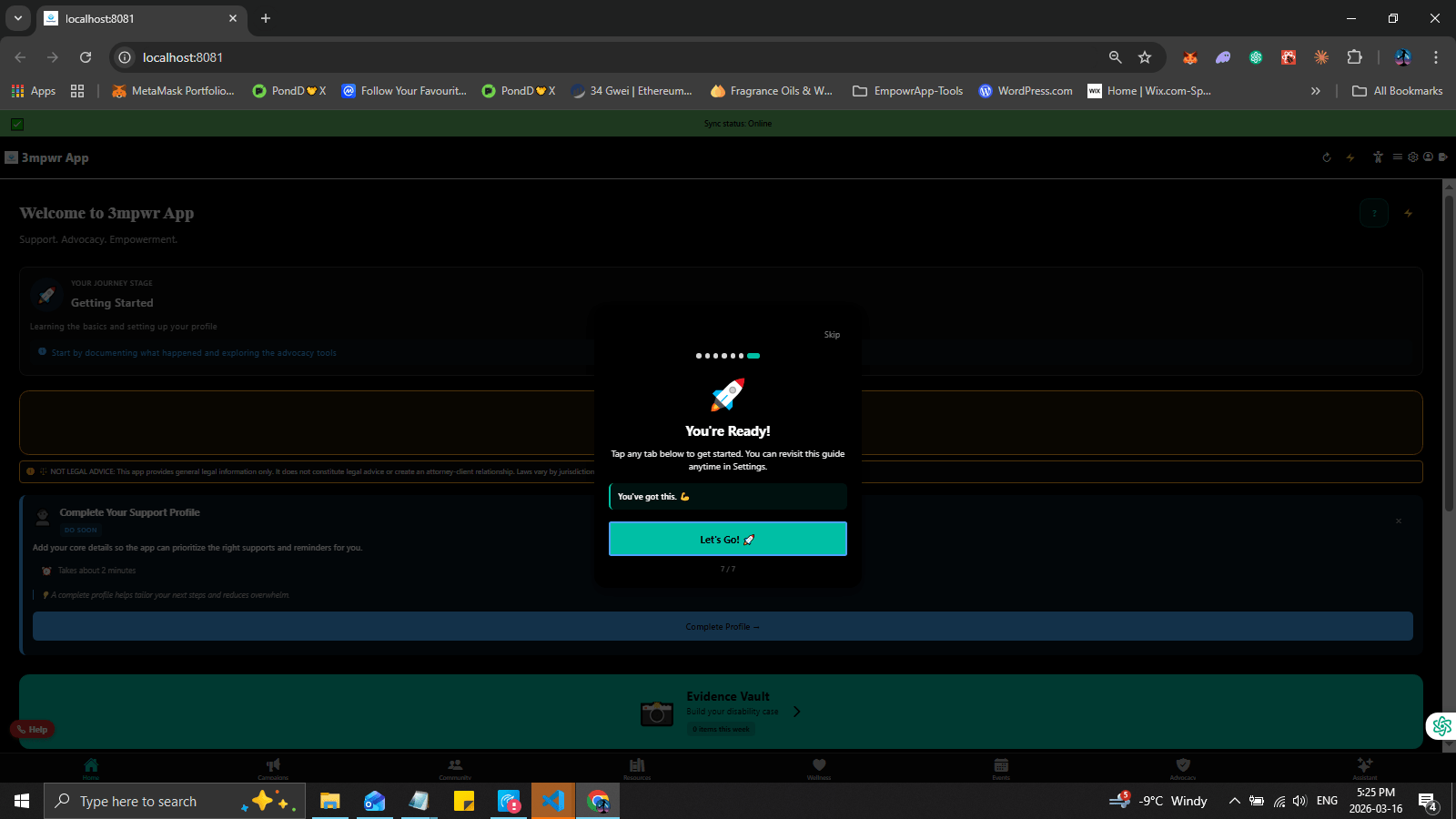
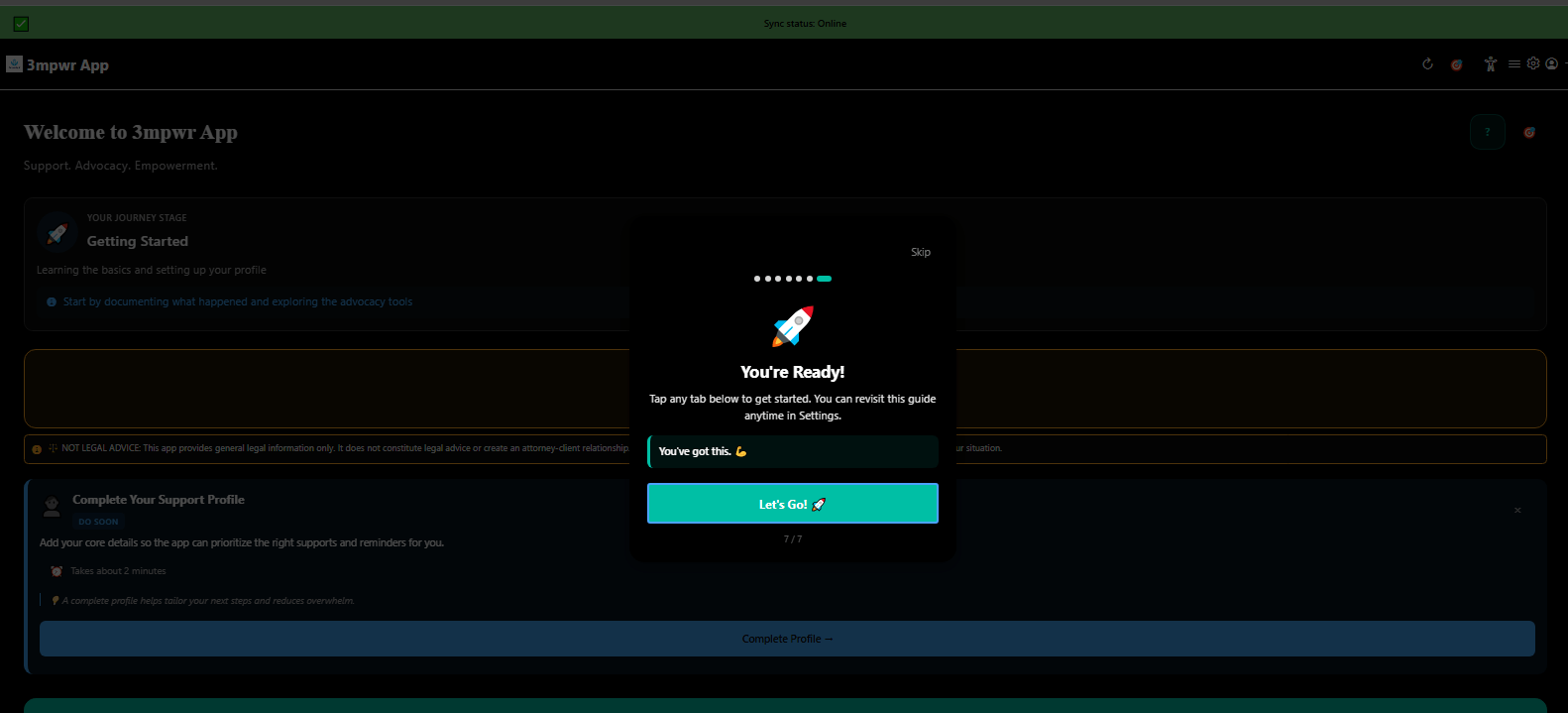
Tutorial complete: you're ready to start using 3mpwrApp - onboarding finished
Tutorial Complete | Ready
Quick overview tutorial step 1 highlighting key features - 3mpwrApp walkthrough
Quick Overview Step 1 | Overview
Quick overview tutorial step 2 explaining navigation and tools - 3mpwrApp
Quick Overview Step 2 | Navigation
Quick overview tutorial final step ready to explore - 3mpwrApp onboarding
Quick Overview Complete | Explore
Complete your profile: select role (person with disability, supporter, ally) and location - 3mpwrApp personalization
Profile Step 1 - Role | Role
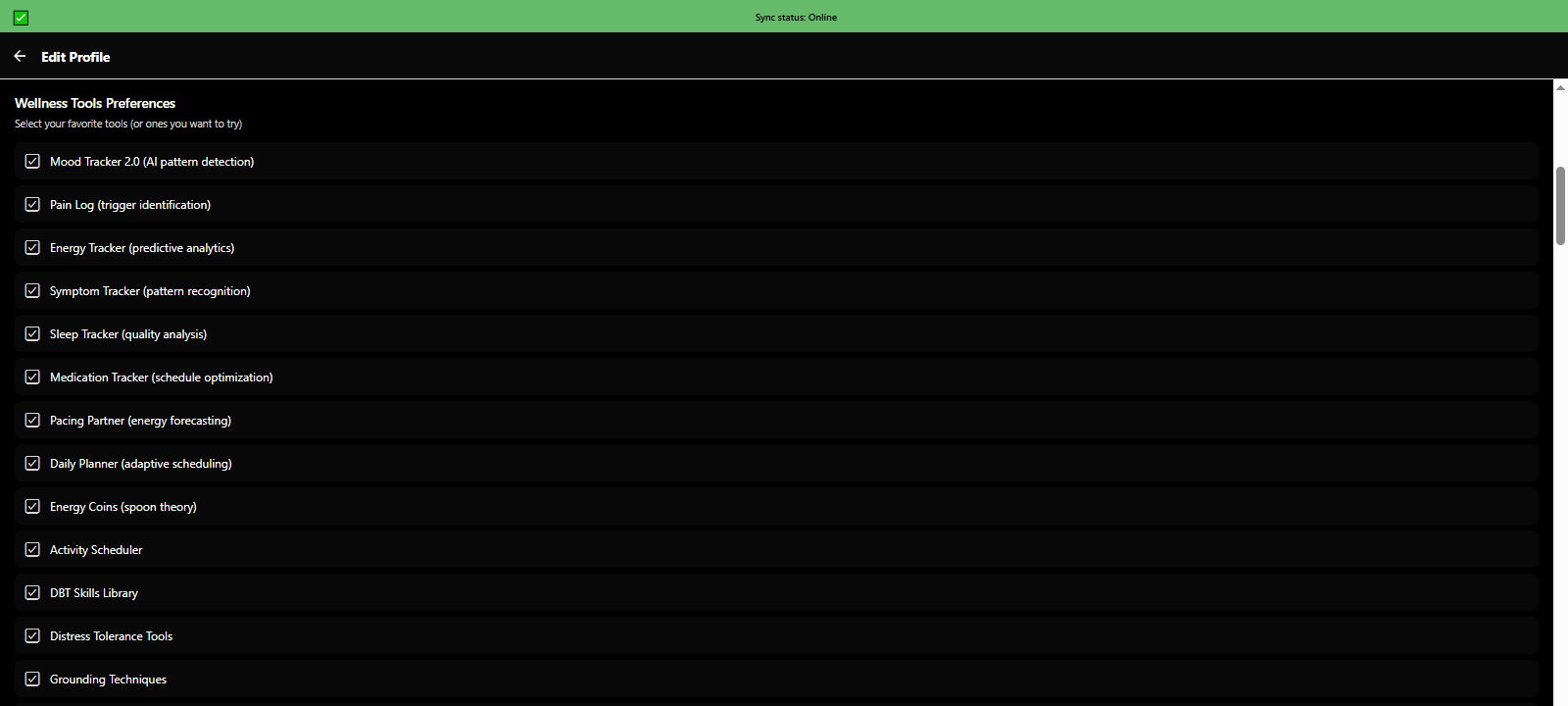
Complete profile: choose wellness tools preferences and health tracking options - 3mpwrApp
Profile Step 2 - Wellness | Preferences
Complete profile: select advocacy needs (benefits, legal, employment, housing) - 3mpwrApp
Profile Step 3 - Advocacy | Needs
Complete profile: configure accessibility accommodations and energy pattern tracking - 3mpwrApp
Profile Step 4 - Accessibility | Access
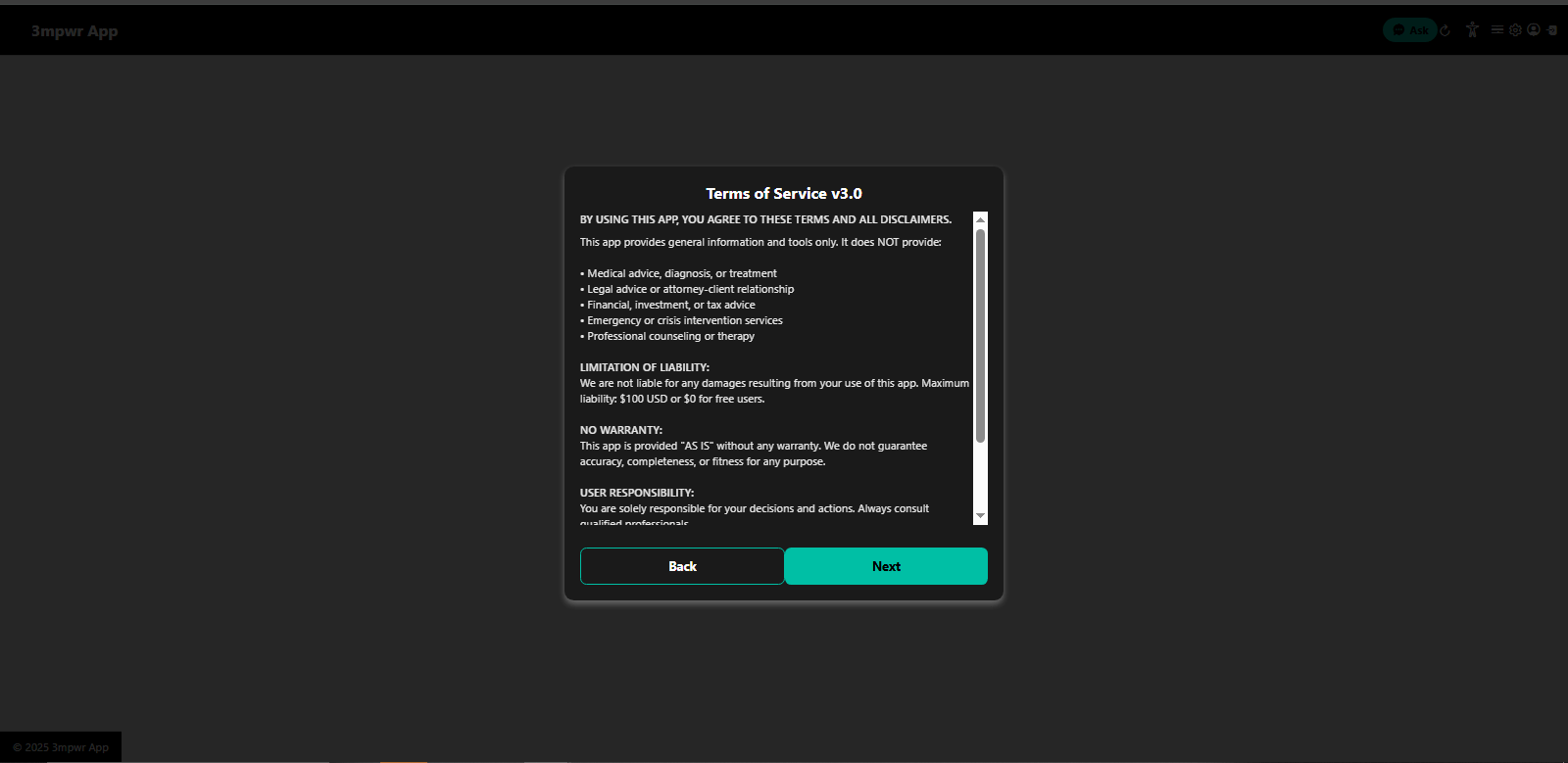
Terms of Service v3.0 - legal agreement for using 3mpwrApp - user agreement
Terms of Service | Terms
Privacy Policy v2.0 - how 3mpwrApp protects your data and respects privacy - data protection
Privacy Policy | Privacy
Medical Disclaimer - 3mpwrApp is not a substitute for professional medical advice - health information
Medical Disclaimer | Medical
Legal Disclaimer - 3mpwrApp provides information, not legal representation - advocacy tools
Legal Disclaimer | Legal
Financial Disclaimer - 3mpwrApp does not provide financial advice - benefits information
Financial Disclaimer | Financial
AI Content Disclaimer - AI-generated content should be reviewed by professionals - 3mpwrApp AI tools
AI Content Disclaimer | AI
Crisis & Emergency Disclaimer - 3mpwrApp is not a crisis hotline, call emergency services - mental health
Crisis Disclaimer | Crisis
Final agreement acknowledging all disclaimers before accessing 3mpwrApp - consent
Final Agreement | Agree
What's New in 3mpwrApp - latest features, updates, and improvements - changelog
What's New | Updates
Get started option to explore 3mpwrApp features before creating account - guest mode
Explore First | Guest
Login or register screen for creating 3mpwrApp account - beta testing access
Login / Register | Join

Ready to Experience 3mpwrApp?

Join Our Beta Program

Be among the first to access these powerful features. Help us build the platform injured workers deserve.
Join the Beta β†’